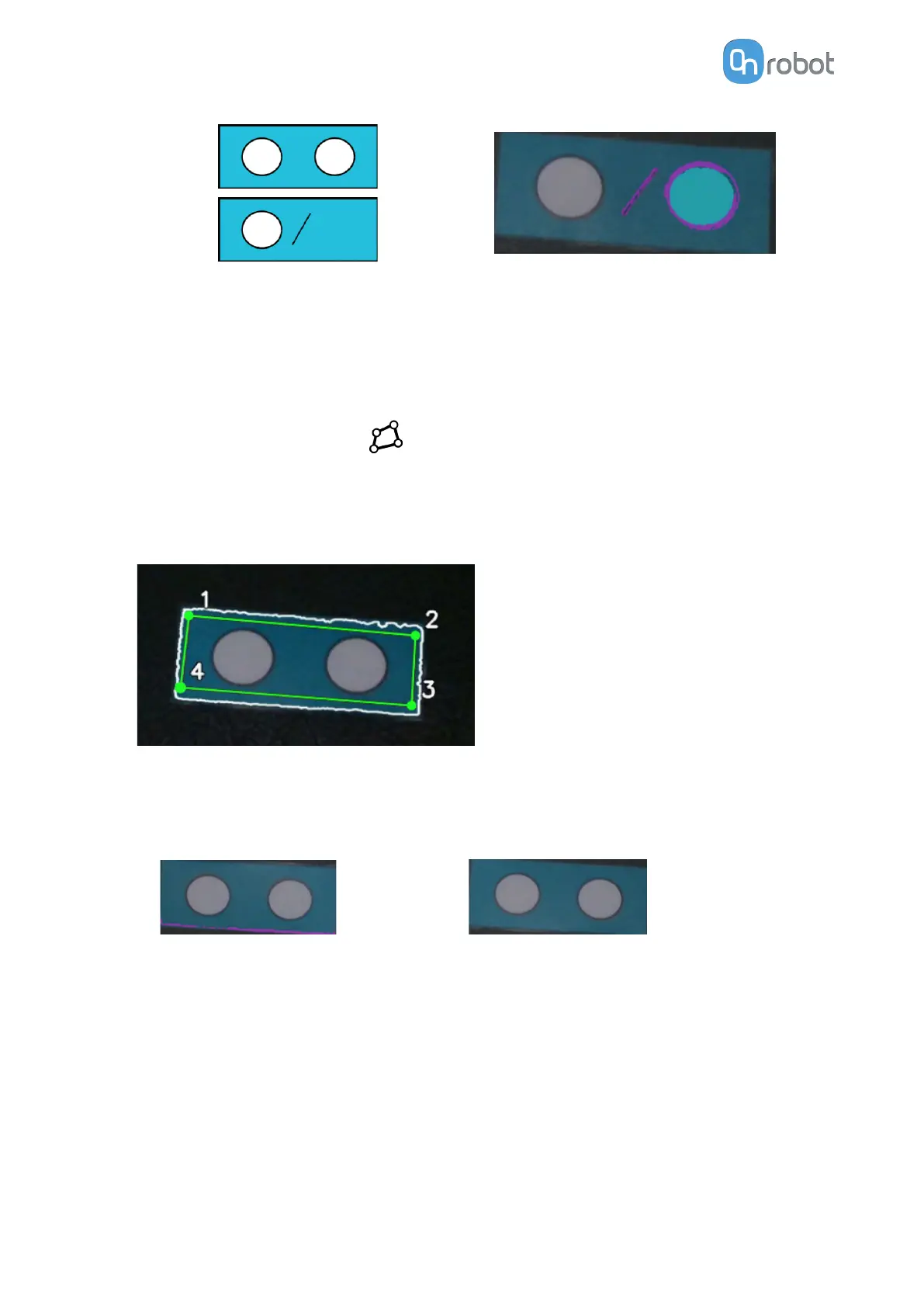
Taught workpiece and defected item Result
•
Set the Defect size threshold to
dierentiate between correct and defected items.
5.1.2.4. Set Inner Region of Interest when Using Inspection by Using Workpiece’s Inner
Features
Good practice:
•
Set the inner region of interest around the feature that Eyes will inspect. Setting the
inner region of interest will generate more robust results and a more consistent output.
It is highly recommended to set the inner region of interest when looking for edge defects
and if only the inner details of the object are being inspected. Set the inner region of
interest as follows:
•
With this setting Eyes avoids detecting extra defects due to the workpiece orientation not
being perfectly matched to the taught workpiece.
The following example shows an item that has no defects.
Region of interest is not set
Region of interest is set as recommended
5.1.3. Best Practices – Eyes Lighting Kit
This section describes some recommendations how to use the Eyes Lighting Kit.
5.1.3.1. Light Reflections
Using artificial lighting in your setup can create reflections depending on how the light, the
object, and the camera are placed with respect to each other.
When the light is mounted on the camera and on the robot, it can cause a brighter spotlight in
the center of the image.
OPERATION
99



 To Next Page