Lights Settings
Use this menu to enable the Lights on Eyes.
Camera views
Use this menu to select a camera view.
To delete a camera view, press .
To see more information about a camera view, press .
Workpieces
Use this menu to select a workpiece.
To delete a workpiece, press .
To see more information about a workpiece, press .
Tasks
Use this menu to select a task.
To delete a workpiece, press
.
Web interface
Use this menu only when configuring the Eyes via Web Client.
Send robot pose to Eye Box: Press this button in the following cases:
•
When creating a new camera view.
The screen prompts you to save the current robot pose to be used later on. At this time,
press the button.
•
When calibrating an externally mounted Eyes with the robot.
When selecting External Mount in the Eyes’ Web Client settings, the screen prompts you
to send the robot’s pose from the robot. At this time, press the
button.
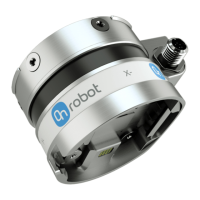
4.1.3.3. HEX
The
configuration panels for the HEX are shown in the image below:
SW INSTALLATION
31


 To Next Page