The following limitation apply when you use externally mounted light:
•
It is easy to cast undesirable shadows on the background as the light is not on the same
axis as the camera.
•
The application will require a larger space as the light needs to be mounted externally.
5.1.3.2. Use the Diuser
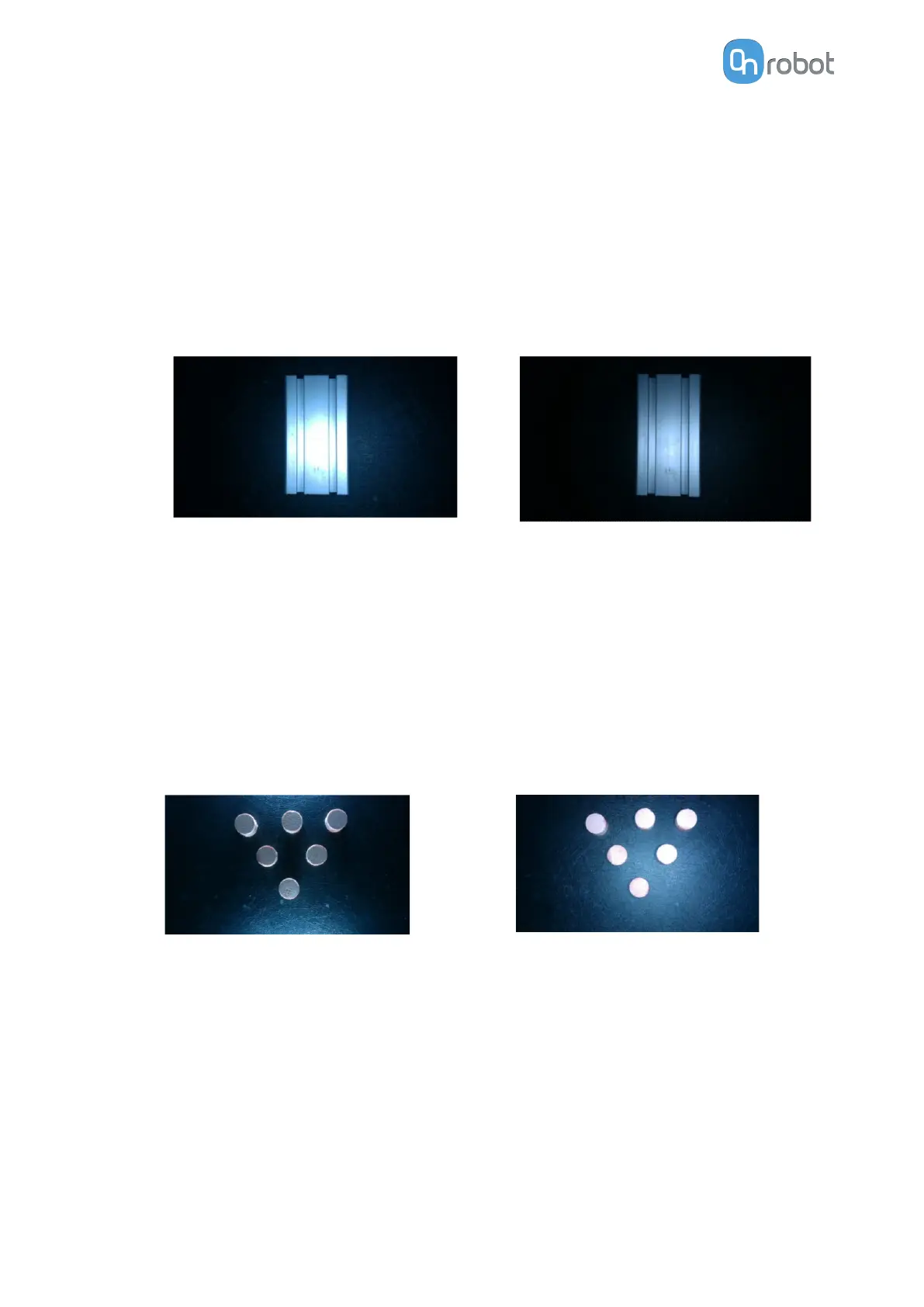
Diused light can be used to illuminate the workpieces in a more uniform way. It works best
when the camera is close to the workpiece and the light intensity is set to a low level.
See the following examples:
No diuser Diuser
Using the diuser will not eliminate reflections on reflective objects and/or backgrounds. It
only distributes the light in a slightly more uniform way.
5.1.3.3. Enhance Surface Features and Edges
Use this approach when inspecting surface defects on objects as the approach enhances the
features of the object.
The approach is represented in the
figures below. The light is directed at a heavy angle, so it
is only reflected on the edges and other surface features of the objects.
See an example as follows:
Light from the sides
Light from the top
5.1.4. HEX-E/H QC
5.1.4.1. HEX-Zero
The HEX-Zero command eleminates the HEX sensor oset caused by external eects.
This command needs to be used when the robot is not moving and before executing any
force related tasks.
OPERATION
101


 To Next Page