Chapter 3 Operating Controls and User Interface
User Interface 3.1
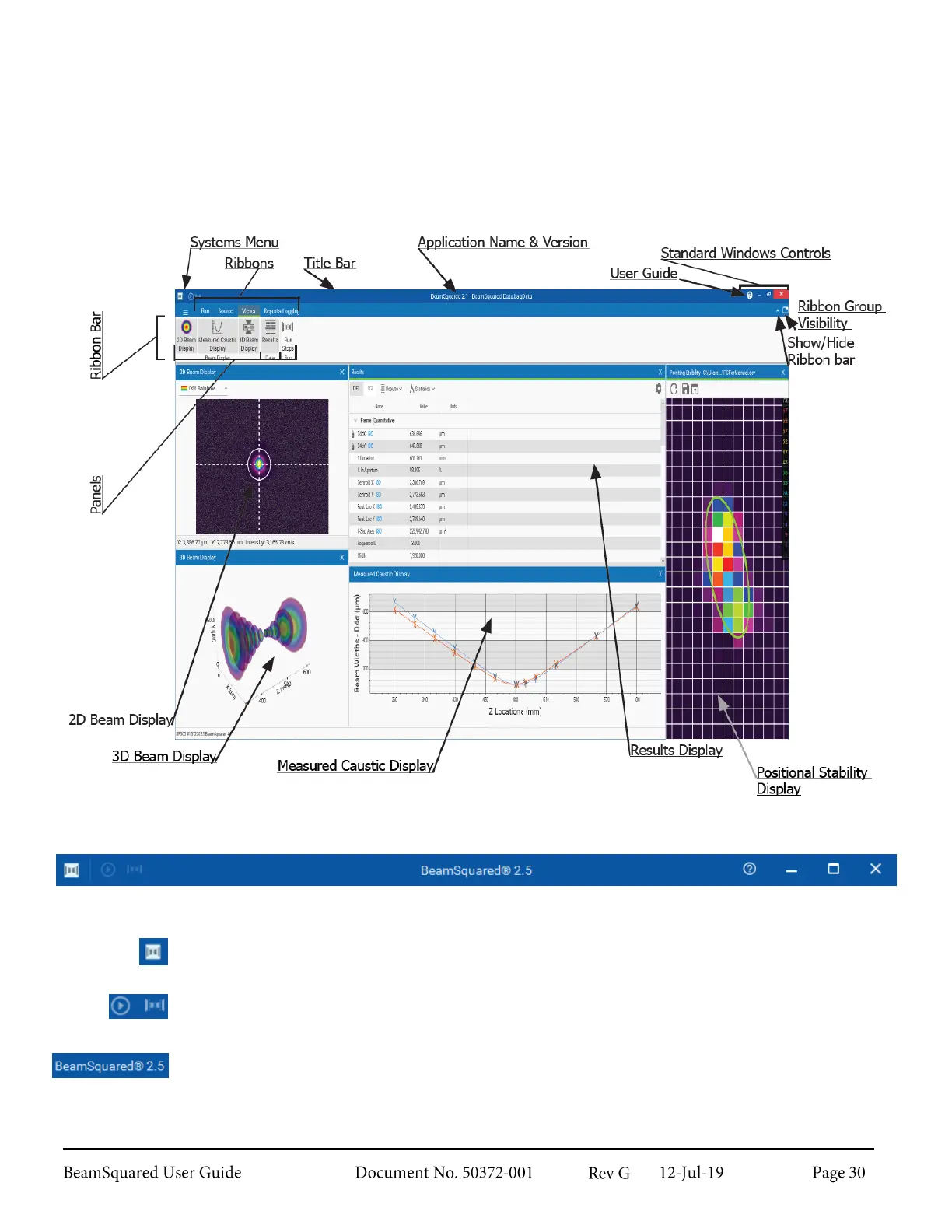
BeamSquared employs the Windows ribbon control motif which provides intuitive access to control functions
as well as the ability to hide the controls for better screen utilization. This chapter describes the various control
features available in BeamSquared beginning with the terminology used to identify the basic control forms.
Title Bar 3.1.1
The topmost bar on the application. Contains, from left to right:
System Menu button
Gives access to window controls.
Quick Access Toolbar
The buttons shown here are Live Playback and Start.
Application Information
Application name, version number, and file playback name if applicable.



 To Next Page