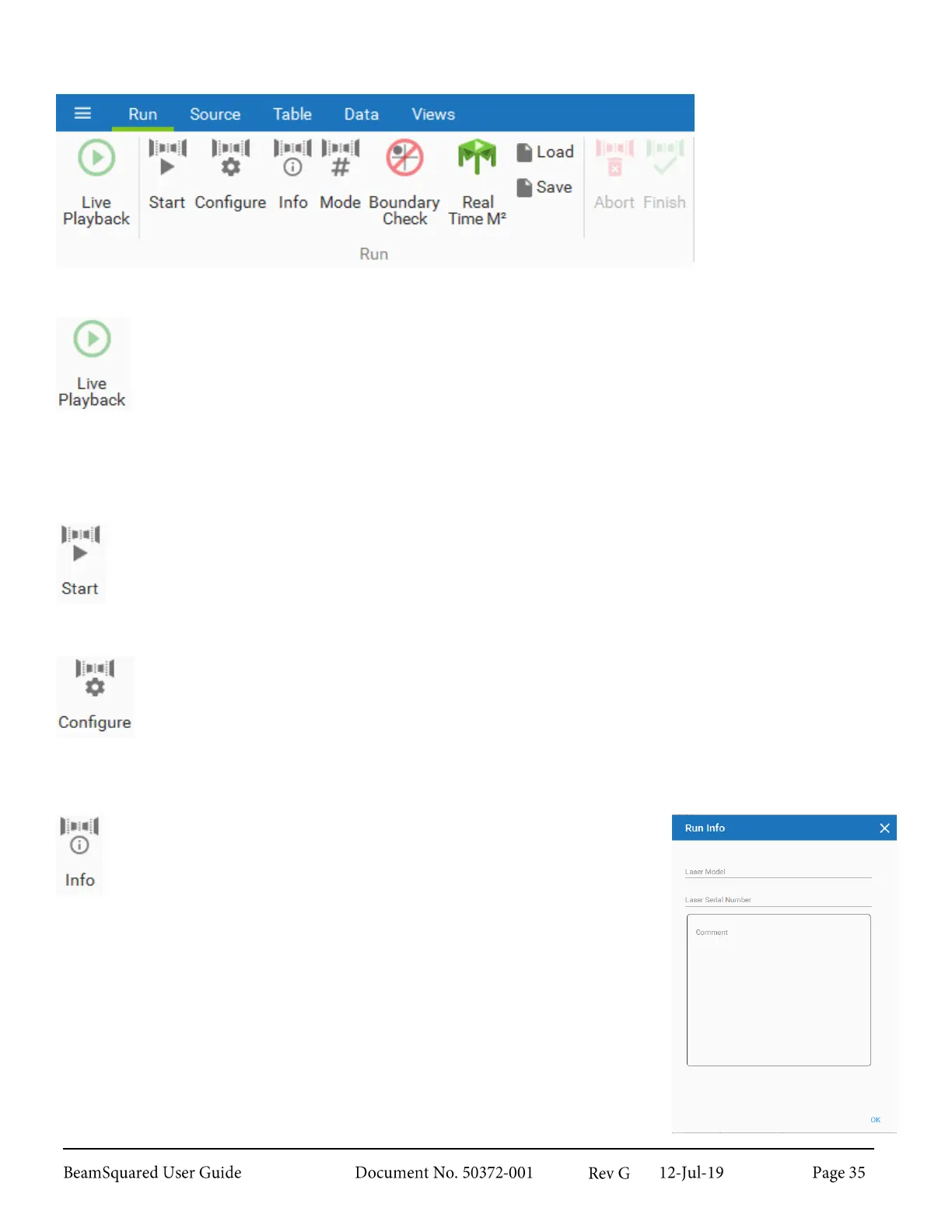
Run Ribbon 3.3
The Run ribbon
contains controls for
operation.
Live Playback 3.3.1
When enabled, the 2D Beam Display is shown in real-time. This feature provides a laser
alignment aid to verify the setup of the optical system.
Data frames collected in live mode are not stored and therefore cannot be saved or loaded.
Results in the Frame (Quantitative) group are computed, but an Ultracal cycle cannot be
performed during Live Playback, so results may not be accurate. Nevertheless, the Peak Energy
level is useful in setting external attenuation such that the dynamic range of the camera is utilized.
Start 3.3.2
Use Start to begin an M
2
run with the last programmed or loaded settings. View or change the
settings in the Configuration wizard, accessed through the Configure button.
Configure 3.3.3
Use Configure to open the Configuration wizard, input information about the system under
test, select the operating mode (Automated Stepping, Automated ISO Setup, Four Cuts, or Step
Table), and setup the measurement parameters. See section 4.2.1 for information on operation.
Info 3.3.4
Use Info to open only the Run Info window of the Configuration
wizard. View and edit the model number, serial number, and
comments for the next run. Changes in this window and the
Configuration wizard are shared.



 To Next Page