TIFF Image Format 3.2.1.1
TIFF files are an encoded, compressed data file format that produces smaller data files and can be easily
loaded into third party applications, such as MATLAB. Files saved as TIFF retain the *.bsqData extension but
can be manually loaded into other applications that support TIFF formats.
TIFF data is stored using the gray32bppFloat pixel format. This format uses a single color channel with 32 bits
of precision. The pixel count is stored as a normalized floating point value between -1 and 1. The value is
calculated using the minimum and maximum values of a signed 32-bit integer, namely ±2,147,483,647. The
original per pixel values of the collected data can be obtained by multiplying the floating point value obtained
from the tiff image by 2,147,483,647.
Exporting TIFF Images for use with HDF5 3.2.1.1.1
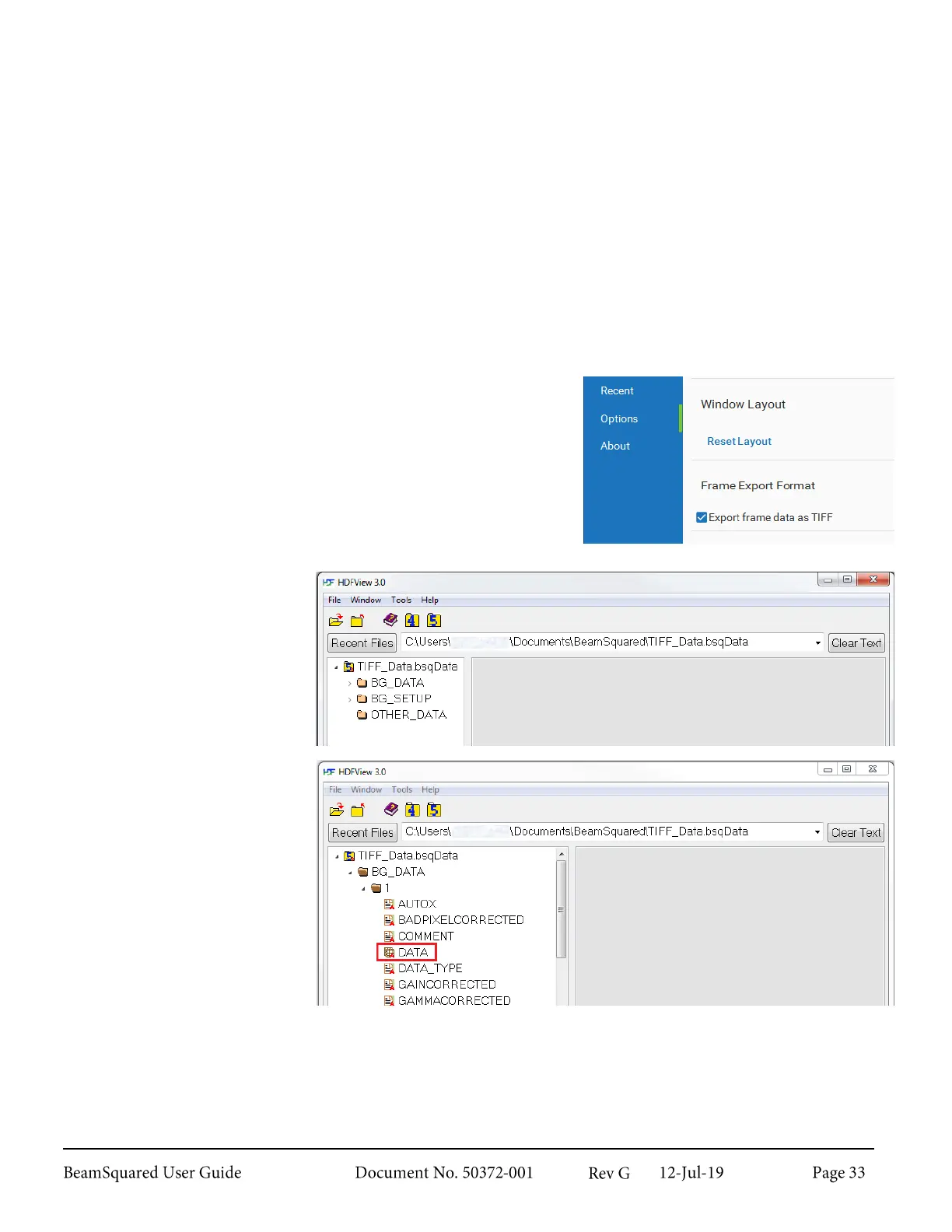
TIFF images can be exported for use with HDF5.
1.
In the Options view, enable Export frame data as TIFF.
2.
Save a data file.
3.
Download and install
HDFView.
4.
Run HDFView.
5.
Open the BeamSquared
data file.
6.
Click and expand
BG_DATA.
7.
Click and expand the
desired frame number.
8.
Right-Click on DATA,
select Open.



 To Next Page