Results 3.7.5
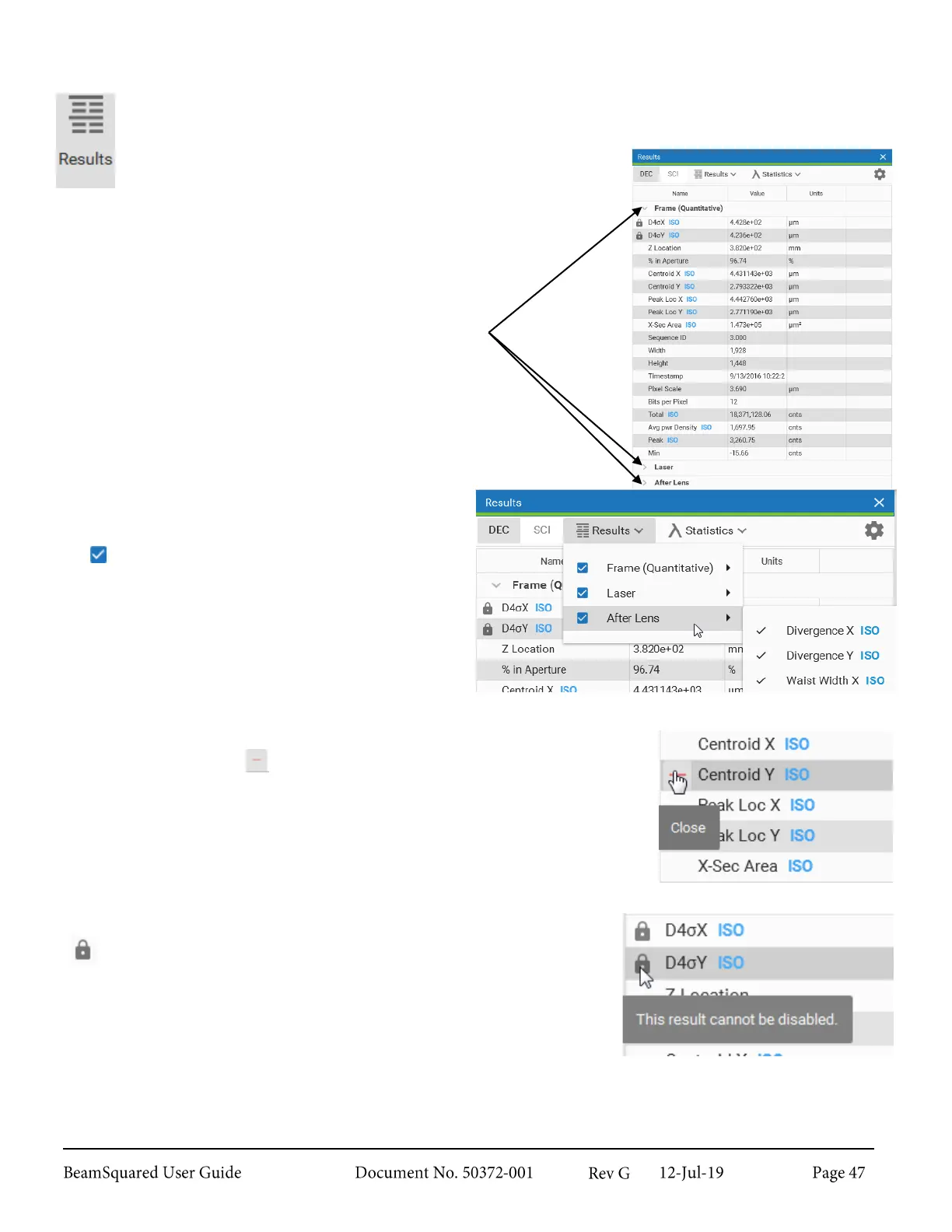
The Results window displays all enabled results items. Most items can be disabled and each group
can be collapsed using the caret icon at to the left of each section header.
Results items are separated into the following groups:
Frame (Quantitative)
Laser
After Lens
Twist
Hardware Settings
Real-Time*
Positional Stability*
* These results groups only appear when
operating in their respective modes.
Enable or disable results items by selecting the
Results drop-down at the top of the window.
The next to the group heading enables or disables
all results in the group.
Hover over a group heading to open the list of all
items in that set. Select an item to enable/disable it.
Results can also be disabled by hovering the mouse on the result item and
selecting the close icon that appears next to the title. A Close tool tip
appears below the icon.
Certain results are locked and cannot be disabled. Locked results display
a .



 To Next Page