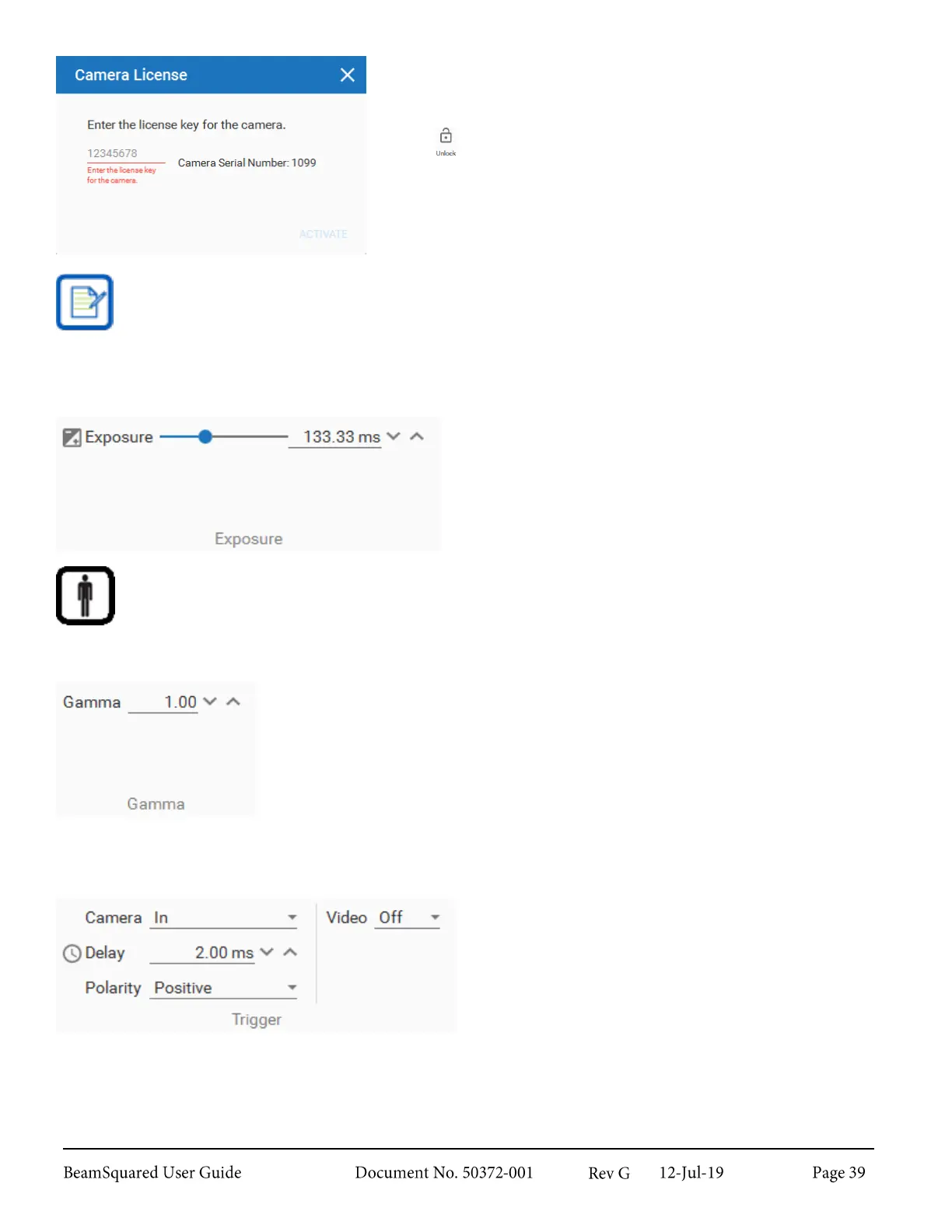
Each camera must be licensed for use with BeamSquared. Contact
Ophir-Spiricon’s service department to purchase additional licenses.
If a supported camera is connected but not licensed, an unlock
button is visible in the ribbon bar. Select Unlock to bring up the
Camera Licensing dialog box.
Only Ophir-Spiricon’s SP300, SP920, and XC-130 cameras are supported in Automated BeamSquared.
Pyrocam IV and IIIHR are only supported in Manual BeamSquared.
Exposure 3.5.2
The Exposure panel is only available when a CCD
camera is connected. Use the slider or the text box to
change the Exposure of the camera. Exposure
determines the intensity and quality of the output image.
A gain setting is available when operating in manual mode with a Pyrocam.
Gamma
3.5.3
Solid state CCD or CMOS style detectors respond linearly to monochromatic light.
For linearly responding cameras the Gamma setting should be set to 1.
For cameras that employ phosphors or other wavelength conversion materials the
gamma of the material should be entered here to convert the nonlinear response
back to a linear one.
Ophir-Spiricon’s Phosphor coated cameras require Gamma to be set to 1.95.
Trigger 3.5.4
The SP300, XC-130, and SP920 cameras are supplied
with an external trigger input cable. The input to this
cable should be a standard TTL level positive going
pulse. The camera triggers, and begins integrating light
on the rising edge. A trigger pulse should be at least
5μs in duration.
When using an external trigger cable, set the Camera Trigger to In. Set a delay time in milliseconds for the
start of the exposure if needed. The delay can be either positive or negative depending upon the duration of
the laser pulse. If the pulse is short (<100μs) set a negative Delay of at least -1.0ms, and set the Exposure



 To Next Page