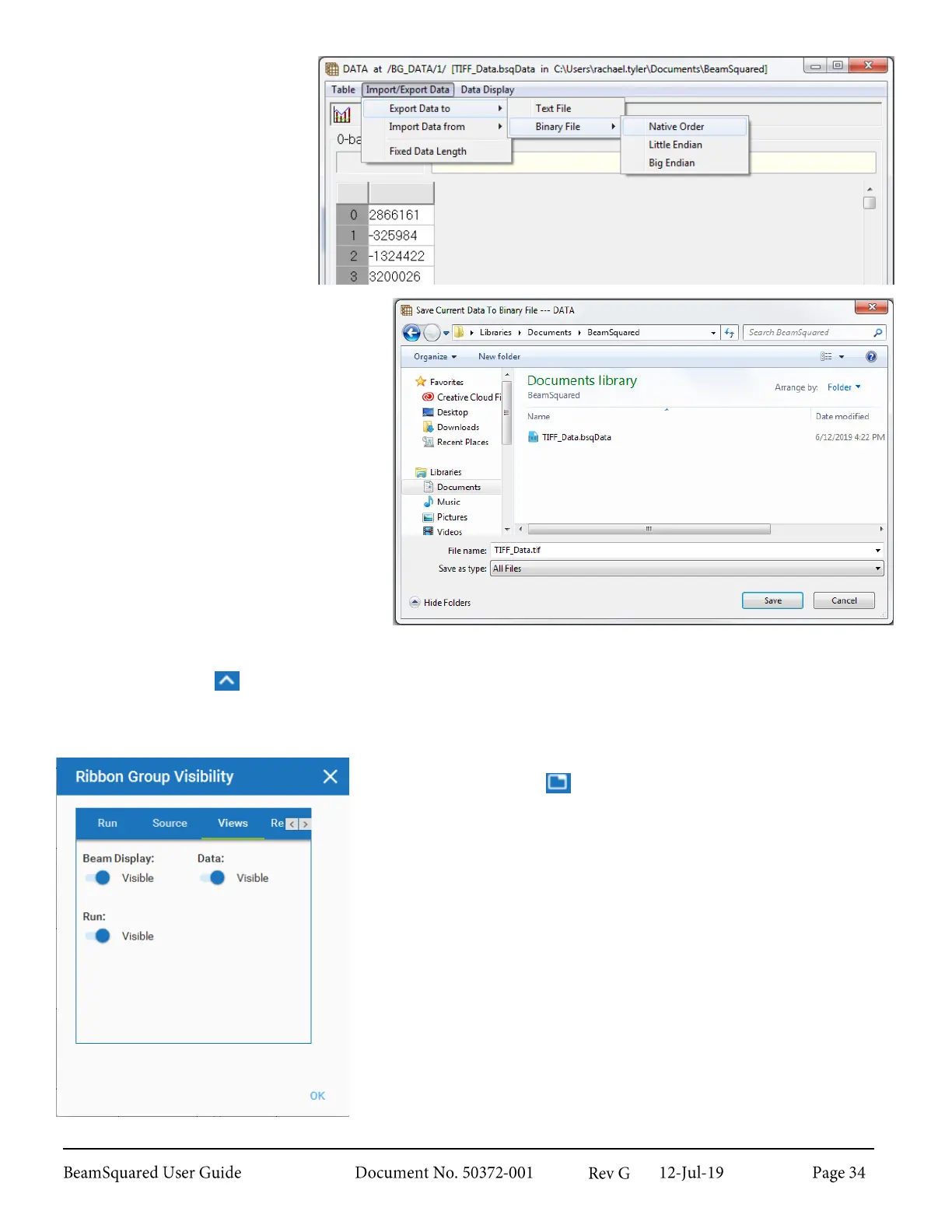
9.
Select Import/Export
Data -> Export Data
to -> Binary File ->
Native Order.
10.
Locate and open the TIFF file with
desired software.
Show/Hide Ribbon Bar 3.2.2
Select the caret icon to display or hide the ribbon bar, or double click a tab as referenced in section 3.1.2.
Ribbon Group Visibility 3.2.3
Located below the Windows Close button is the Ribbon Group
Visibility configuration .
A dialog box opens that allows turning on or off ribbon panels. Select
the tab of the ribbon to view and select the slider to turn the panel on
or off.



 To Next Page