During laser cavity tuning, the 2D Beam Display window becomes a valuable tool.
This beam profile shows the energy distribution across the laser beam. Changes in the
laser mode, optics, and beam energy can often be first observed here. Separate real-
time results list appear in the Results window. Prior M
2
results are retained for
comparison purposes.
Press the icon when it is green to start Real Time M
2
. Press the icon when it is red to stop.
If the tuning operation continues for a long period of time, the camera baseline calibration may drift
and cause errors in the results.
BeamSquared Operation 4.2
Configuration Wizard 4.2.1
The Configuration wizard walks the user through system settings to provide accurate results from an M
2
run.
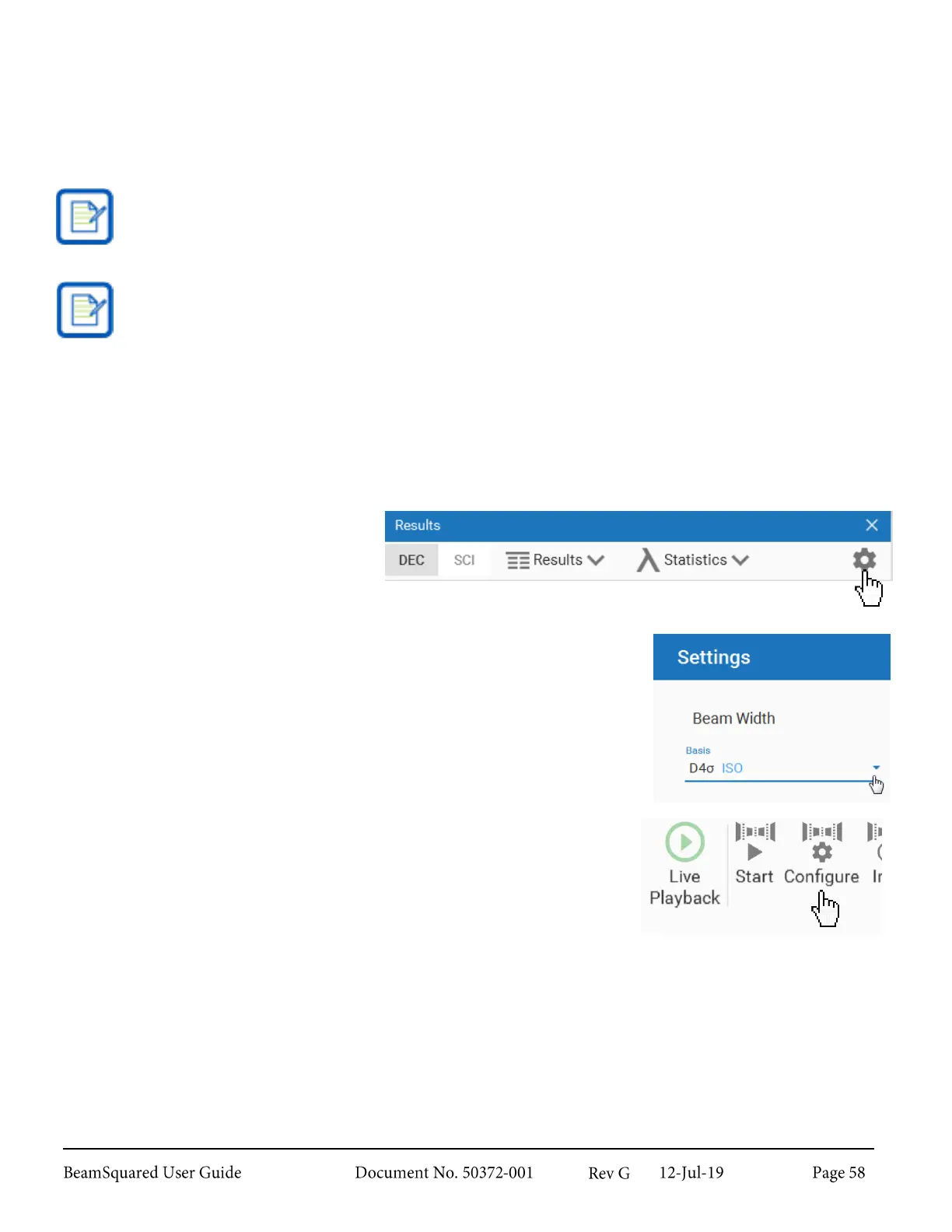
1.
Select Settings from the
Results window.
2.
Select the desired Beam Width Basis method (see section 6.1.2.2).
3.
Select Configure from the Run ribbon to launch the
Configuration wizard.



 To Next Page