Chapter 7 Troubleshooting
Dialog boxes may occasionally appear in the software as warnings and error messages. This chapter is
intended to assist the operator in identifying and correcting the most common problems. In many instances,
the message is informative and is not a cause for concern.
Setup and Startup Problems 7.1
BeamSquared does
not connect at all.
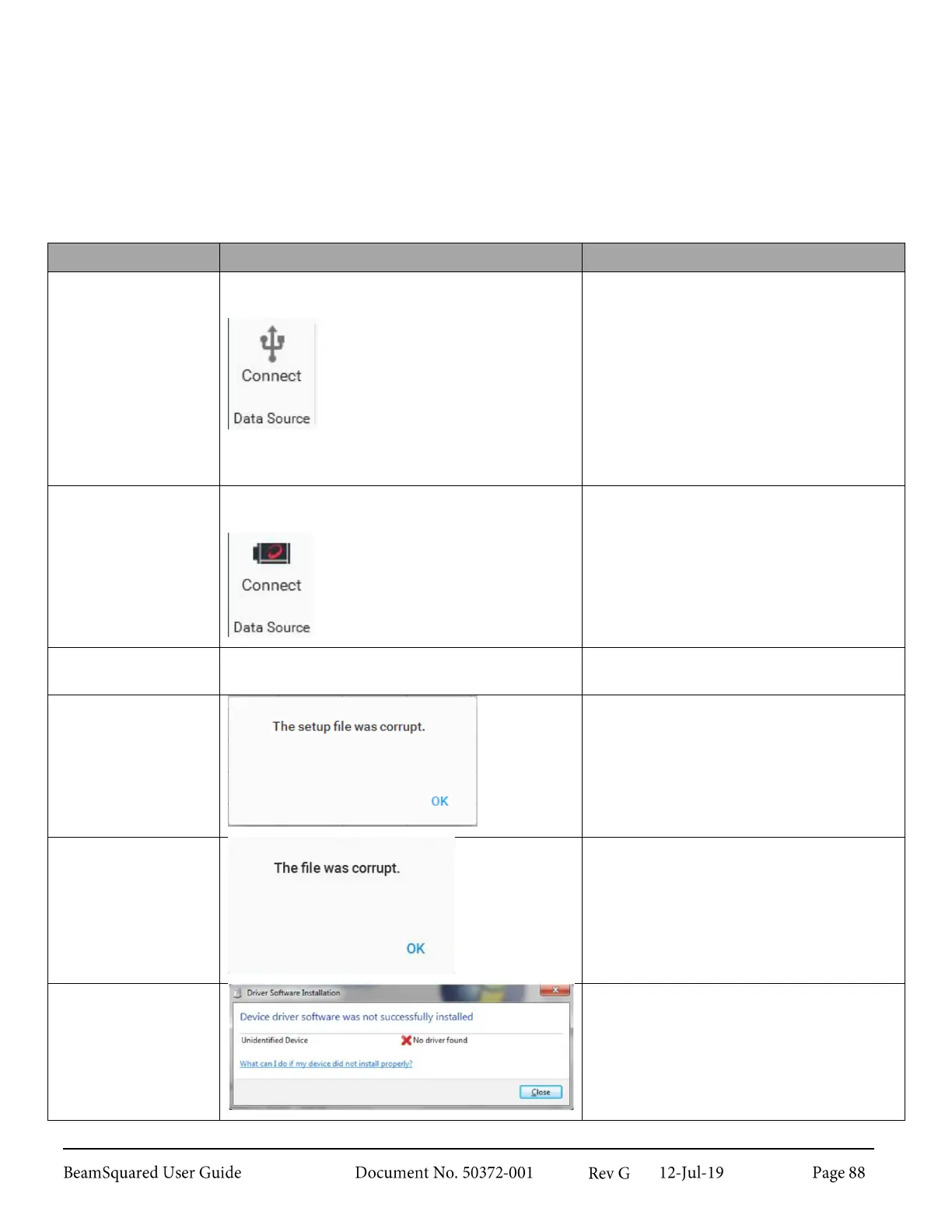
Data Source panel on the Source ribbon looks
like this:
Clicking on this button results in a wait cursor for
several seconds then returns to the above image.
Ensure AC power is connected.
Is a USB3 cable from BeamSquared to
PC connected? The cable MUST be
labeled for SuperSpeed USB 3 or USB
3.1. USB 2 cables do not provide
satisfactory performance.
Did the installation complete
successfully? There should have been
no error messages during installation.
If so, retry the installation.
Only the
BeamSquared camera
connects.
Data Source panel on the Source ribbon looks
like this:
Ensure AC power is connected.
No table movement sound during initial
calibration.
Ensure AC power is connected.
Setup file fails to load.
The setup file is corrupted and no
longer readable. Configure the same
settings again. Save the setup,
overwriting the corrupt file.
The data file is corrupted and no
longer readable. There is no recovery
from this error.
Windows reports a
failure to install a
driver.
Reboot the computer. Attempt to
connect the BeamSquared unit again.
If the driver still does not install please
call Customer Service.



 To Next Page