INF-30
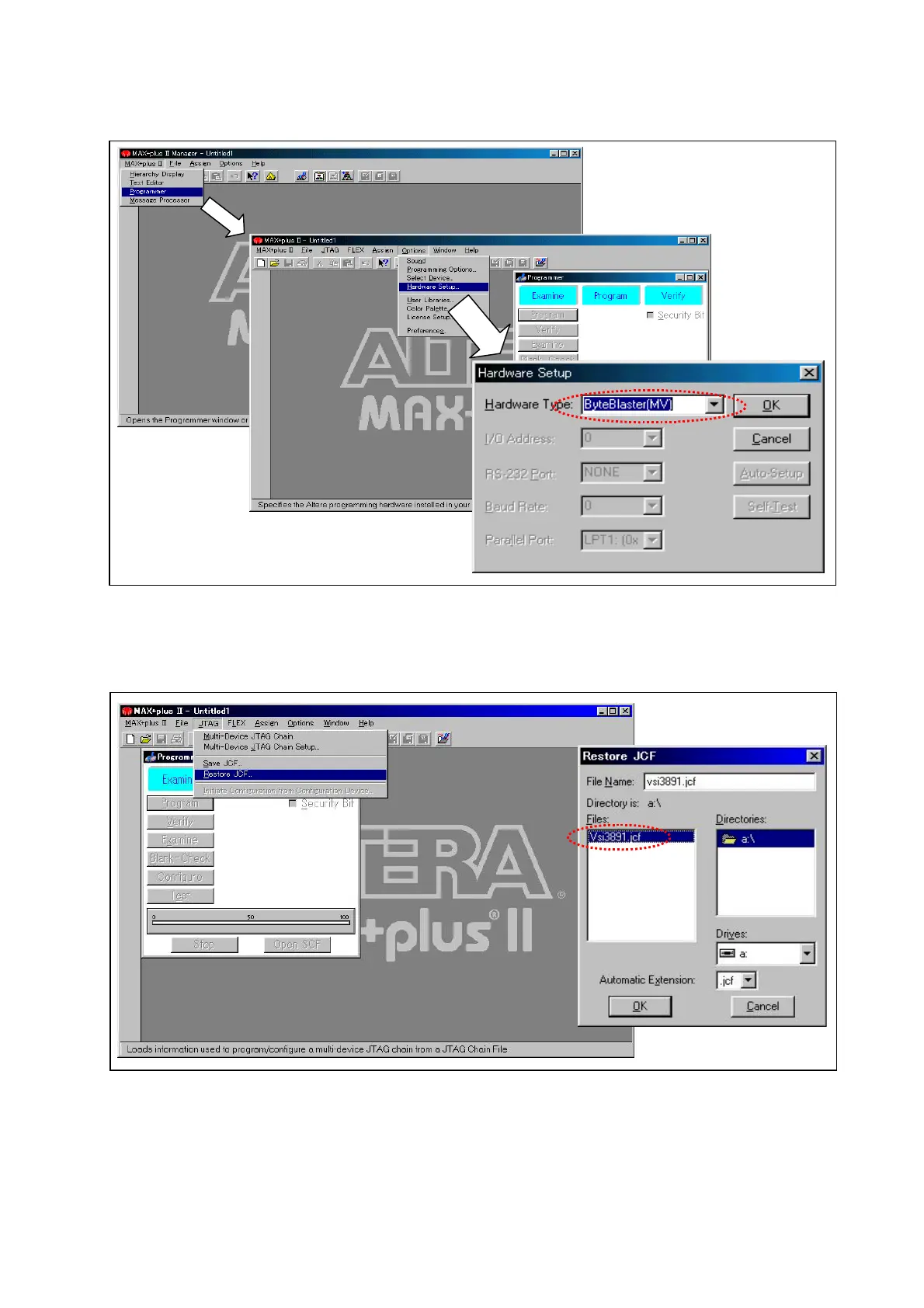
3. On main window, select tab “MAX+plus II” and then “Programmer”.
4. On main window (Programmer window is displayed), select tab “Option” and then “Hardware
Setup”.
5. On Hardware Setup dialog, set the “Hardware Type” to “Byte Blaster (MV) ”.
Figure 12-2E-4
6. On main window, select tab “JTAG”, and then select “Restore JCF…”.
7. Select the floppy drive and then, select the “jcf format file (***.jcf) on dialog box of Restore JCF”
and then press “OK” button.
Figure 12-2E-5














 To Next Page