INF-31
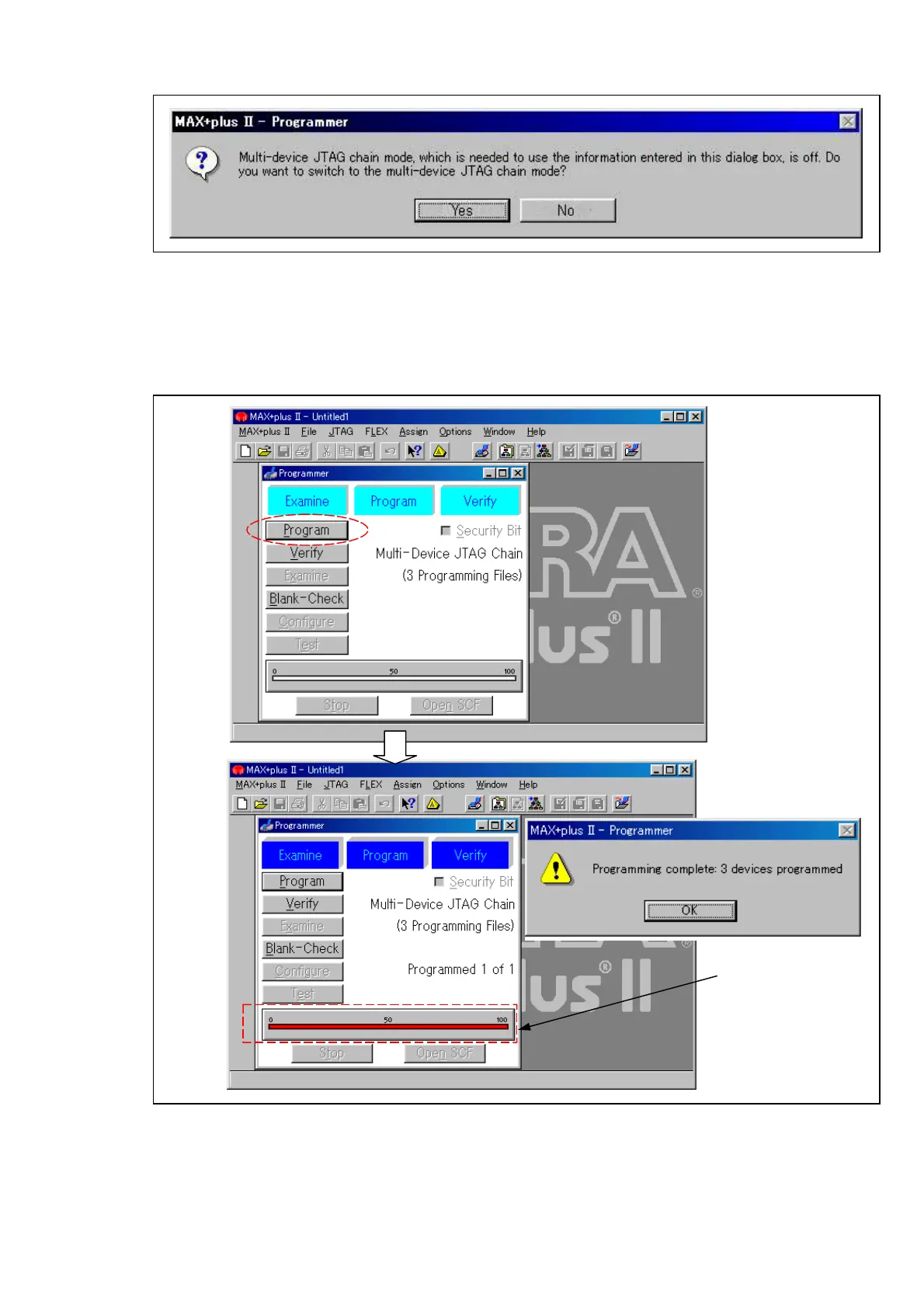
8. If the following message appeared, Press “Yes” button.
Figure 12-2E-6
9. Click the “Program” button on Programmer dialog.
10. When Progress Bar reaches at point of 100, the message “Programming Complete” appears, then
PLD version upgrade is completed. Click “OK” button on the Programming complete message
Dialog.
11. Confirm that PLD version of VTR is updated. (Refer to pageINF-12)
Figure 12-2E-7
* MAX+PLUS are registered trademarks of Altera Corporation.
* Windows95 and Windows98 are registered trademarks of Microsoft Corporation.
SDI
Progress bar














 To Next Page