HTTP server functions/web pages
FP Web-Server V2.810 EN 99
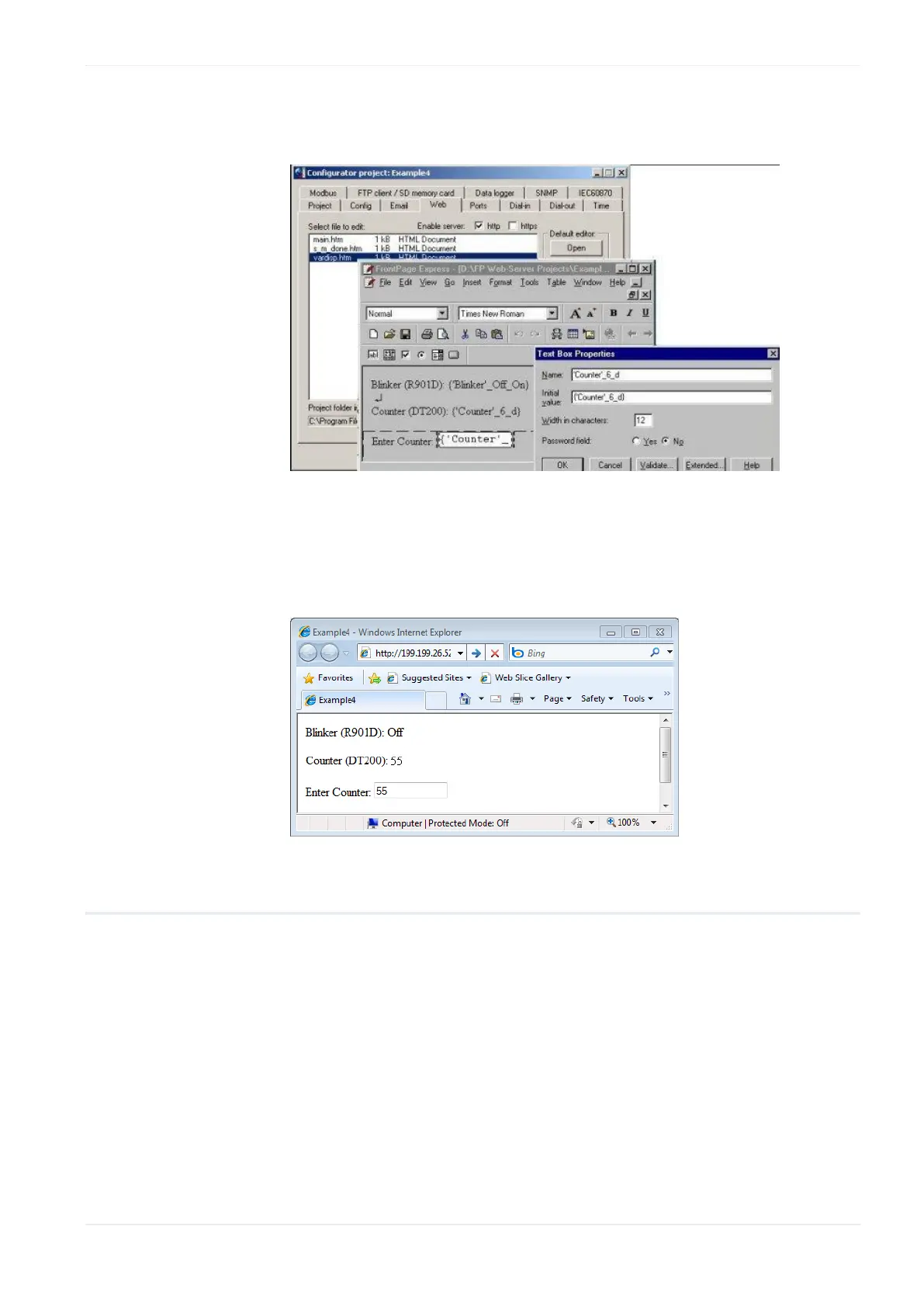
In the HTML editor the use of these variable names instead of absolute
address values can look as follows:
2. If this HTML page is now downloaded to the FP Web-Server the variable
names are replaced by the absolute PLC addresses found in the CSV file
Looking at the example above, with the browser it should look as
follows:
12.1.10 Access protection for individual HTML pages
With the FP Web-Server, Password (see "PLC access rights" on p. 118)
protection for ALL HTML pages containing PLC data can be switched on or
off.
To protect individual pages only, enter the {PW} command in the HTML
code. The text {PW} is no longer displayed on the browser after sending
the page using [SEND] to the FP Web-Server.
Three variations are possible:
1. Default password:
{PW} protects the page by user name and password












 To Next Page