Additional information
178 FP Web-Server V2.810 EN
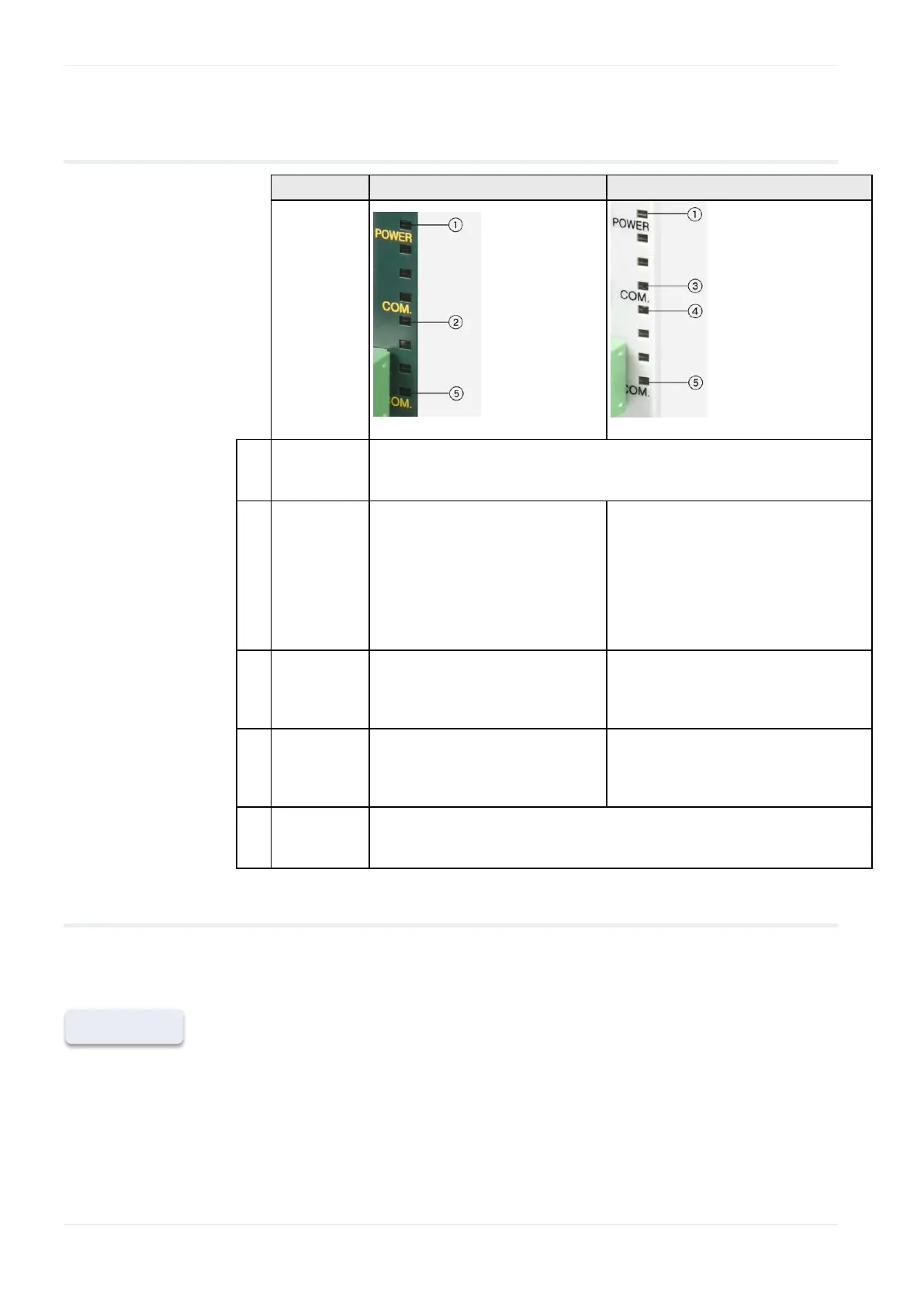
20.3.4 LEDs
OFF: unit is not connected to power supply
ON: unit is connected to the 24V DC (and internal DC converters are
OK)
OFF: no network connection
(no Ethernet cable)
ON: unit is connected to the
Ethernet network (without data
traffic)
Blinking: data traffic detected
on the network (LED 50ms off
for each reception)
OFF: no network connection (no
Ethernet cable)
ON: unit is connected to the
Ethernet network
OFF: no data traffic on the network
Blinking: data traffic detected on
the network (LED is ON during data
reception)
OFF: the FP Web-Server unit is not communicating with the PLC
ON: during communication with the PLC (MEWTOCOL via serial
interface)
20.3.5 Clearing passwords
To reset the unit i.e. clear the password and the configuration of an FP
Web-Server, carry out the following steps:
1. Press [FIND] and select the appropriate FP Web-Server by
double-clicking
To select another unit, refer to the online help under Select from List of
Units Found.












 To Next Page