EasyManua.ls Logo

Panasonic FP Web-Server2 - Configurator HTTP Administration and Functions

Panasonic FP Web-Server2
195 pages
Print Icon
To Next Page IconTo Next Page
To Previous Page IconTo Previous Page
Loading...
HTTP server functions/web pages
116 FP Web-Server V2.810 EN
Dec.
Hex.
Char
Dec.
Hex.
Char
Dec.
Hex.
Char
Dec.
Hex.
Char
23
17
(ETB)
55
37
7
87
57
W
119
77
w
24
18
(CAN)
56
38
8
88
58
X
120
78
x
25
19
(EM)
57
39
9
89
59
Y
121
79
y
26
1A
(SIB)
58
3A
:
90
5A
Z
122
7A
z
27
1B
(ESC)
59
3B
;
91
5B
[
123
7B
{
28
1C
(FS)
60
3C
<
92
5C
\
124
7C
|
29
1D
(GS)
61
3D
=
93
5D
]
125
7D
}
30
1E
(RS)
62
3E
>
94
5E
^
126
7E
~
31
1F
(US)
63
3F
?
95
5F
_
127
7F
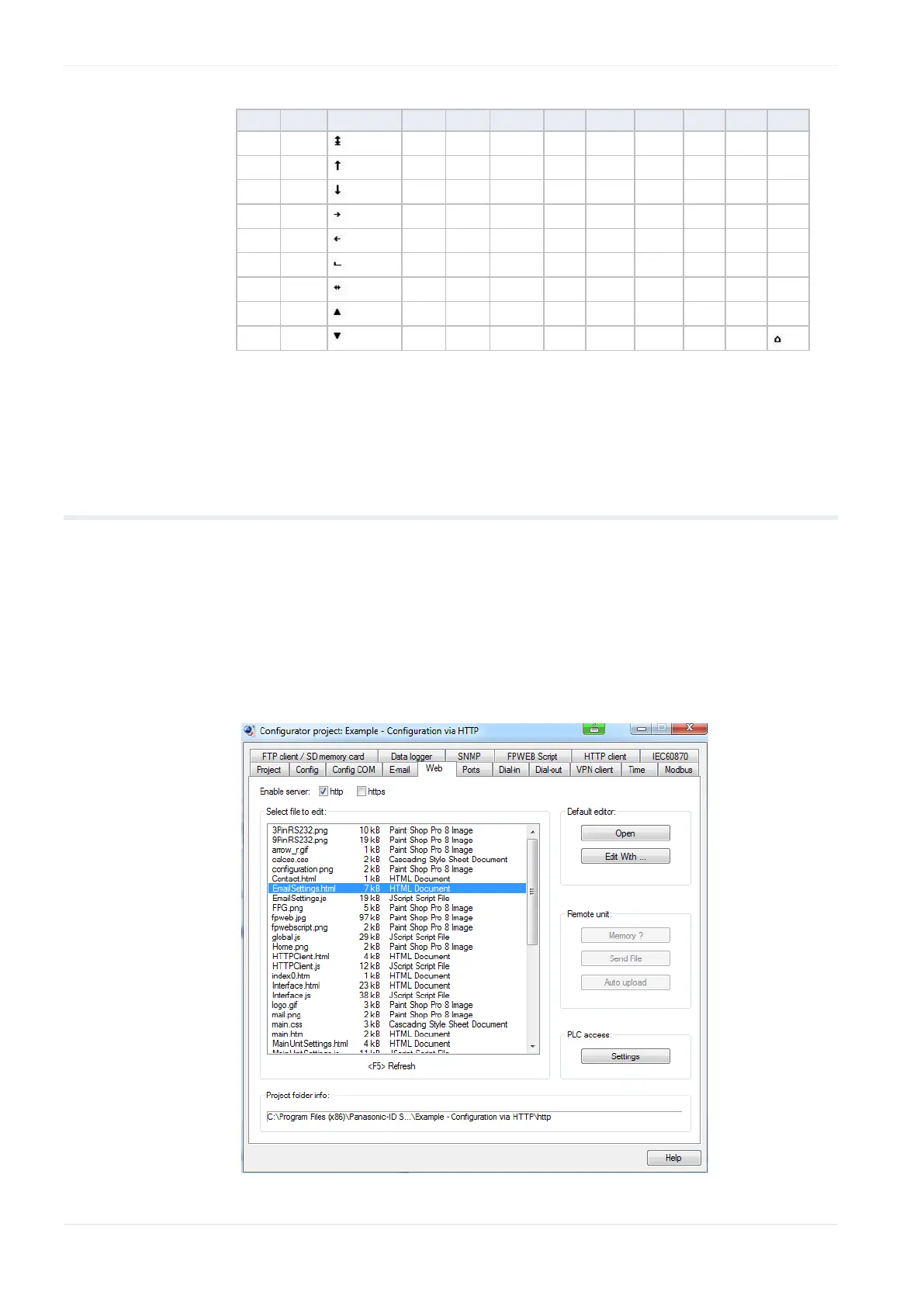
12.2 Configurator HTTP administration and functions
The FP Web-Server unit's http and https server can be enabled or disabled.
If enabled, you can handle Web files with this dialog.
All Web pages for the FP Web-Server are created and/or edited on the
computer. To do this, it is best to select the respective file of the project in
the Configurator's "Web" screen and start the preinstalled editor of the
operating system by double-clicking (or choosing <Enter> or [Open]).


Table of Contents

Related product manuals