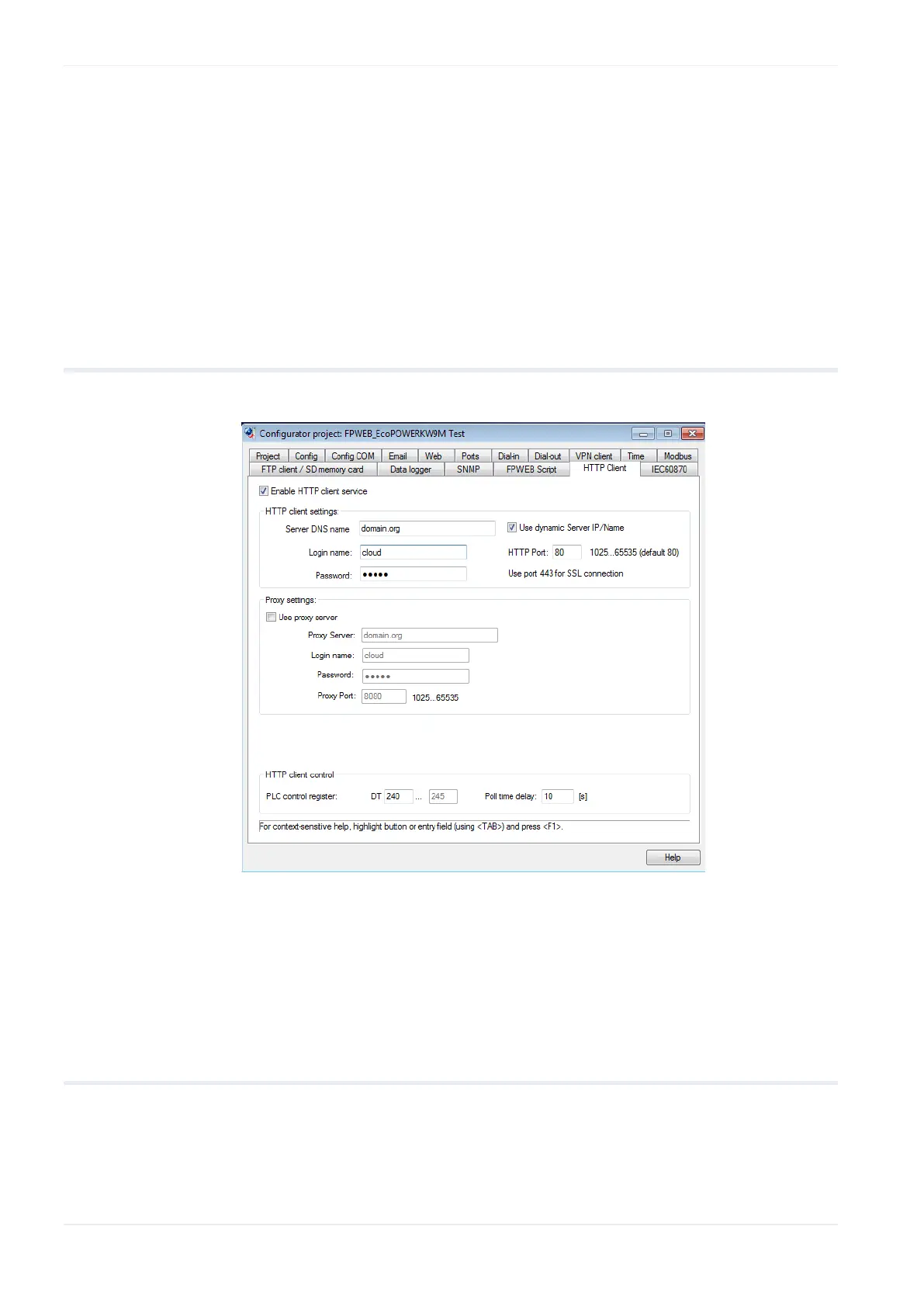
HTTP client
78 FP Web-Server V2.810 EN
Emoncms is an open-source (free of charge) cloud server. You can also
download the software to set up your own server for inserting and logging
data. The server offers many different trends to log and visualize inserted
data (e.g. realtime, bar graph, multigraph, comparison and many more).
You can also draw your own dashboards with an integrated drawing editor.
Visit the homepage of Emoncms for more information.
11.3 HTTP client setup
In this section, the input fields of the "HTTP client" tab are described.
For context-sensitive help, highlight the button or entry field (using
<Tab>) and press <F1>.
For further information please refer to the online help under the keywords
"HTTP client setup".
11.3.1 Use Dynamic Server IP/Name
Use this option to set the server name or IP address from the PLC. If this
check box is enabled and no server name is set in the PLC, the FP
Web-Server2 will use the server name or IP address of the configurator.












 To Next Page