First steps
36 FP Web-Server V2.810 EN
3.7 Transfer a Configurator project to the FP Web-Server
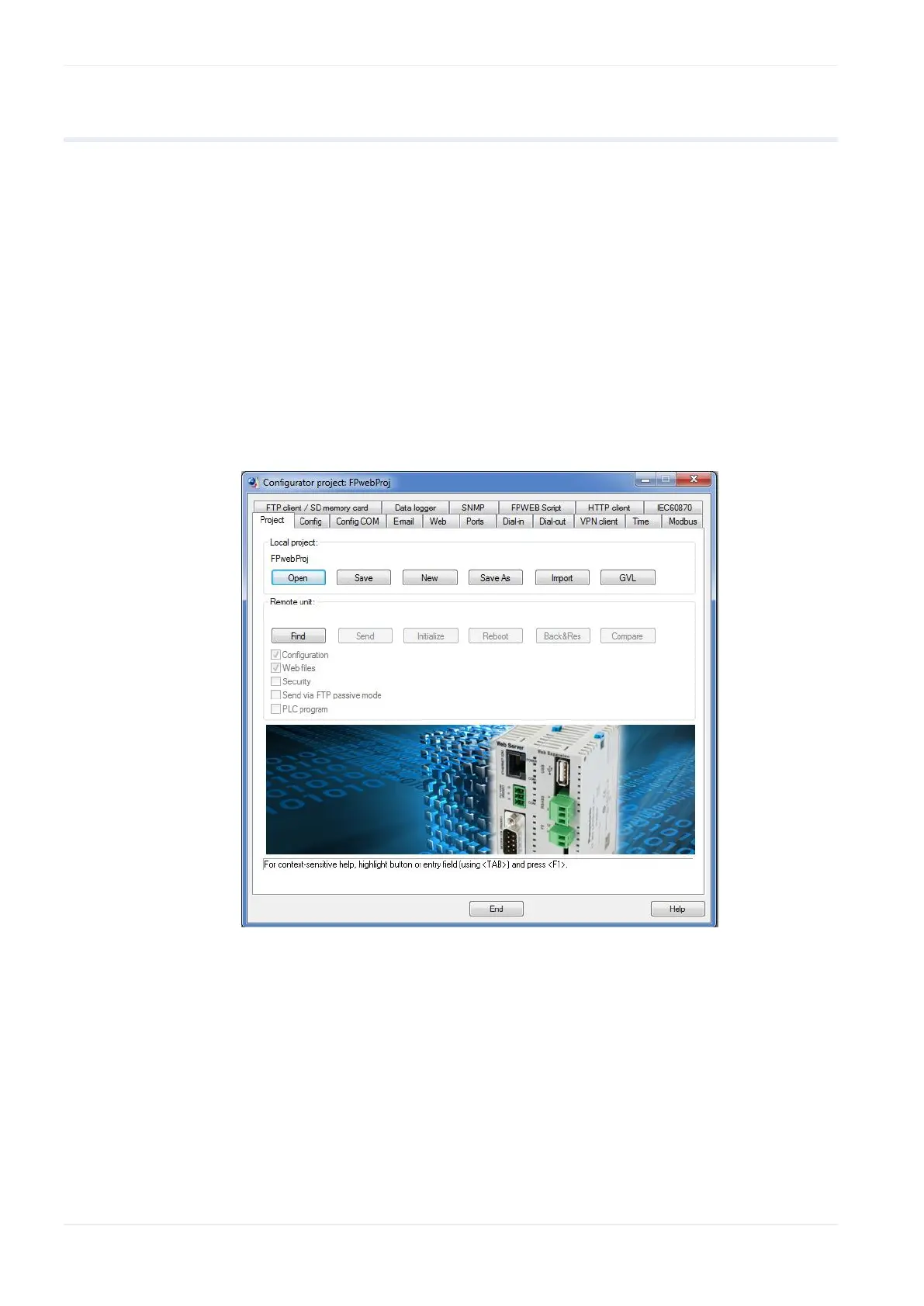
Use [FIND] to search the network for all FP Web-Servers. A list of all FP
Web-Servers found will be displayed. Please select the ID number of the
respective FP Web-Server (double-click or press <ENTER>).
If the FP Web-Server is put into operation for the first time (or a new
version of the Configurator has been installed), please initialize the FP
Web-Server ONCE before transferring the project, i.e. click [INITIALIZE]
and answer the safety request with [YES].
As there are HTML pages required for this initial test, the check box "Web
files" should be activated. With [SEND] you can transfer the project
(configuration plus HTML pages) to the respective FP Web-Server.
Please click [REBOOT] after transmission. Wait a little bit and then click
[FIND] again to make sure that the FP Web-Server is online again and to
find out which IP address it is using.
Comments:
Please memorize the IP address for the following tests with the browser
below.
If the FP Web-Server was configured with the wrong fixed IP address, a
query with [FIND] will result in an error message.












 To Next Page