Additional information
FP Web-Server V2.810 EN 177
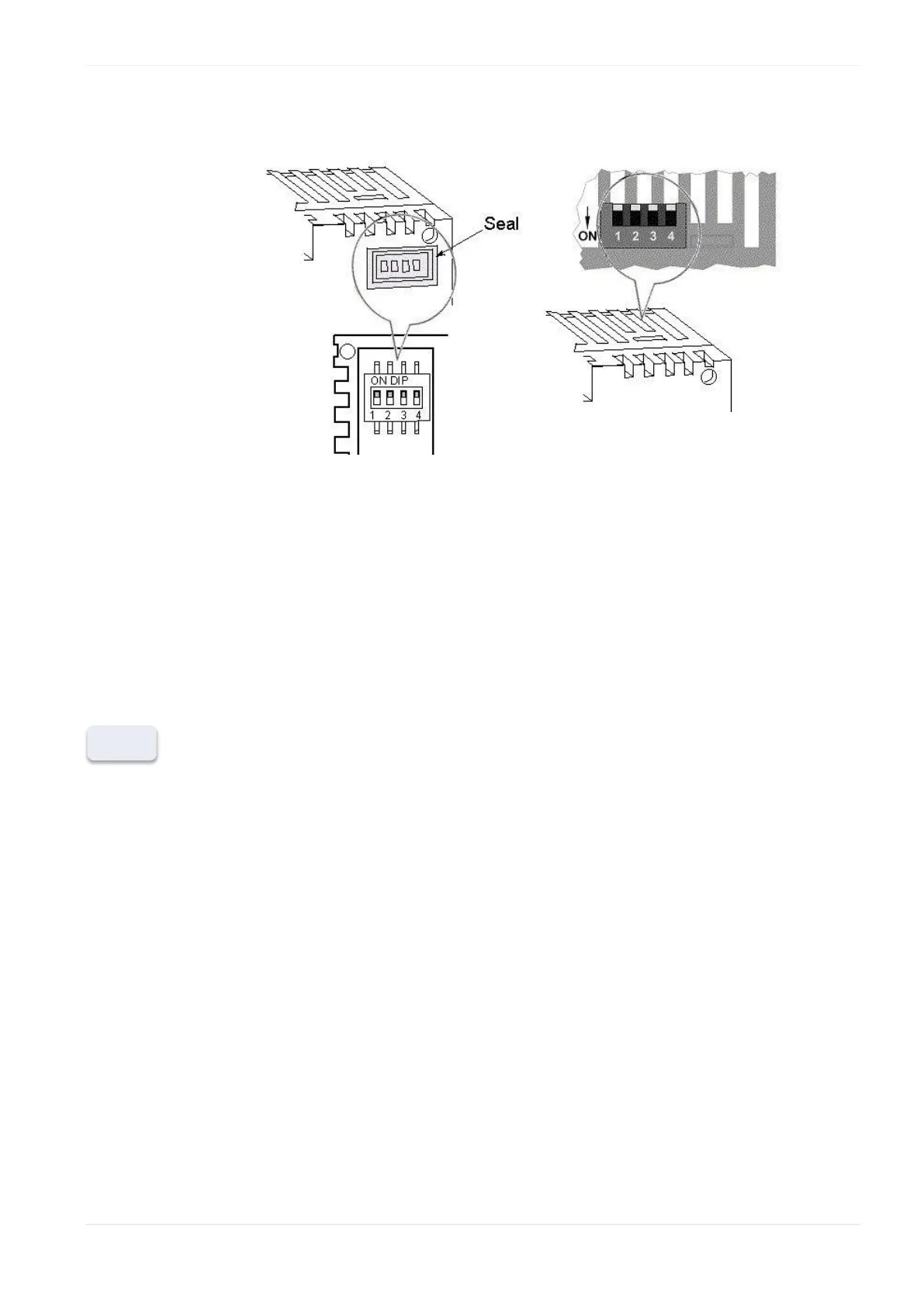
Remove the seal to change the DIP
switch settings.
The DIP switches are located inside the
housing underneath the top ventilation
slots.
Use a screw driver to change the DIP
switch settings without removing the
housing.
DIP3: Second transparent port
The DIP switches can only switch OFF a function that has been enabled
(i.e. activated) in the Configurator before. If a function has not been
enabled in the Configurator, the DIP switch has no function!
The DIP switch settings are read by the FP Web-Server every second,
i.e. the FP Web-Server recognizes DIP switch changes automatically
and does not need to be restarted.












 To Next Page