Ethernet and serial (RS232C, RS485, USB) ports
126 FP Web-Server V2.810 EN
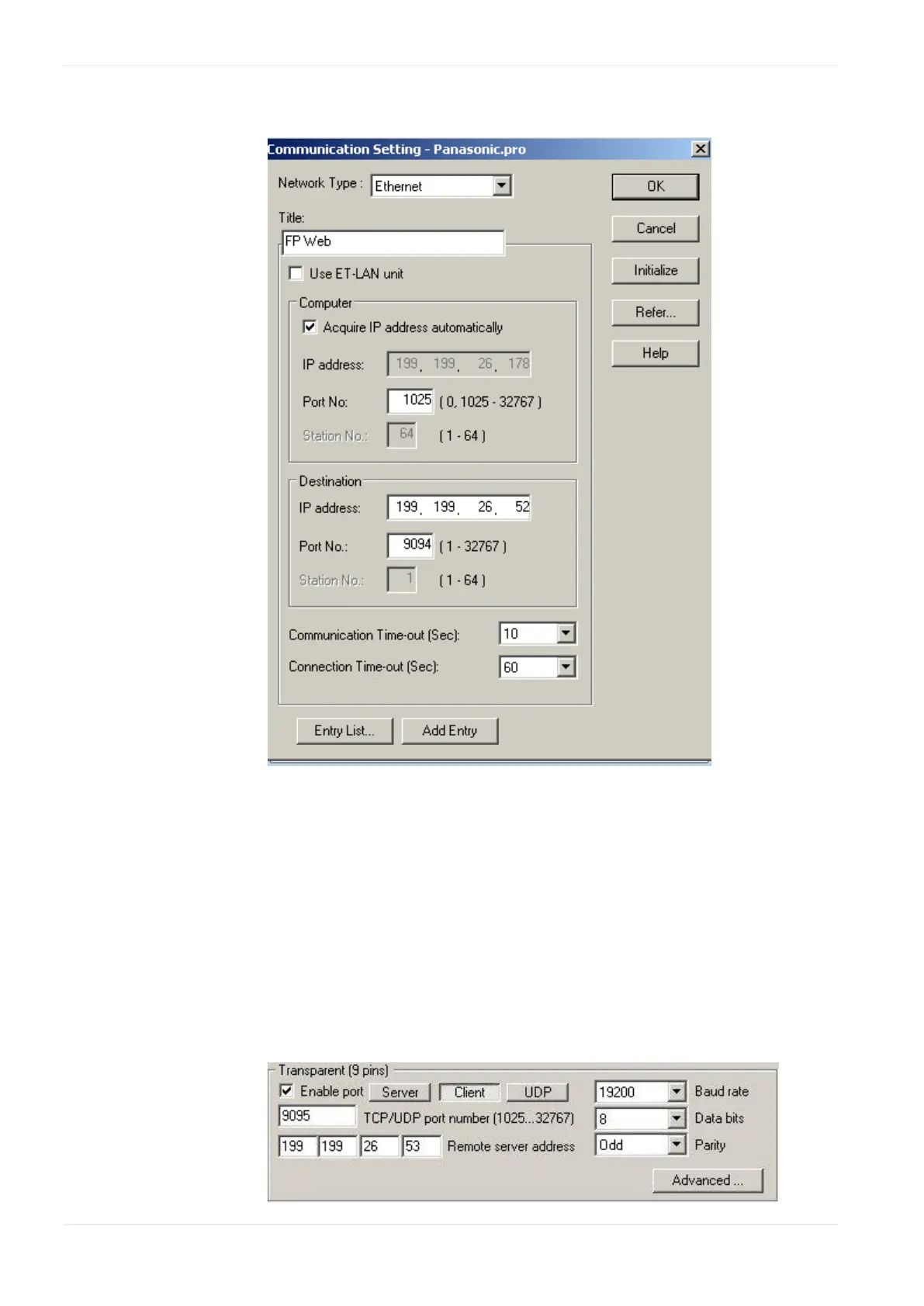
The following settings are required:
Do not activate the check box "Use ET-LAN unit"!
b. Using a second FP Web-Server setup as transparent port client,
RS232 communication via Ethernet can be established. Such a port
client can be used for:
Programs (DOS programs) with no Ethernet support that use the RS232
port only
To upgrade any RS232 device with Ethernet connectivity, set up the
transparent port as follows:












 To Next Page