HTTP client
80 FP Web-Server V2.810 EN
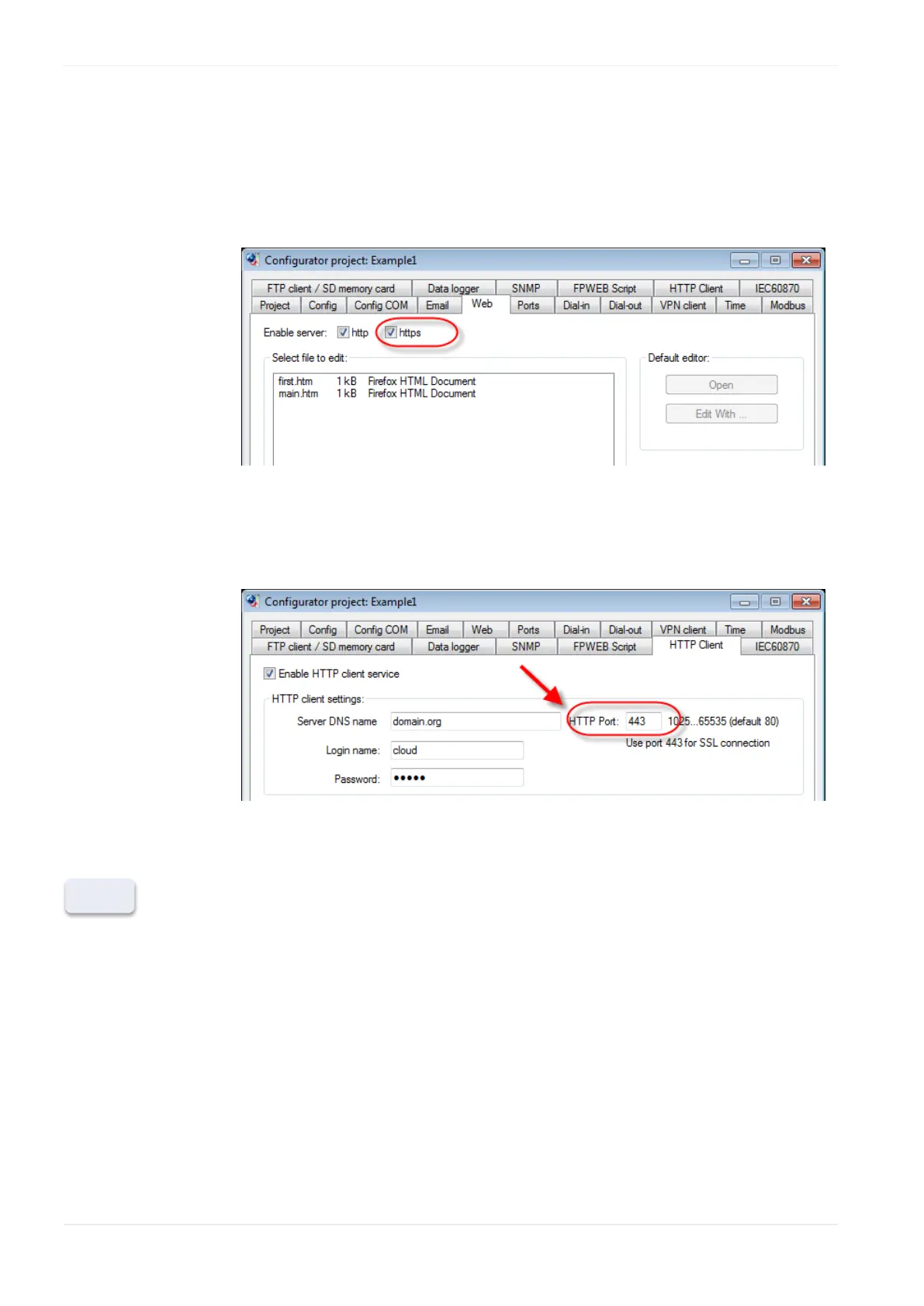
FP Web Configurator setting:
To use the SSL connection you need to enable the "https" check box on the
tab "Web". As long as this check box is not activated the certificate(s) will
not be sent to the FP Web-Server.
Make sure to use the Port 443 (on the HTTP client tab) for SSL
connections.
SSL connections are only available for connections without a proxy server.












 To Next Page