Chapter 5 Operations — Using the web control function
ENGLISH - 241
Performing calibration
1) Click [Calibration].
f The conrmation screen is displayed.
2) Click [Perform].
f The calibrations for the lens shift and focus are started.
Performing home position
1) Click [Home position].
f The conrmation screen is displayed.
2) Click [Perform].
f The projection lens moves to the home position.
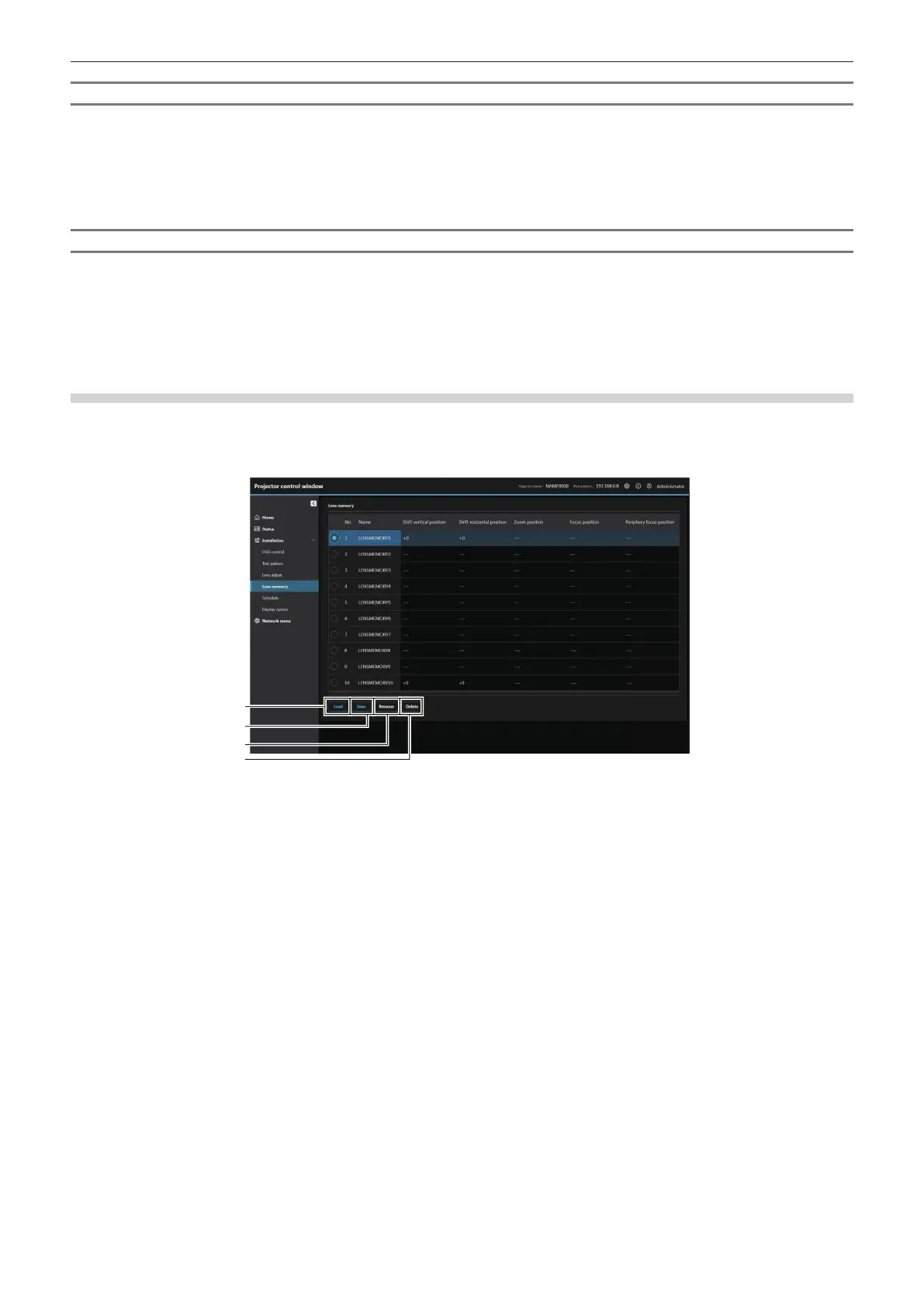
[Lens memory]
The adjusted lens position (Shift vertical position, Shift horizontal position, Focus position, Periphery focus
position and Zoom position) can be saved and loaded.
Click [Installation] → [Lens memory] and select the lens memory No. to set.
1 [Load]
Loads the lens position (Shift vertical position, Shift horizontal
position, Zoom position, Focus position and Periphery focus
position) saved in the specied lens memory, and automatically
moves to that position.
2 [Save]
Saves the current lens position (Shift vertical position, Shift
horizontal position, Zoom position, Focus position and
Periphery focus position) by selecting the number of the lens
memory.
3 [Rename]
Changes the name of the lens memory. Operates following the
instruction displayed in the screen.
4 [Delete]
Deletes the lens memory. Operates following the instruction
displayed in the screen.














 To Next Page