Chapter 5 Operations — Using the web control function
ENGLISH - 247
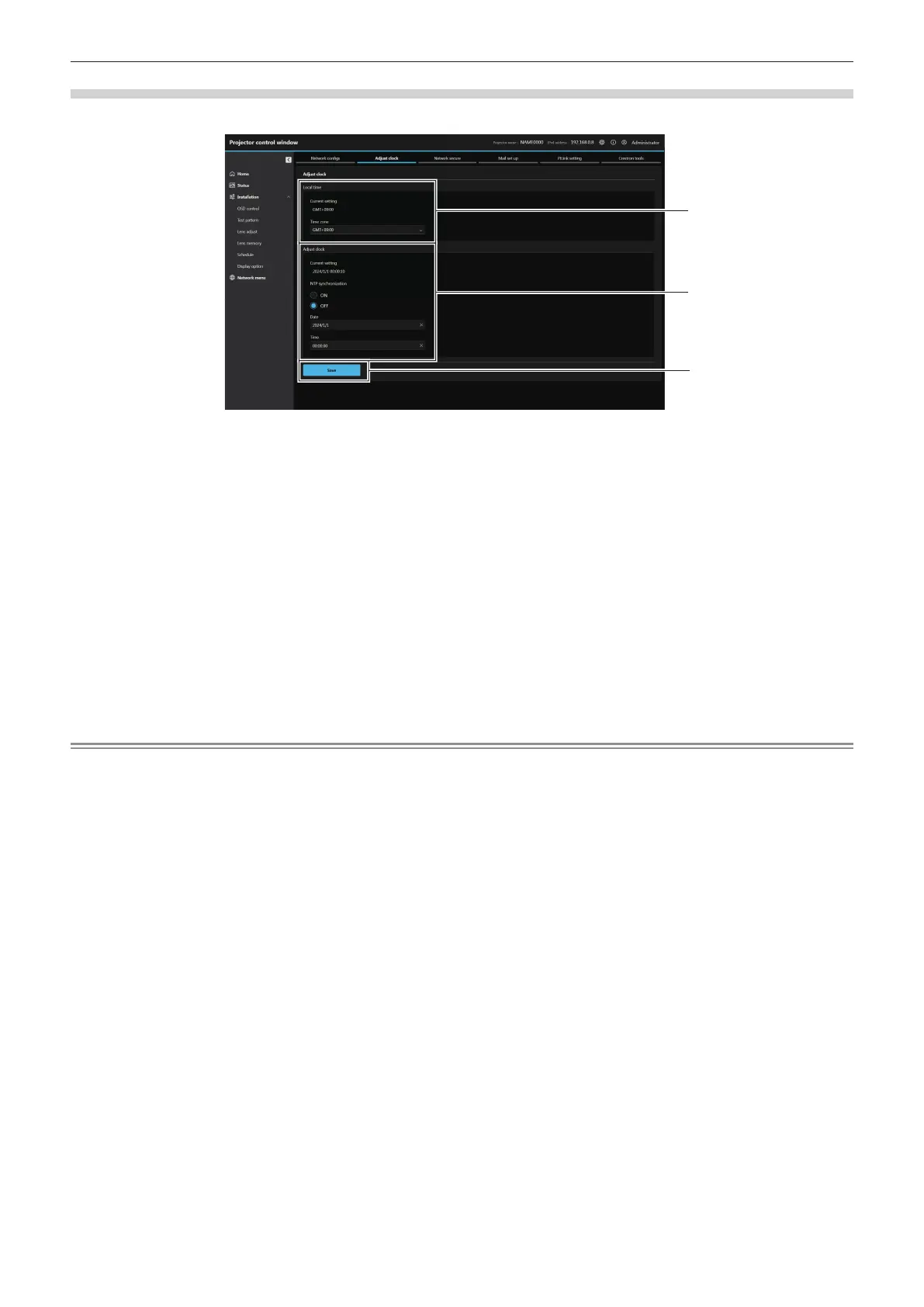
[Adjust clock]
Click [Network menu] → [Adjust clock].
1
2
1 [Local time]
[Current setting]
Displays the current time zone setting. If the setting has been
changed, it will be updated when you press the [Save] button.
[Time zone]
Select the time zone.
2 [Adjust clock]
[Current setting]
Displays the current date and time setting. If the setting has
been changed, it will be updated when you press the [Save]
button.
[NTP synchronization]
Set to [ON] when setting the date and time automatically.
[NTP server name]
Enter the IP address or server name of the NTP server when to
adjust the date and time automatically.
(To enter the server name, the DNS server needs to be set up.)
[Date]
Enter the date to change when [NTP synchronization] is set to
[OFF].
[Time]
Enter the time to change when [NTP synchronization] is set to
[OFF].
3 [Save]
Update the settings.
Note
f The replacement of the battery inside the projector is required when the time goes out of alignment right after correcting the time. Consult
your dealer.














 To Next Page