Chapter 5 Operations — Using the web control function
ENGLISH - 255
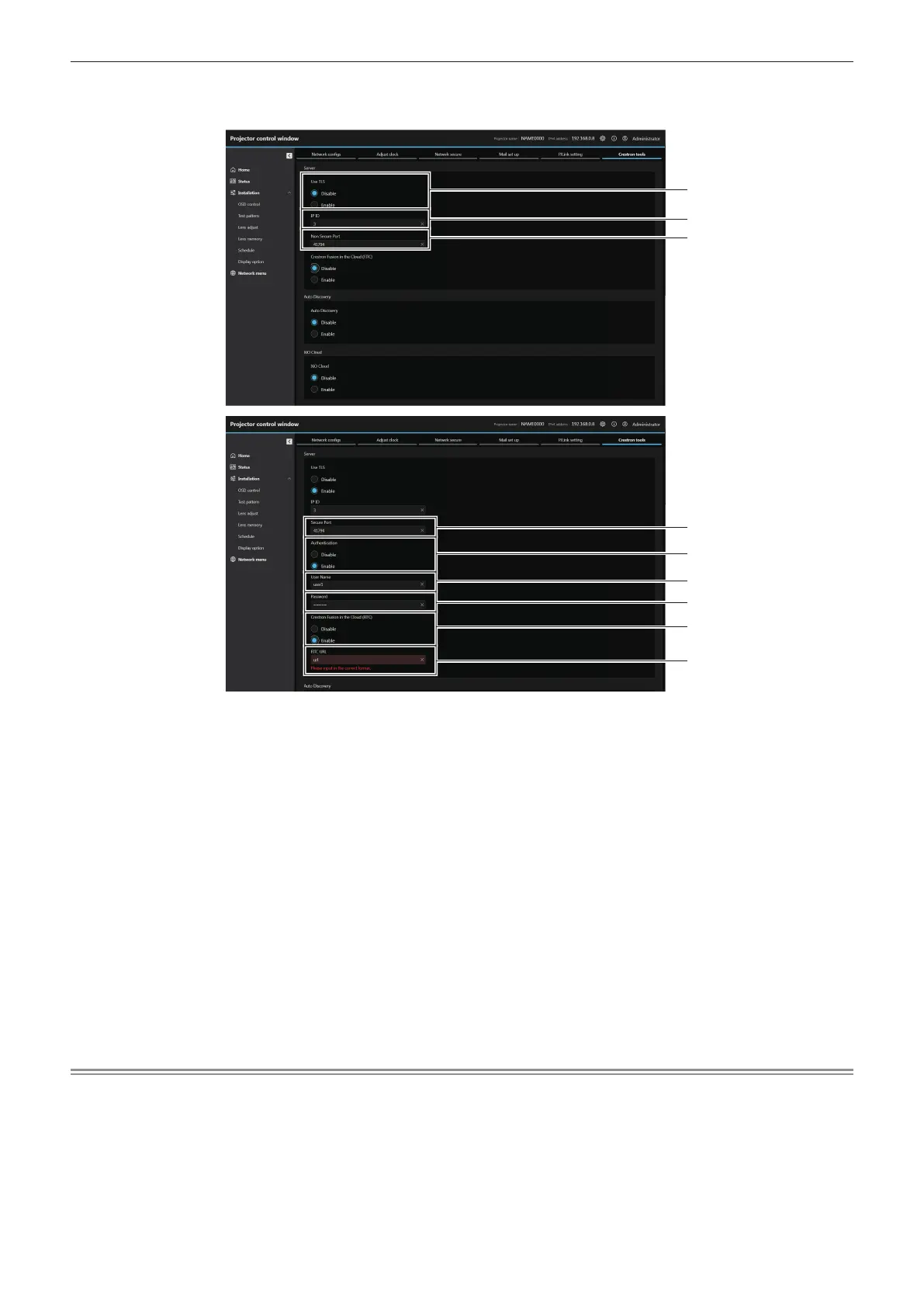
r [Server]
Congure the setting required to access the projector assigned to a server using the control system.
1 [Use TLS]
Set the secure communication.
[Disable]:
Performs the unsecured communication.
[Enable]:
Performs the secure communication using TLS (Transport
Layer Security).
2 [IP ID]
Set the IP ID used to determine the projector on the network. (A
number up to four digits)
3 [Non Secure Port]
Set the port number to be used with the unsecured
communication.
Default value: 41794
4 [Secure Port]
Set the port number to be used with the secure communication.
Default value: 41796
5 [Authentication]
Select the authentication with the connection destination used
with the secure communication.
[Disable]:
Does not perform the connection authentication.
[Enable]:
Performs the connection authentication.
6 [User Name]
Enter the user name used for the connection authentication.
(Up to 20 half-width characters)
7 [Password]
Enter the password used for the connection authentication. (Up
to 20 half-width characters)
8 [Crestron Fusion in the Cloud (FITC)]
Set whether to use the Fusion server in the Cloud.
[Disable]:
Does not use the Fusion server in the Cloud.
[Enable]:
Uses the Fusion server in the Cloud.
9 [FITC URL]
Enter the URL of the Fusion server in the Cloud.
Note
f [Use TLS] will be xed to [Disable] if neither the server certicate nor the self-signed certicate is installed.














 To Next Page