Pharma Test Apparatebau AG
Operating Manual
B-24-00100_PT-NODE_v1.0e.docx Page 15 of 64
Section 4 Using the Web Interface
After setting up the network connection, connect to the web interface of PT-Node using your
web browser from a device (for example a Windows PC) connected to the same network.
We recommend using either Google Chrome or Microsoft Edge.
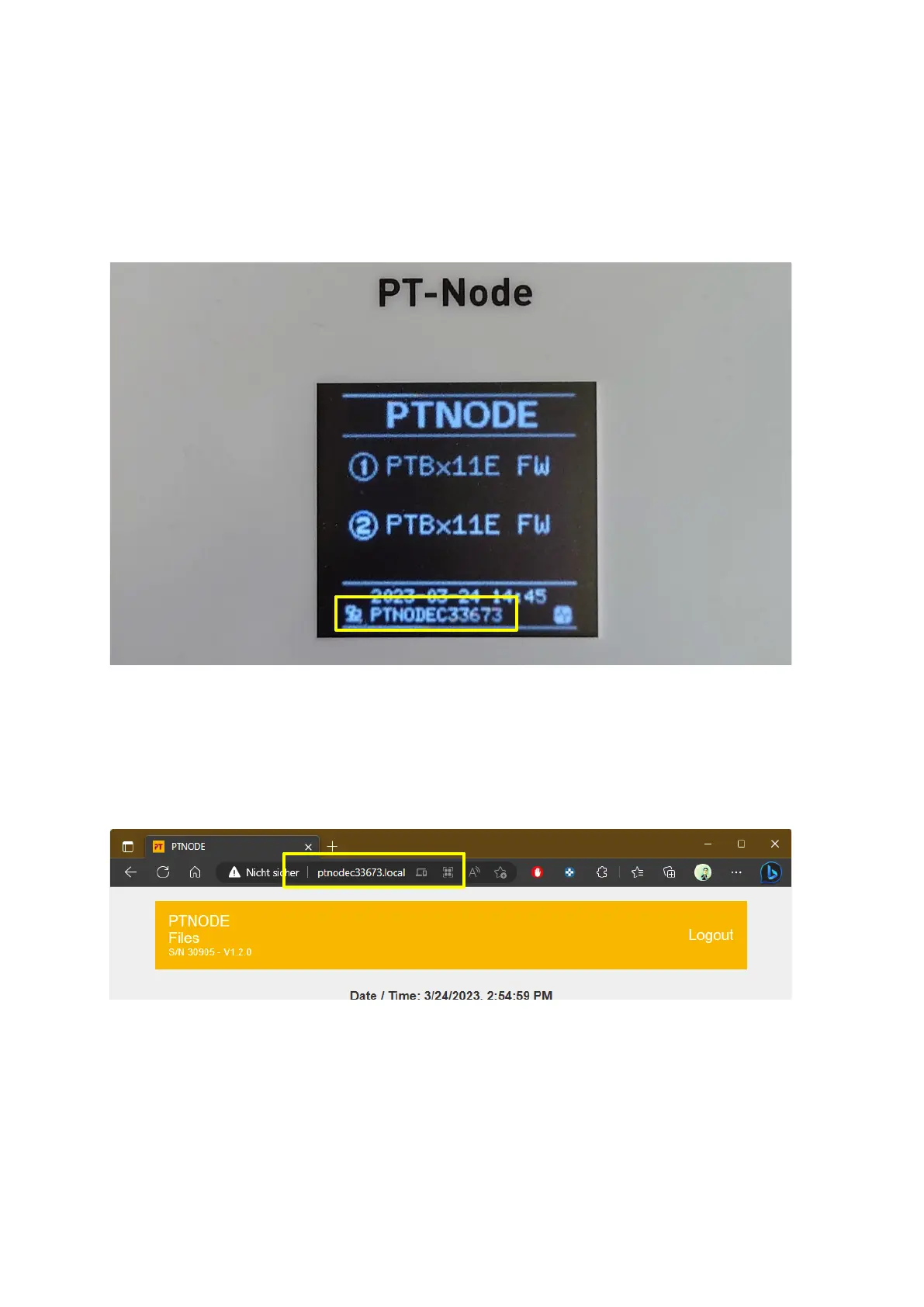
In the bottom line of the display of PT-Node you will see a unique name being displayed:
Figure 7: Unique name of PT-Node is displayed on screen
In this example case it is “PTNODEC33673”. This name is unique for each PT-Node unit.
The display alternates between this name and the IP address currently assigned to this PT-
Node.
Now open your browser and enter the name as shown on the PT-Node display followed by
“.local” into the address line of the browser:
Figure 8: Accessing the web interface using PT-Node’s name
The web interface of PT-Node will be displayed.



 To Next Page