Pharma Test Apparatebau AG
Operating Manual
B-24-00100_PT-NODE_v1.0e.docx Page 17 of 64
Section 4.1 File Index without Login
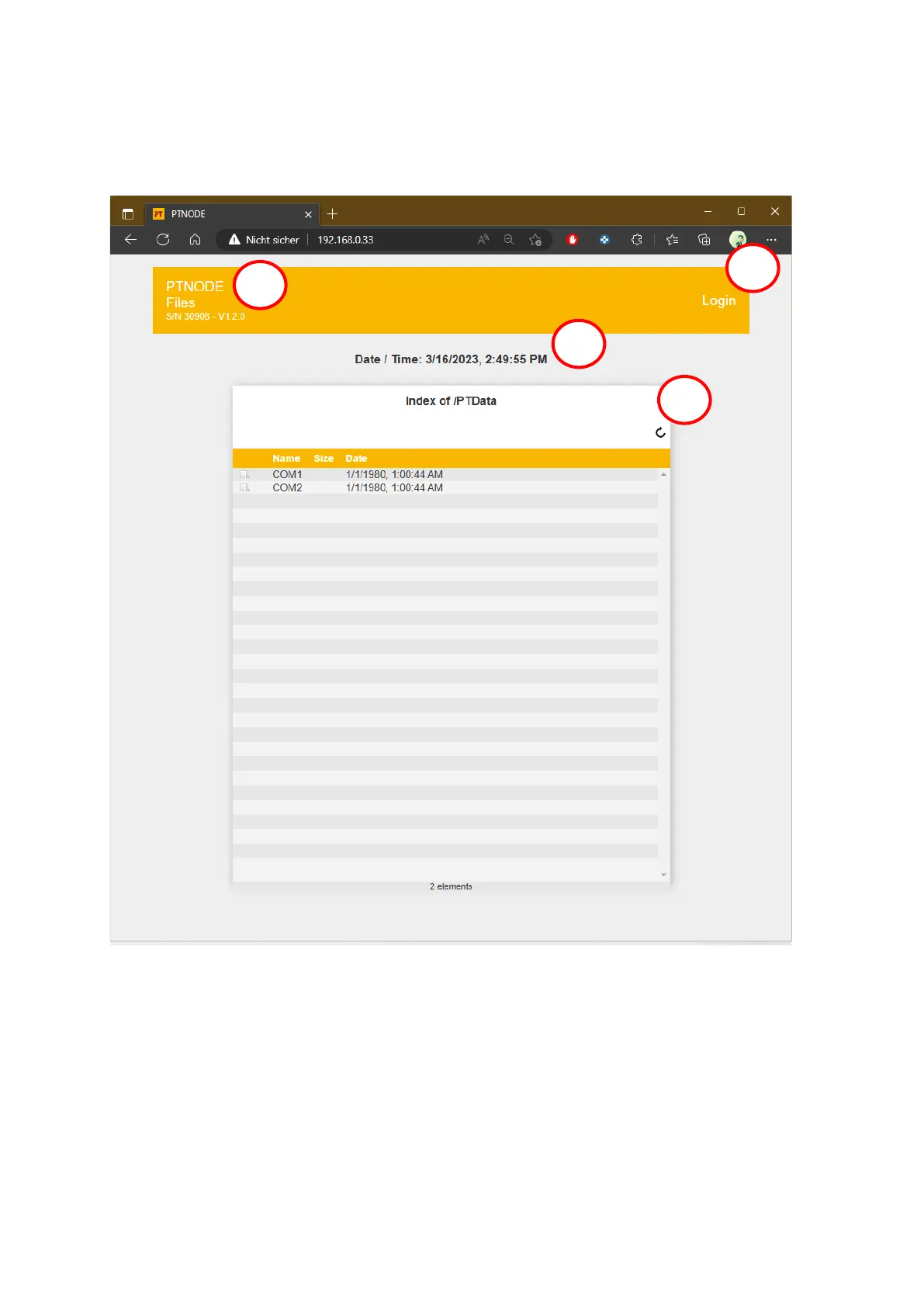
After entering the IP address, the file index is displayed. This shows all folders currently
located on the internal SD card of PT-Node:
Figure 11: File index
1: The serial number and currently installed firmware version of your PT-Node are
displayed here.
2: Click on “Login” to log in with username and password. See below for more details.
3: The current date and time are displayed here.
4: Use the circular arrow to re-fresh to current view, to show any new files or folder that
have been created.



 To Next Page