Pharma Test Apparatebau AG
Operating Manual
B-24-00100_PT-NODE_v1.0e.docx Page 60 of 64
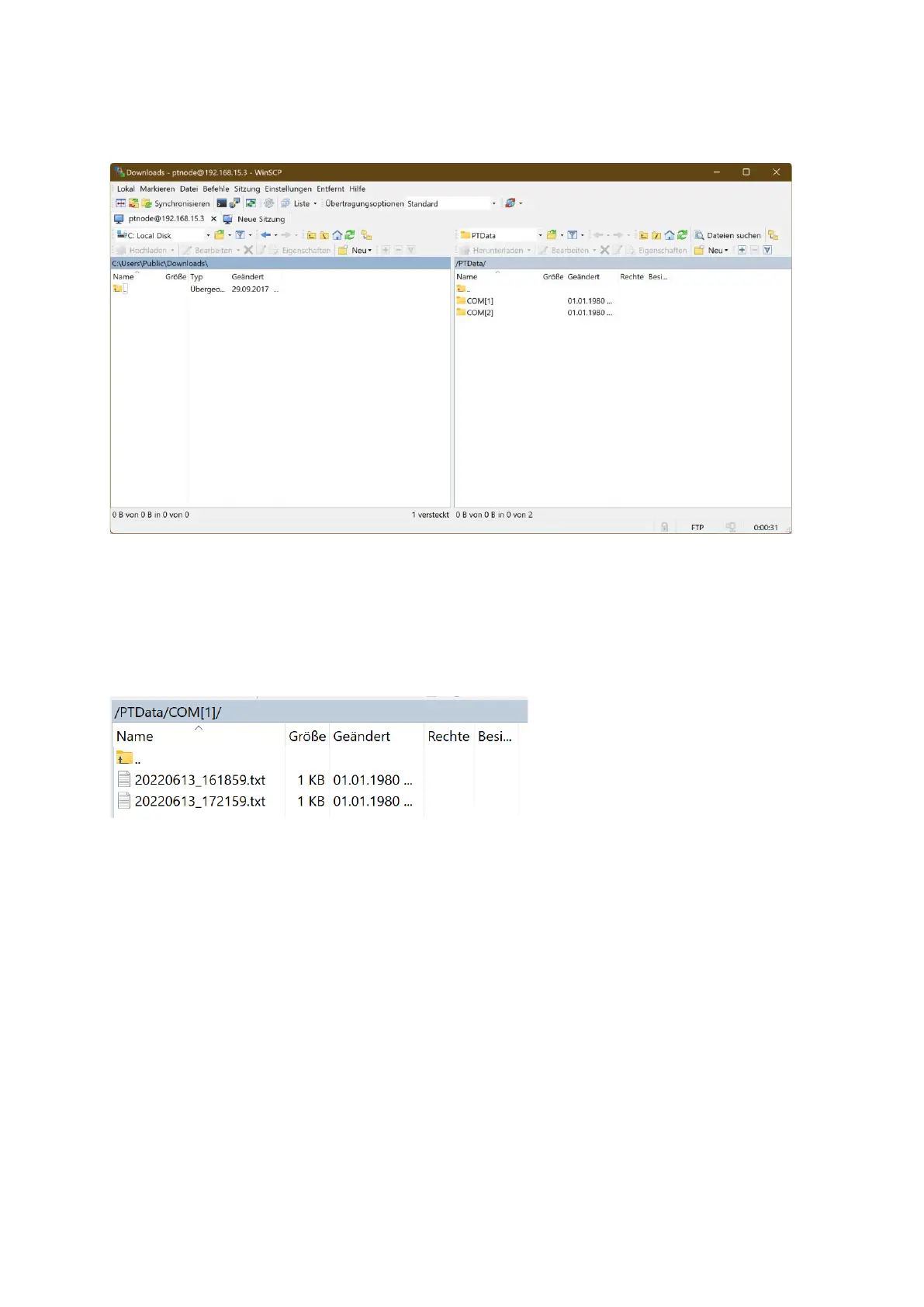
After establishing the FTP connection you have access to the internal SD card of PT-Node
and the files stored there:
Figure 68: FTP client - files
By default there are two folder on the internal SD card: “COM[1]” and “COM[2]”. The files
received via the corresponding channels are stored in these folders. Note, that the
administrator can change these folders in the device manager of PT-Node (parameter
“Data folder”).
In each folder you will find the individual report files in text format:
They contain a time stamp in their file name.
Note that accessing the files this way makes it possible to edit and delete date. For this
reason, the password for the FTP user should not be handed out to standard operators.
Standard operator should use the web interface of PT-Node to view and print their data and
not the FTP connection.
To transfer the results to an external software, the software must be configured to access
this folder and to collect the files from here. For details on how to parse the information
contained in the individual files, refer to the previous which explains the format of the
various Pharma Test instruments supported by PT-Node and how to connect these to it.



 To Next Page