Pharma Test Apparatebau AG
Operating Manual
B-24-00100_PT-NODE_v1.0e.docx Page 19 of 64
Section 4.2 Display Reports and Printing
By default, PT-Node will collect the serial data sent by a Pharma Test instrument, convert
it to a text file and store it in the corresponding folder on its internal SD card.
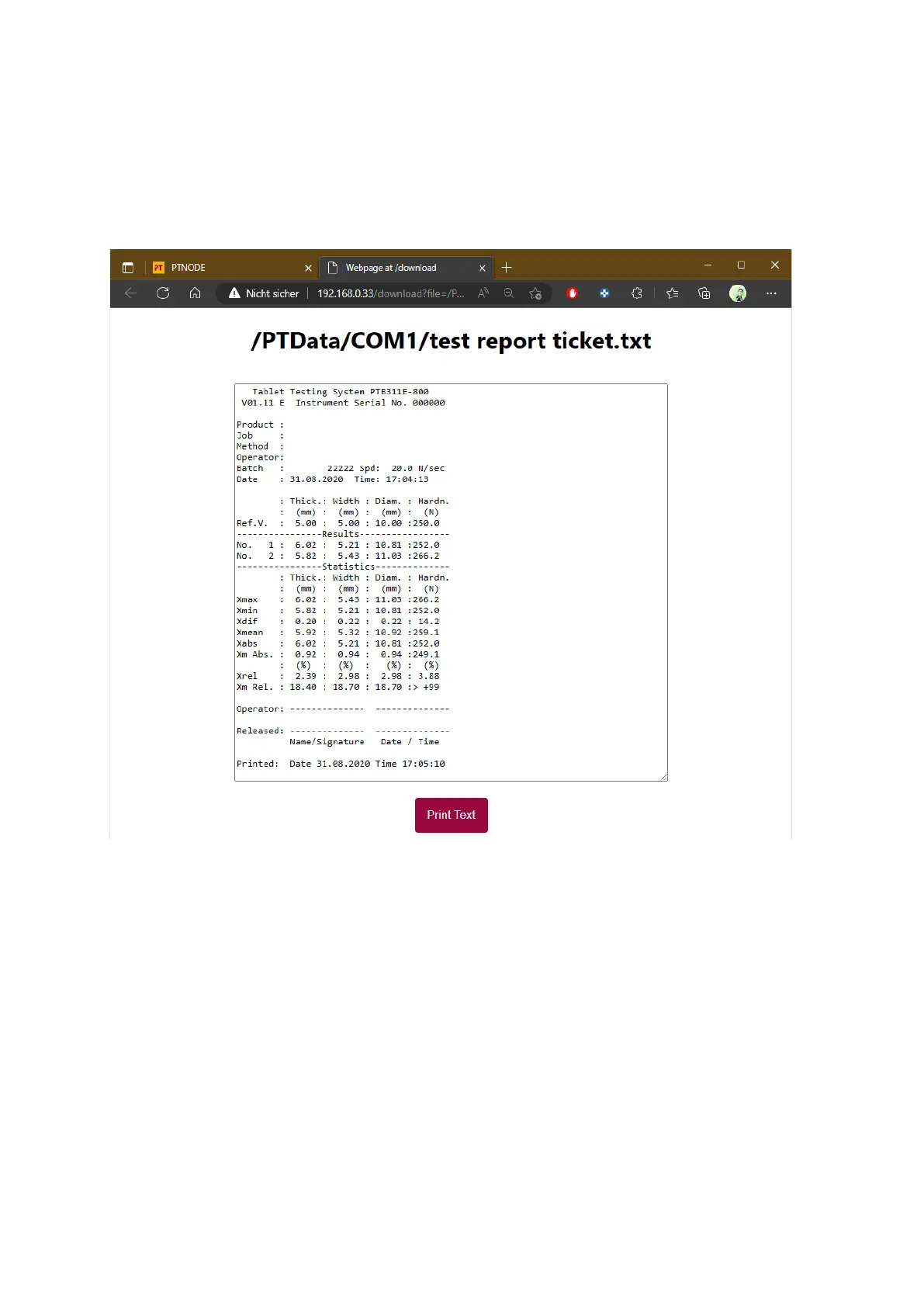
Click on any of the text files in a folder to display the report. The report will be opened in a
new browser tab:
Figure 14: Example of a test report displayed using a web browser
The contents of the text file are displayed in a new tab. You can print the text report using
the standard printing functionality of your web browser on any printer connected to your
device, either directly or through a network. Click on “Print Text” to call up your operating
systems standard printing dialog.
The text reports here are displayed only. They cannot be edited or changed in any way. The
copy & paste function is disabled to prevent any kind manipulation of the results.
You can close this tab when you do not need it any longer. To keep working with PT-Node
simply switch back the tab labeled “PTNODE”.



 To Next Page