Pharma Test Apparatebau AG
Operating Manual
B-24-00100_PT-NODE_v1.0e.docx Page 16 of 64
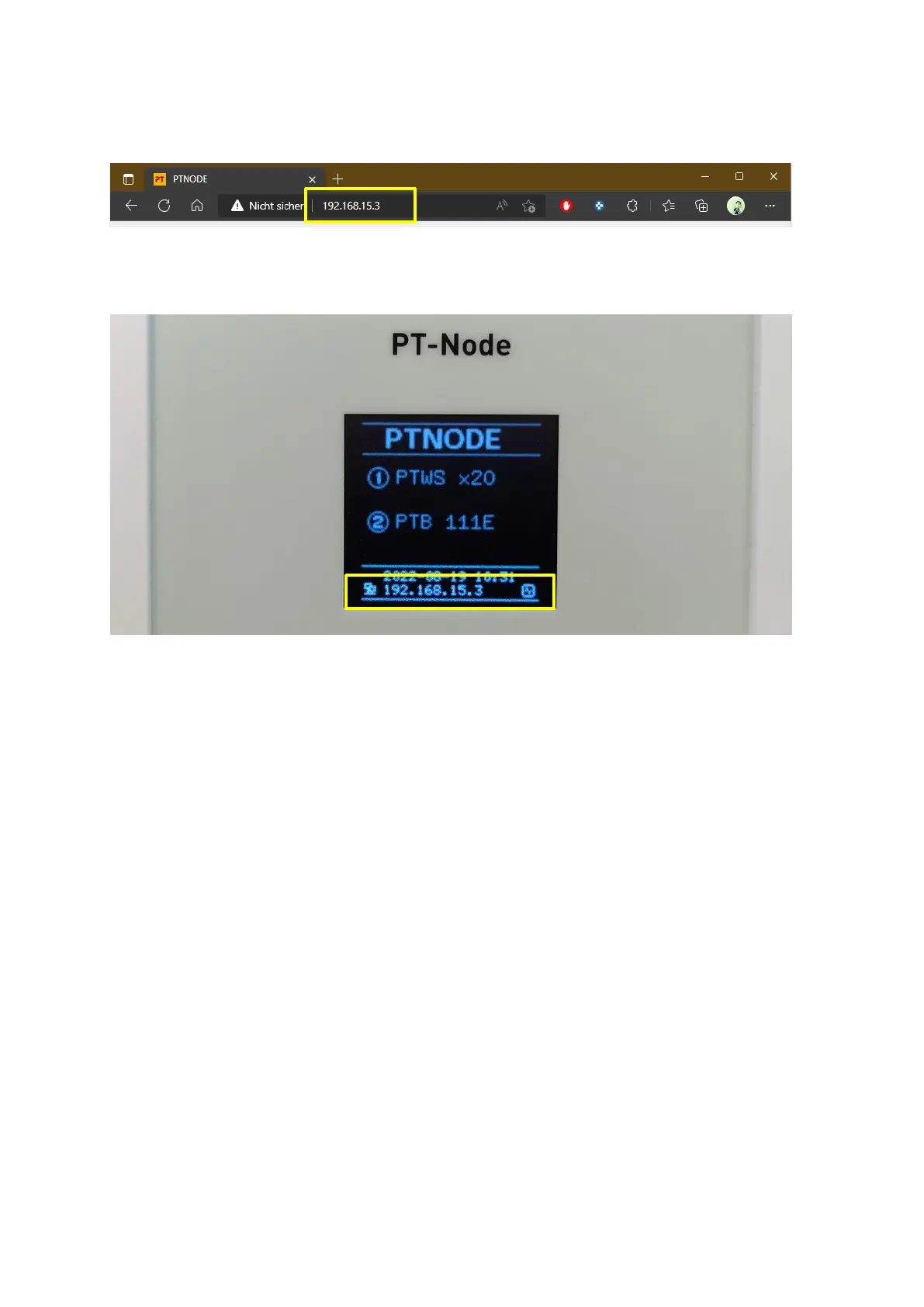
Alternatively, you can also connect to a PT-Node by entering the displayed IP address, for
example “192.168.15.3”:
Figure 9: Accessing the web interface using PT-Node’s IP address
The current IP address of PT-Node is shown on the bottom of its display, alternating with
its name:
Figure 10 IP address is displayed on screen
Note, that depending on how your company network is configured, it is possible that PT-
Node gets assigned a new IP address when you connect it to a different ethernet port.
Because of this, we recommend connecting to PT-Node by using its name, as this will never
change.
If no IP address is displayed refer to Section 3.1 on how to setup the network configuration.



 To Next Page