Pharma Test Apparatebau AG
Operating Manual
B-24-00100_PT-NODE_v1.0e.docx Page 27 of 64
Section 4.4.2 Network Settings
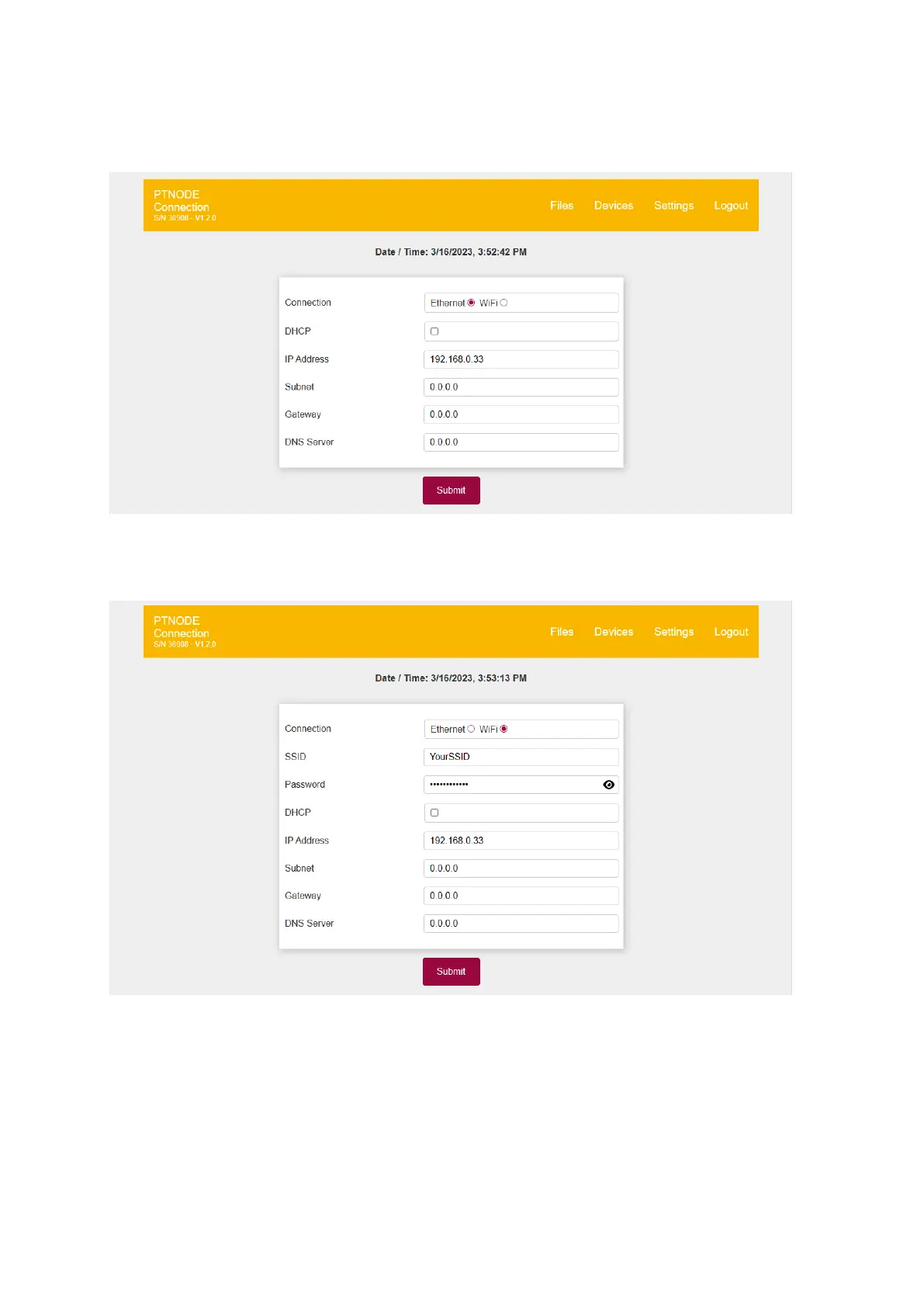
By clicking on “Network” you can access the network settings:
Figure 25: Network settings - Ethernet
Here you can switch between using a wired Ethernet connection (shown above) and a
wireless WiFi connection (shown below):
Figure 26: Network settings - Wi-Fi
Consult with your IT department for information on what settings you need for your network.
In case you are working with static IP addresses disable “DHCP” and manually enter the IP
address you want PT-Node to use.
Click “Submit” to perform any changes.



 To Next Page