Pharma Test Apparatebau AG
Operating Manual
B-24-00100_PT-NODE_v1.0e.docx Page 50 of 64
Section 5.4 PT-TD300
Serial 8pin D-Sub (female) plug labelled
“Printer” on the backside of the
instrument, cable part no. 34-01205
9600 bit/s, 8 data bits, no parity, 1 stop bit,
no handshake
Result report, calibration report
Section 5.4.1 Capturing Test Reports
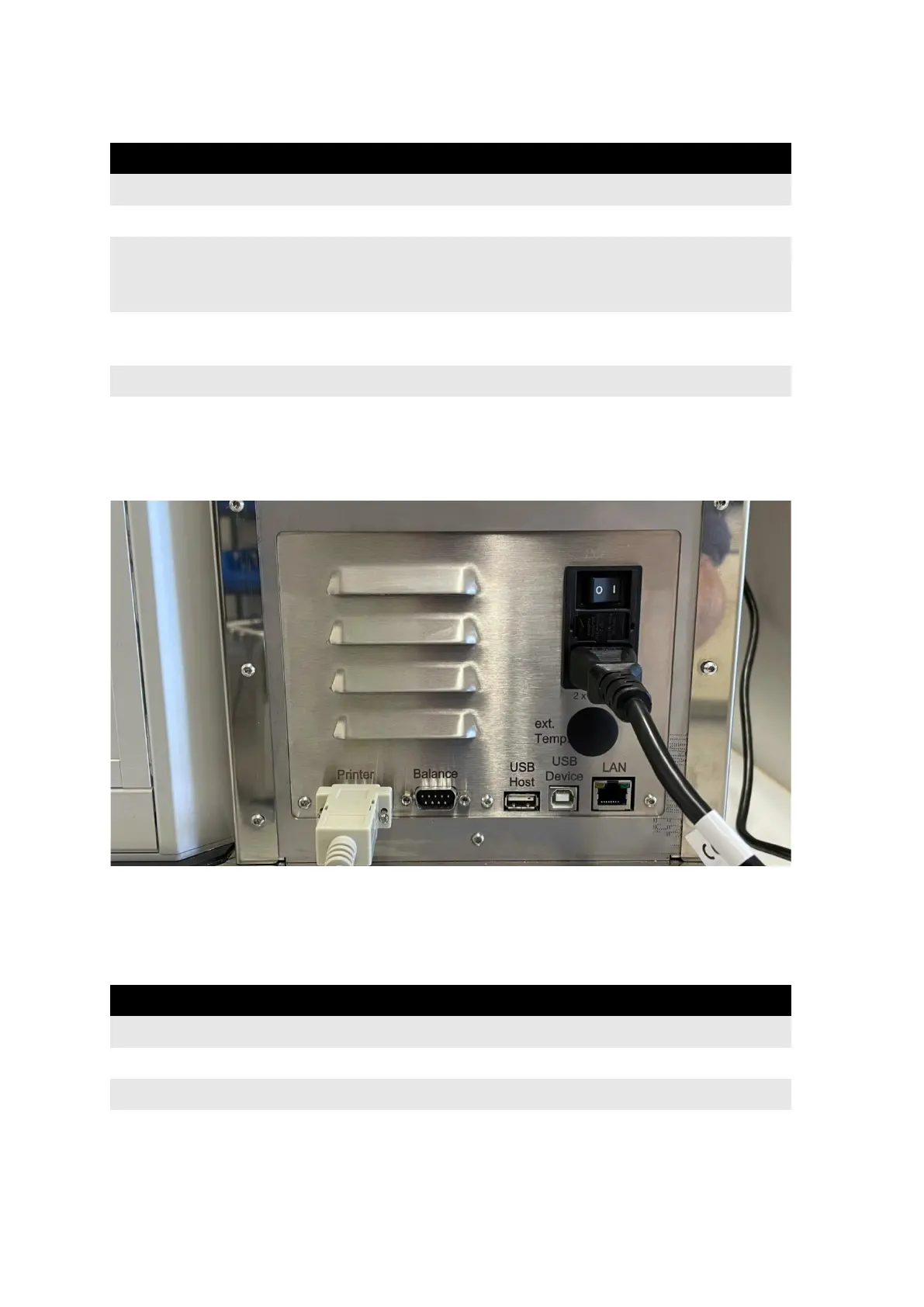
Connect the communication cable (part no. 34-01205) to the port labeled “Printer” on the
backside of the instrument:
Figure 53: Communication cable connection to PT-TD300
Connect the other side of the cable to one of the ports of PT-Node. Note the channel number
the port corresponds to.
Login to PT-Node as administrator and enter the device menu. Enter the following settings:
Enter the desired name for the folder on
the internal storage of PT-Node to save the
results
Figure 54: PT-Node device settings for PT-TD300



 To Next Page