Pharma Test Apparatebau AG
Operating Manual
B-24-00100_PT-NODE_v1.0e.docx Page 33 of 64
4.4.3.3.2 Uploading a New Device Configuration File
Pharma Test will release new versions of the configuration file to add support for additional
instruments. To update the configuration file of a PT-Node you need to download a .json-
file. Save this file on a location on your computer for example in Downloads.
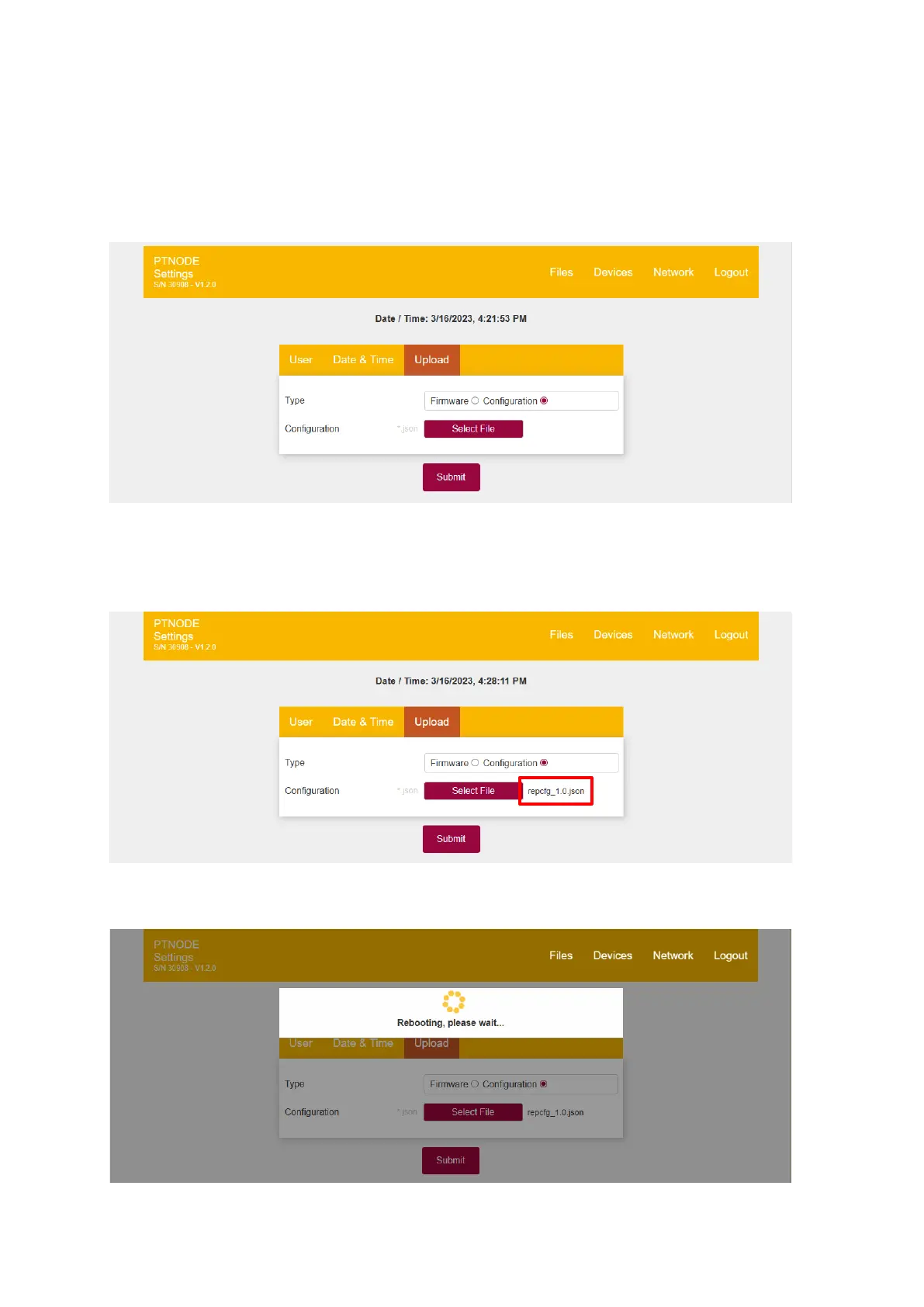
For “Type” select “Configuration”:
Figure 37: Uploading a new configuration file
Then click on “Select File”. Using the file picker dialog navigate to the .json-file you
previously saved to your computer and click “Open”. Make sure the file displayed now is the
correct configuration file and click on “Submit”:
Figure 38: Configuration file filename
PT-Node will now apply the new configuration file and reboot:
Figure 39: Updating the configuration file in process



 To Next Page