Pharma Test Apparatebau AG
Operating Manual
B-24-00100_PT-NODE_v1.0e.docx Page 39 of 64
5.1.3.2 Connecting the Instrument to PT-Node
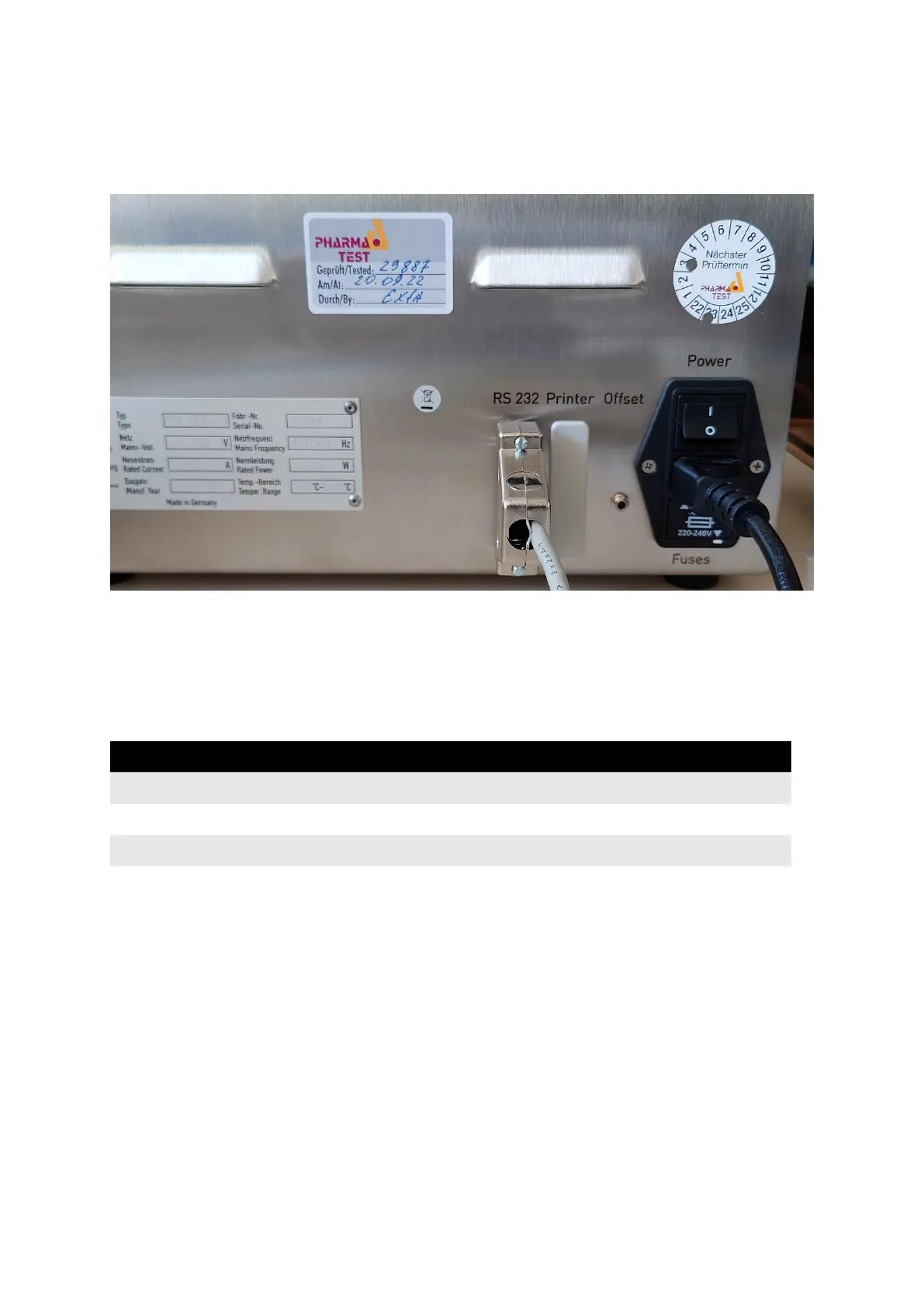
Connect the communication cable (part no. 34-00311) to the port labeled “RS 232” on the
backside of the instrument:
Figure 43: Communication cable connection to PTB 111E
Connect the other side of the cable to one of the ports of PT-Node. Note the channel number
the port corresponds to.
5.1.3.3 Set the Device Settings on PT-Node
Login to PT-Node as administrator and enter the device menu. Enter the following settings:
Table 8: PT-Node device settings for PTB 111E and ticket printer
Press submit to store the settings.
You can now start measuring with the PTB 111E instrument. The serial data communication
is live. This means once the instrument sends print-out data via the serial interface it is
automatically captured by PT-Node. PT-Node recognizes the start of a new test report from
its header and creates a new file on its internal storage.



 To Next Page