Pharma Test Apparatebau AG
Operating Manual
B-24-00100_PT-NODE_v1.0e.docx Page 30 of 64
4.4.3.2 Date & Time Settings
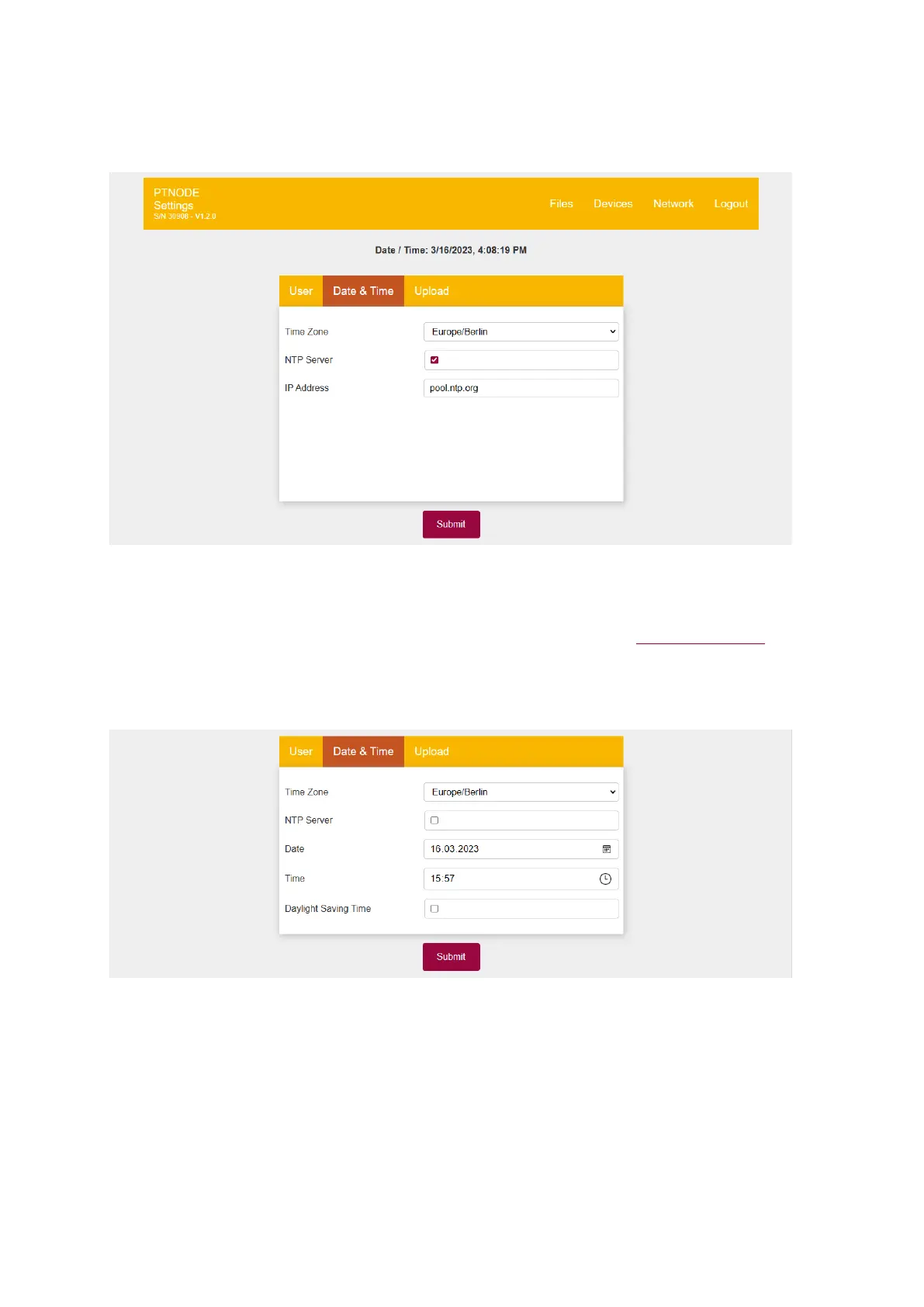
By default, PT-Node synchronizes date and time with a time server:
Figure 30: Date & time settings
Select your time zone and either enable (default) or disable the use of a time server (“NTP
Server”). If you use a time sever enter its IP address in the next field. By default, PT-Node
uses the public NTP Pool Project to synchronize date and time. Visit www.ntppool.org for
more information on this project.
In case you do not want to use a time server or there is no timer server available in your
network you can set date and time directly here by disabling “NTP Server”:
Figure 31: Date & time settings - no NTP server
First enter the date, then the current time and enable or disable (default) the daylight-
saving time setting depending on your region. Click submit to save the new settings on the
PT-Node.



 To Next Page