Pharma Test Apparatebau AG
Operating Manual
B-24-00100_PT-NODE_v1.0e.docx Page 57 of 64
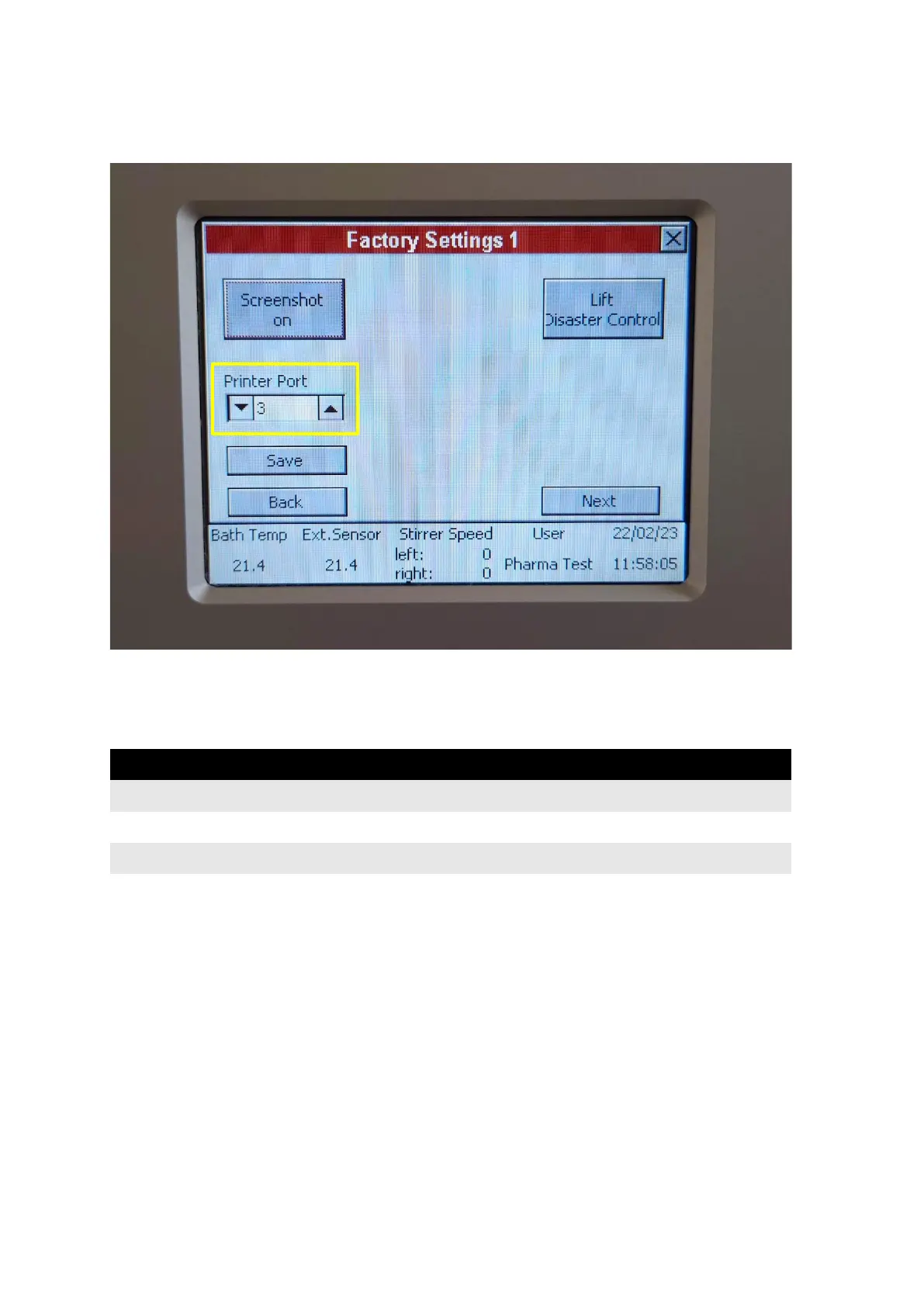
On the PTWS x20 instrument enter the settings menu. Then enter the factory settings menu.
Set the printer port to no. 3 and press “Save”:
Figure 63: Printer port setting for PT-Node
Turn of the PTWS x20 instrument, wait a few seconds and turn it back on again.
Login to PT-Node as administrator and enter the device menu. Enter the following settings:
Figure 64: PT-Node device settings for PTWS x20
Press submit to store the settings.
You can now start testing with the PTWS x20 instrument. The result report is sent to the
PT-Node as soon as you select print on the instrument.



 To Next Page