Pharma Test Apparatebau AG
Operating Manual
B-24-00100_PT-NODE_v1.0e.docx Page 42 of 64
Set your instrument to export serial result data (“FreeWeigh”-format):
1. Turn on the instrument and press [CAL]+[6]+[2] to display the printer selection
menu
2. Use [.] (point) to toggle between the settings
3. Set it to “Pr FrEE”
4. Press [*] (star) to confirm
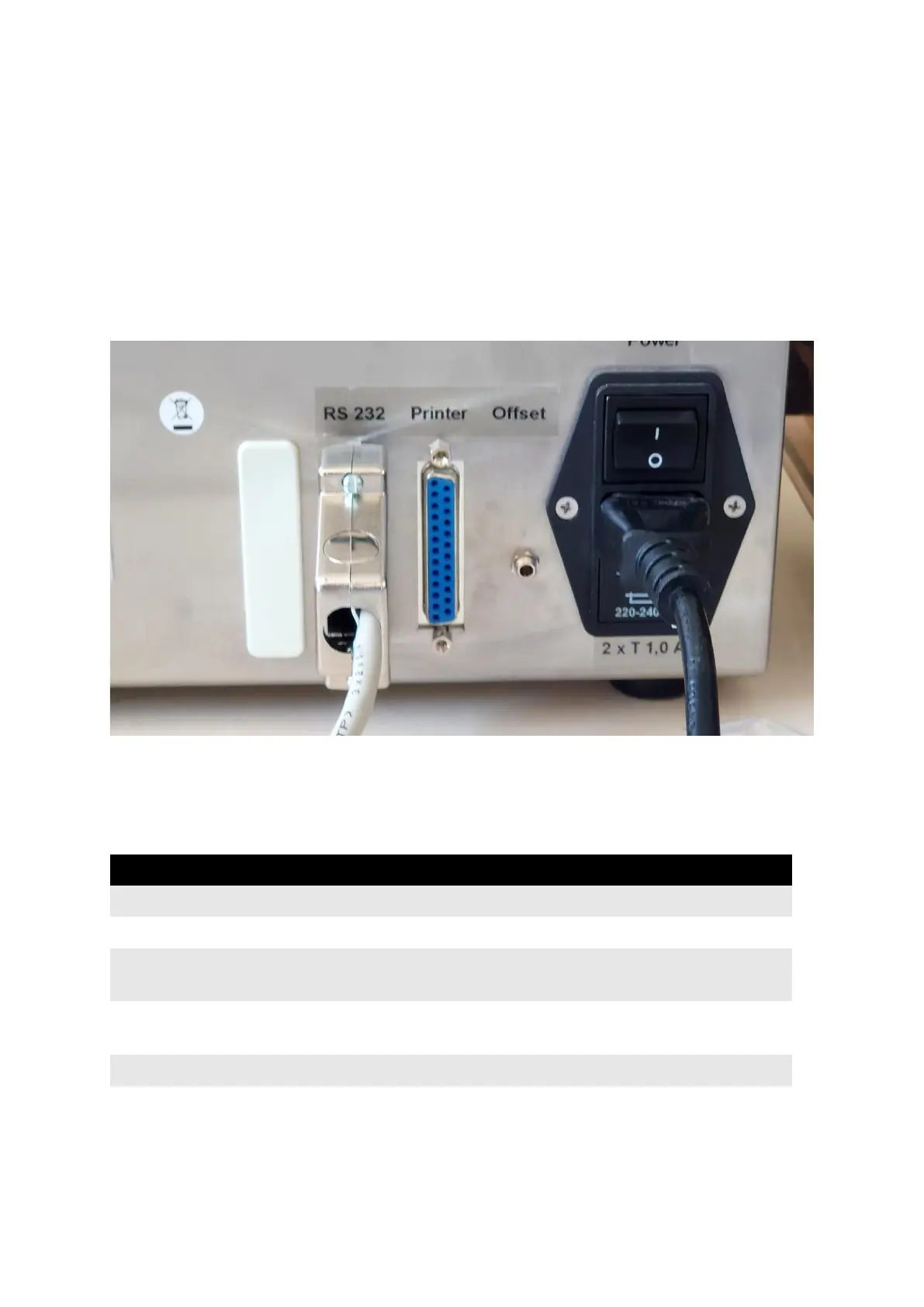
Connect the communication cable (part no. 34-00311) to the port labeled “RS 232” on the
backside of the instrument:
Figure 46: Communication cable connection to PTB 311E/PTB 511E
Connect the other side of the cable to one of the ports of PT-Node. Note the channel number
the port corresponds to.
Section 5.2.2 Capturing PTB 311E and PTB 511E Ticket Printer Test Reports
Serial 25pin D-Sub (male) plug labelled “RS232” on the
backside of the instrument, cable (part no. 34-00311)
9600 bit/s, 7 data bits, no parity, 1 stop bit, hardware
handshake



 To Next Page