MSL Cable Termination
Installin
the Instrument
113
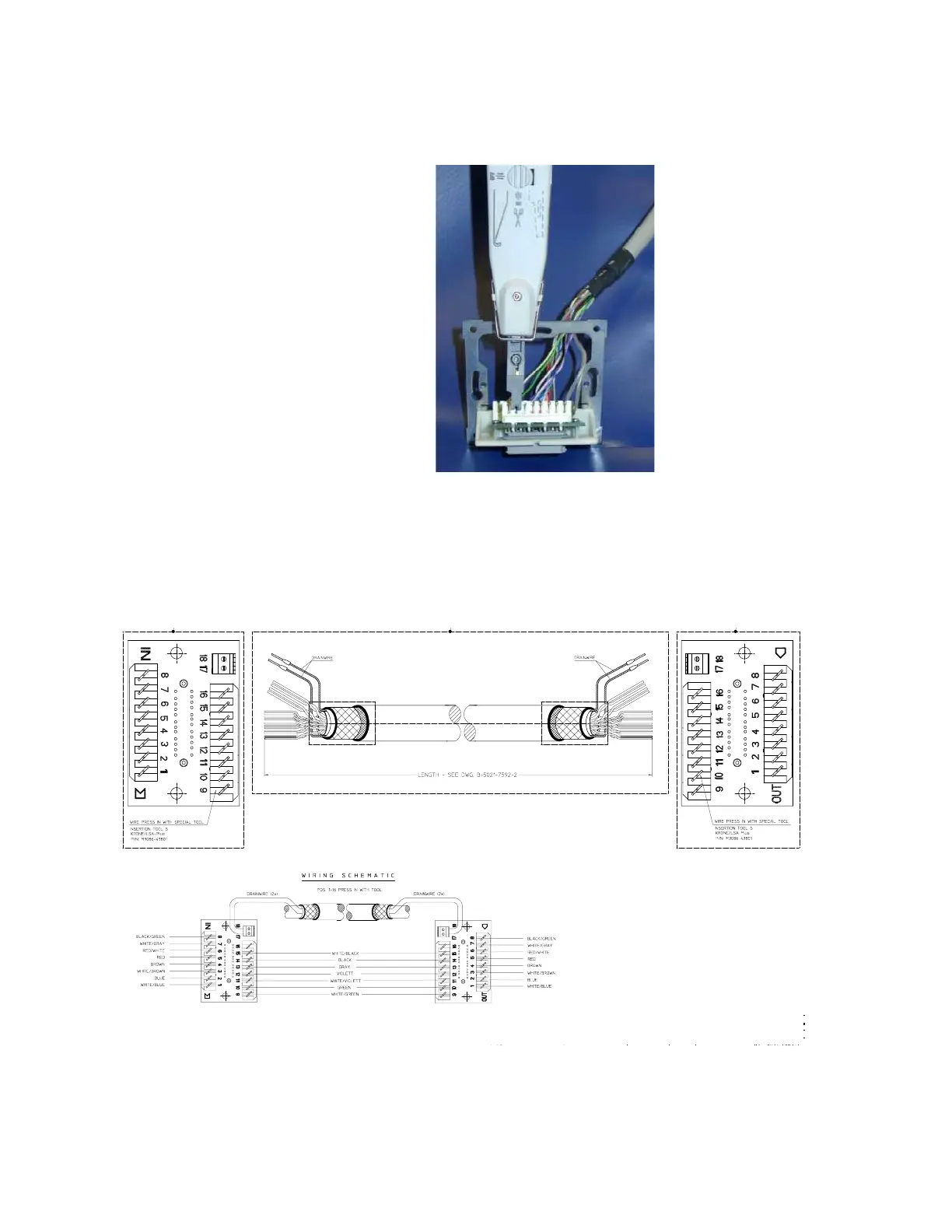
Step 3 Use the Insertion Tool (M3086-43801) to position each wire on the PCB according
the following wiring schematic, where each color corresponds to a number.
NOTE
The Insertion Tool should be set to cutting mode
✂ = on. The Insertion Tool automatically
removes the insulation at the connection site, clamps the wire in the correct position, and cuts
off the excess wire.
Step 4 Use a small screwdriver to connect the two drain wires to the PCB, see the wiring
schematic above.











 To Next Page