Connecting up02
14
En
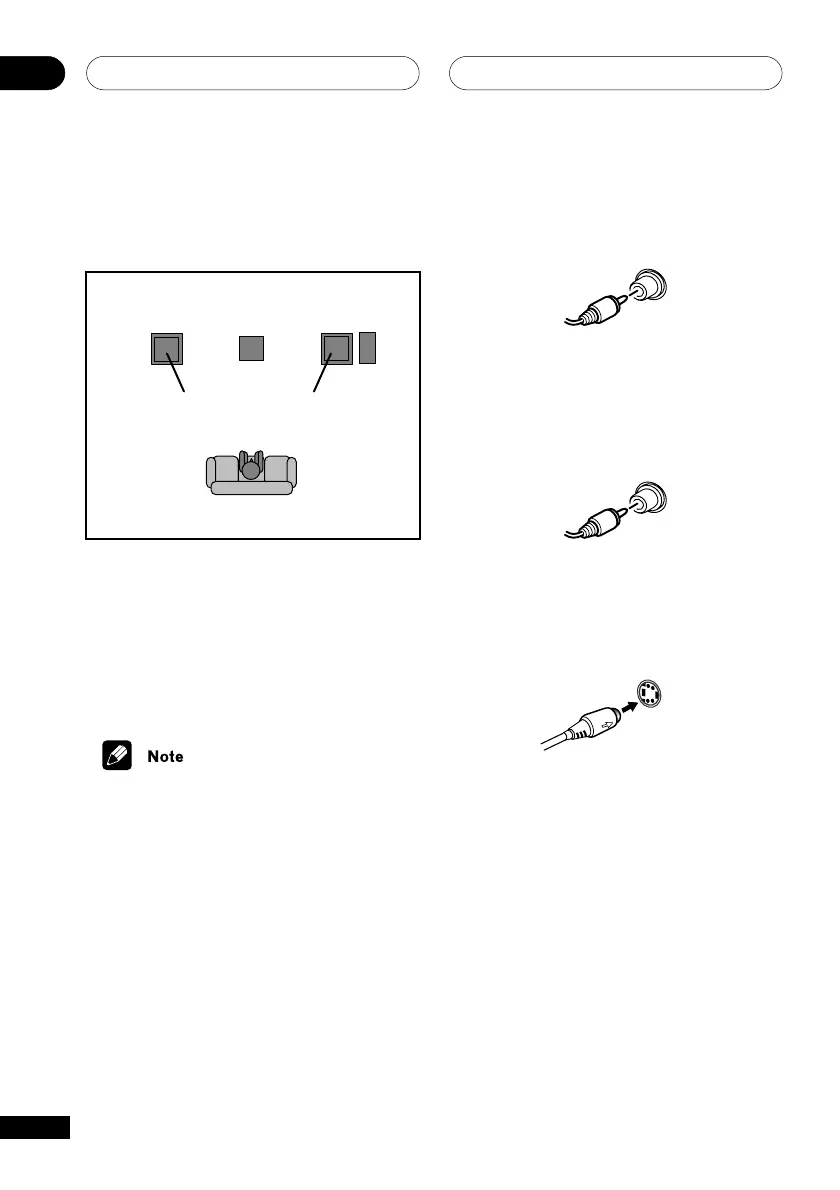
Extra power mode sound setup
EV51DVD model only
See page 62 for more details on this setting.
Front left
(bottom)
Surround
left (top)
Surround
right (top)
Listening position
Center
Subwoofer*
Front right
(bottom)
* Active subwoofer is sold separately
Connecting a subwoofer
EV51DVD model only
An active subwoofer (sold separately)
provides bass frequencies that are both
deeper and clearer than regular speakers.
• If you plan to use a subwoofer with this
system, make sure it is a powered
subwoofer (not passive).
• Connect the subwoofer to the
amplifier.
Use an RCA pin-plug speaker cord. Insert
completely.
Connecting to your TV
1 Use the supplied yellow video cable
to connect the VIDEO OUT jack to a video
input on your TV.
For a better image, you can also use a
commercially available S-Video cable to
connect the S-VIDEO OUT jack to an S-Video
input on your TV.
S VIDEO
2 Optionally: Use a stereo audio cable
to connect the audio outs of your TV (or
VCR) to the LINE IN jacks on the rear of
the DVD tuner deck.
This will enable you to hear the TV (or VCR)
sound through this system.



 To Next Page