Setting up for surround sound (EV51DVD only)
05
36
En
Setting the relative volume
level of each channel
(EV51DVD only)
• Default setting: 0db
For best surround sound playback, you
should set the relative channel levels from
your main listening position.
1 Press STANDBY/ON (
) to turn the
power on.
The STANDBY indicator goes out.
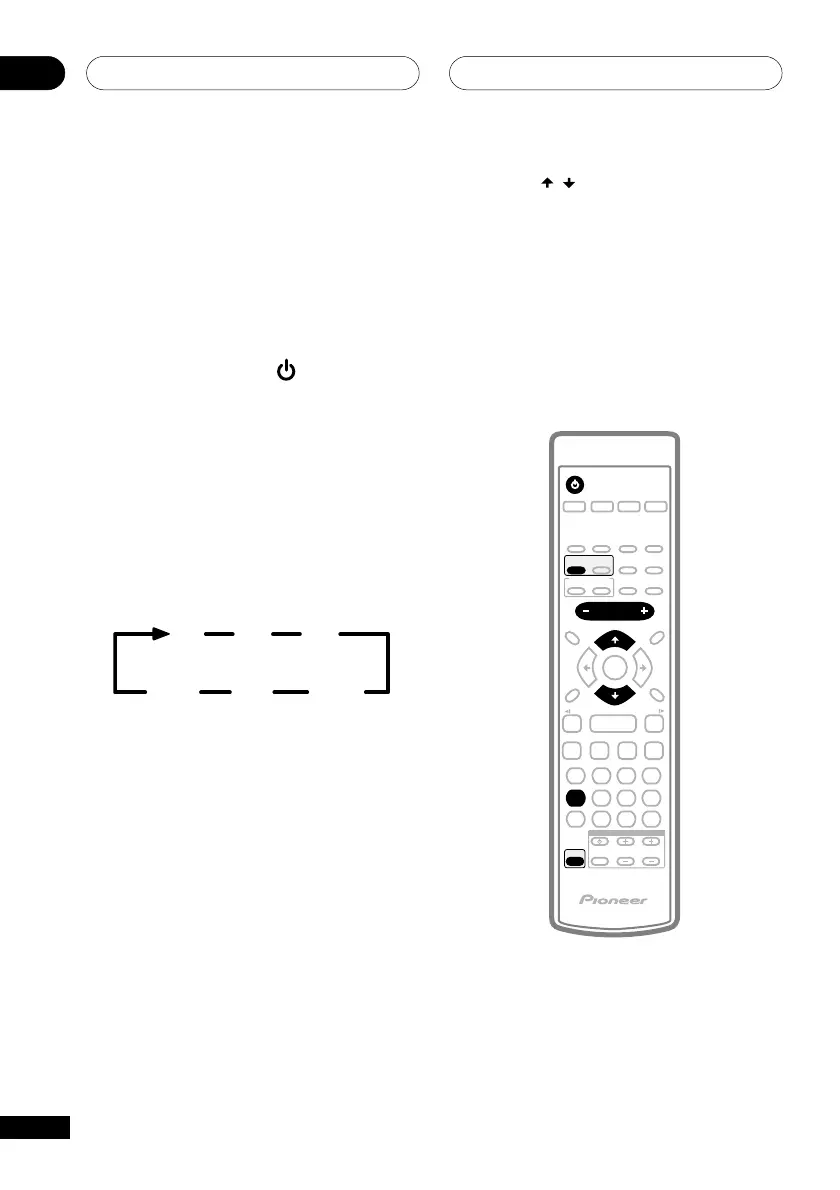
2 Press SURROUND repeatedly to select
a multi-channel listening mode.
The Surround mode can be set to anything
but AUTO or STEREO.
3 Press TEST TONE (SHIFT+4) to hear the
test tone.
The test tone is output in the following order:
LC
LS
R
RS
SW*
* The test tone is only heard from the
subwoofer when the subwoofer setting
is ON or PLUS (see also Subwoofer
setting on the previous page).
4 Press VOLUME +/– to adjust the
volume to an appropriate level.
5 Use the
/
(cursor up/down)
buttons to adjust the speaker levels in
turn.
You should hear the test tone at the same
volume from each speaker when seated in
your main listening position. The channel
level range is ± 10 dB.
6 When you’re done, press TEST TONE
(SHIFT+4) to turn off the test tone.
TV CONTROL
123
4 56
7890
CLEAR
ENTER
SYSTEM SETUP
DVD SETUP
TOP MENU
DVD MENU
SHIFT
CHANNEL VOLUME
INPUT
SELECT
SUBTITLE
VOLUME
ANGLE ZOOM
ADVANCED
MONO
SYSTEM DISP
DVD DISP
ECHO
DSP
AUDIO
DVD/CD TAPE FM/AM LINE
SURROUND
PROGRAM
TEST TONE
REPEAT
CH LEVEL
RANDOM
SLEEP
KARAOKE
I
—
KEYCON
—
i
TIMER
CLOCK ADJ.
MUTE
RETURN
FOLDER +FOLDER –
SOUND
MODE
ENTER
STANDBY/ON
4
/e
E/
1
¡
¢
8
7
3
3
3



 To Next Page