The Initial Setup Menu
14
79
En
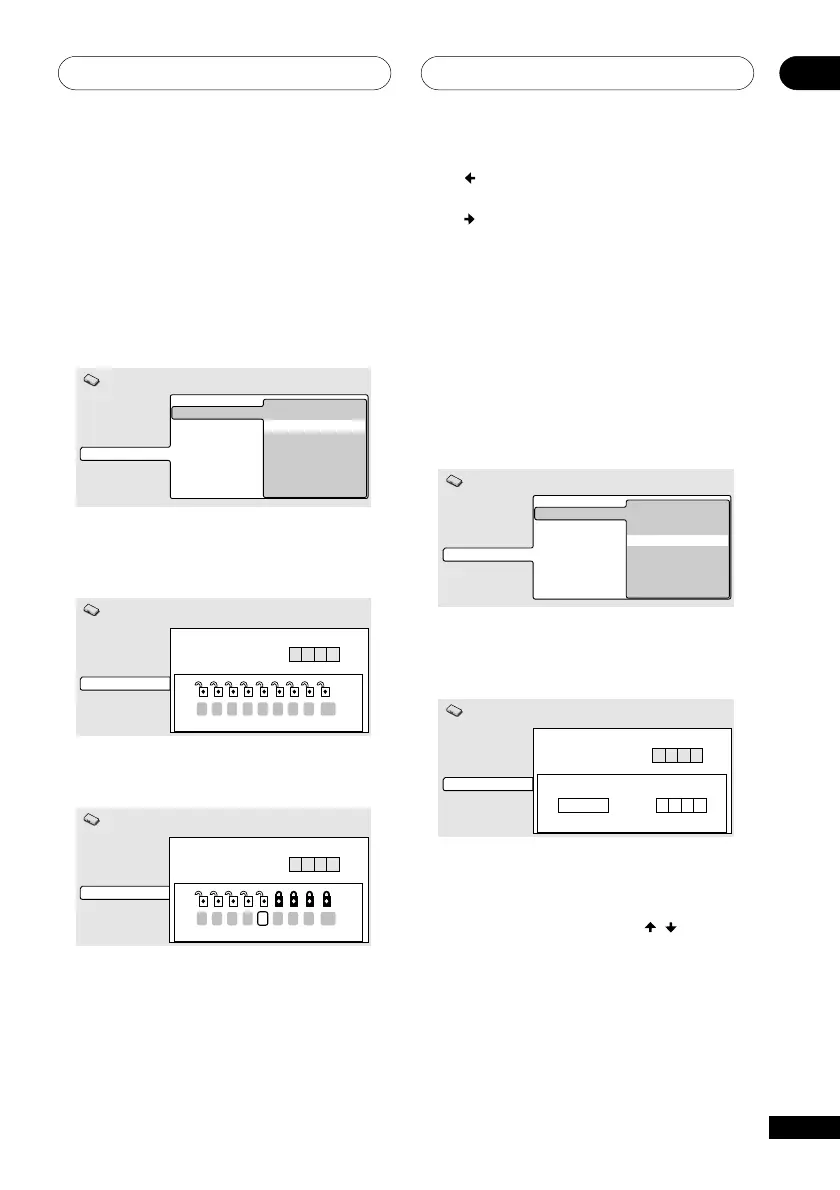
Press (cursor left) repeatedly to lock more
levels (more discs will require the password);
press
(cursor right) to unlock levels. You
can’t lock level 1.
4 Press ENTER to set the new level and
return to the Options menu screen.
Setting/changing the Country Code
You may also want to refer to the Country
code list on page 92.
1 Select ‘Country Code’.
Video Output
Language
Display
Options
Parental Lock Password Change
Level Change
Country Code
Initial Settings
2 Use number buttons to enter your
password, then press ENTER.
Video Output
Language
Display
Options
Initial Settings
Country Code List Code
us
2 1 1 9
Parental Lock: Country Code
****
Password
3 Select a country code.
There are two ways you can do this.
• Select by code letter: Use
/
(cursor
up/down) to change the country code.
4 Press ENTER to register the new
password and return to the Options
menu screen.
Setting/changing the Parental Lock
level
1 Select ‘Level Change’.
Video Output
Language
Display
Options
Parental Lock Password Change
Level Change
Country Code
Initial Settings
2 Use number buttons to enter your
password, then press ENTER.
Video Output
Language
Display
Options
Initial Settings
Parental Lock : Level Change
****
Password
1 2 3 4 5 6 7 8 off
3 Select a new level.
Video Output
Language
Display
Options
Parental Lock : Level Change
Initial Settings
****
Password
1 2 3 4 5 6 7 8 off



 To Next Page