The Initial Setup Menu14
78
En
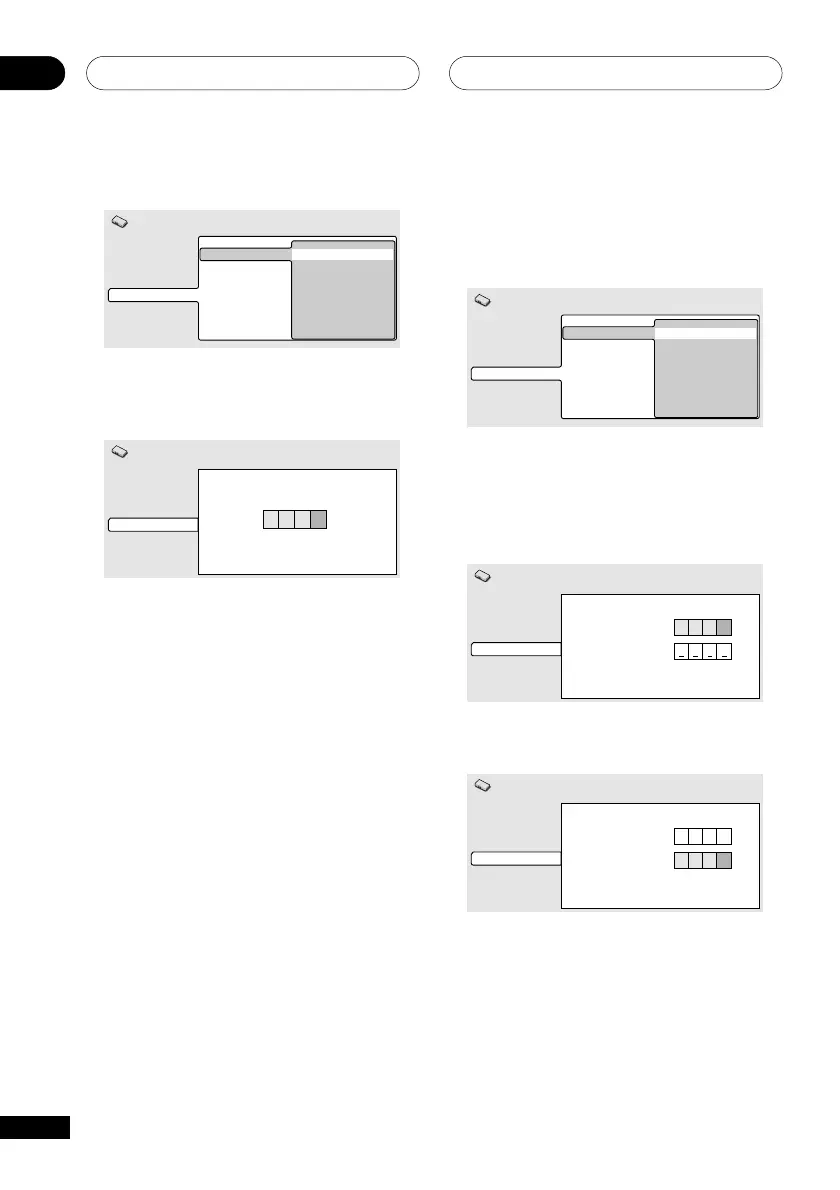
Changing your password
To change your password, confirm your
existing password then enter a new one.
1 Select ‘Password Change’.
Video Output
Language
Display
Options
Parental Lock Password Change
Level Change
Country Code
Initial Settings
2 Use the number buttons to enter your
existing password, then press ENTER.
• The numbers appear as asterisks as you
enter them.
Video Output
Language
Display
Options
Password Change
Initial Settings
****
Password
New Password
3 Enter a new password.
Video Output
Language
Display
Options
Password Change
Initial Settings
****
****
Password
New Password
1 Select ‘Password’.
Video Output
Language
Display
Options
Parental Lock Password
Level Change
Country Code
Initial Settings
2 Use the number buttons to enter a 4-
digit password.
Video Output
Language
Display
Options
Register Code Number
Initial Settings
****
The numbers you enter show up as asterisks
(*) on-screen.
3 Press ENTER to register the password
and return to the Options menu screen.
If you forget your password, you can reset
the system then register a new one. See
page 81 for how to reset the player.



 To Next Page