Playing discs06
42
En
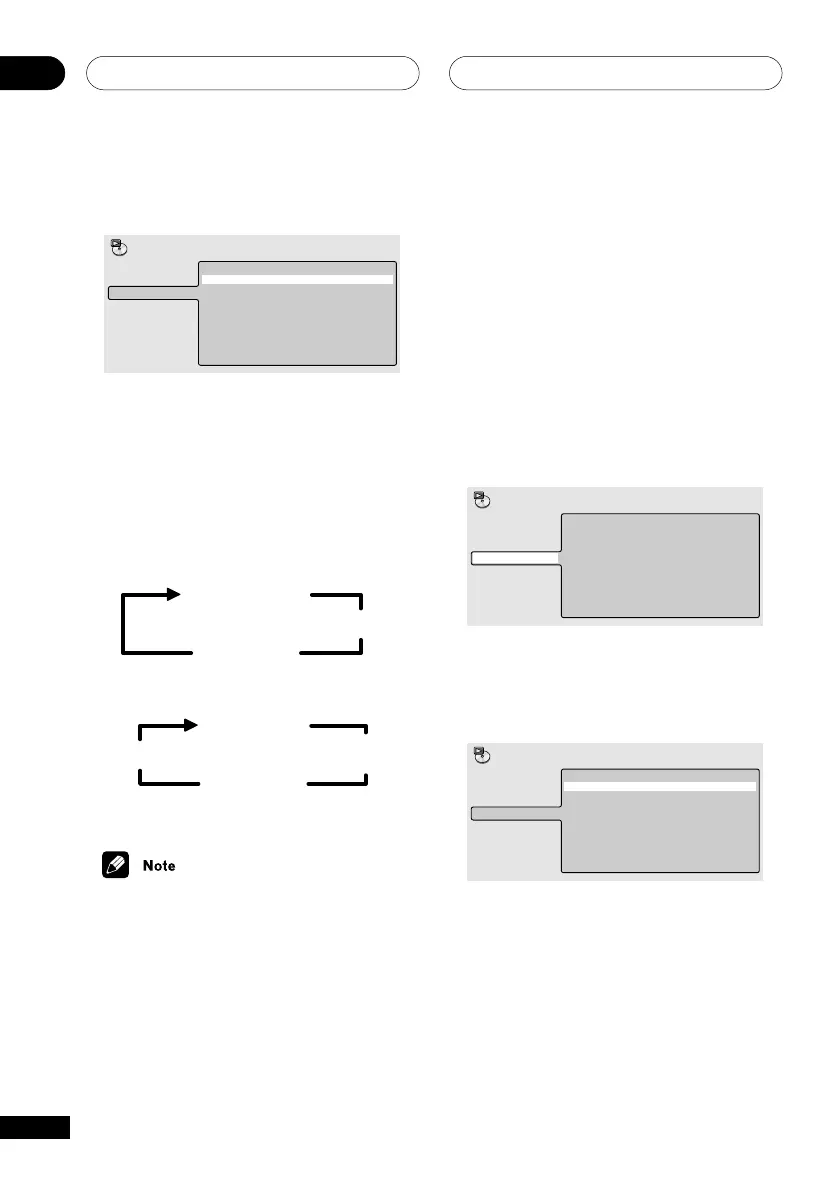
For MP3 discs, select Disc Repeat, Folder
Repeat or Track Repeat (or Repeat Off).
Disc Repeat
Folder Repeat
Track Repeat
Repeat Off
A-B Repeat
Repeat
Random
Program
Search Mode
Play Mode
Using the front panel display
• During playback, press REPEAT
(SHIFT+2) select a repeat play option.
Press repeatedly to cycle through the
different options:
• During DVD playback
Repeat Chapter
Repeat Off
Repeat Title
• During CD/VCD/MP3 playback
Repeat Track
Repeat Disc
Repeat Off
Repeat
Folder*
* Available during MP3 playback only
• You can’t use repeat and random play at
the same time.
• To cancel repeat playback without
stopping playback, press CLEAR. The
rest of the disc plays out.
• If you switch camera angles during
repeat play, repeat play is cancelled.
Using random play
Use the random play function to play titles or
chapters (DVD) or tracks (CD, Video CD and
MP3 discs) in a random order.
You can set the random play option when a
disc is playing or stopped.
Using the
OSD
1 During playback, press DVD SETUP
and select ‘Play Mode’.
2 Select ‘Random’ from the list of
functions on the left.
Random Title
Random Chapter
Random Off
A-B Repeat
Repeat
Random
Program
Search Mode
Play Mode
3 Select a random play option.
For DVD discs, select Random Title or
Random Chapter (or Random Off)
Random Title
Random Chapter
Random Off
A-B Repeat
Repeat
Random
Program
Search Mode
Play Mode



 To Next Page