Playing discs06
48
En
Switching subtitles
Some DVD discs have subtitles in one or
more languages; the disc box will usually tell
you which subtitle languages are available.
You can switch subtitle language during
playback.
1 Press SUBTITLE repeatedly to select a
subtitle option.
Subtitle English1/2
Current / Total
• To set subtitle preferences, see Subtitle
language on page 75.
• With some discs you can only change
the subtitle language from the disc
menu. Press TOP MENU to access the
disc menu
Switching DVD audio
language
When playing a DVD disc recorded with
dialog in two or more languages, you can
switch audio language during playback.
1 Press AUDIO repeatedly to select an
audio language option.
Audio French Dolby Digital 3/2.1CH1/2
Current /Total
• To set audio language preferences, see
Audio language on page 75.
• With some discs you can only change
the audio language from the disc menu.
Press TOP MENU to access the disc
menu
Switching audio channels
when playing a Video CD
When playing a Video CD, you can switch
between stereo, just the left channel or just
the right channel.
1 Press AUDIO repeatly to select an
audio channel option.
Audio Stereo
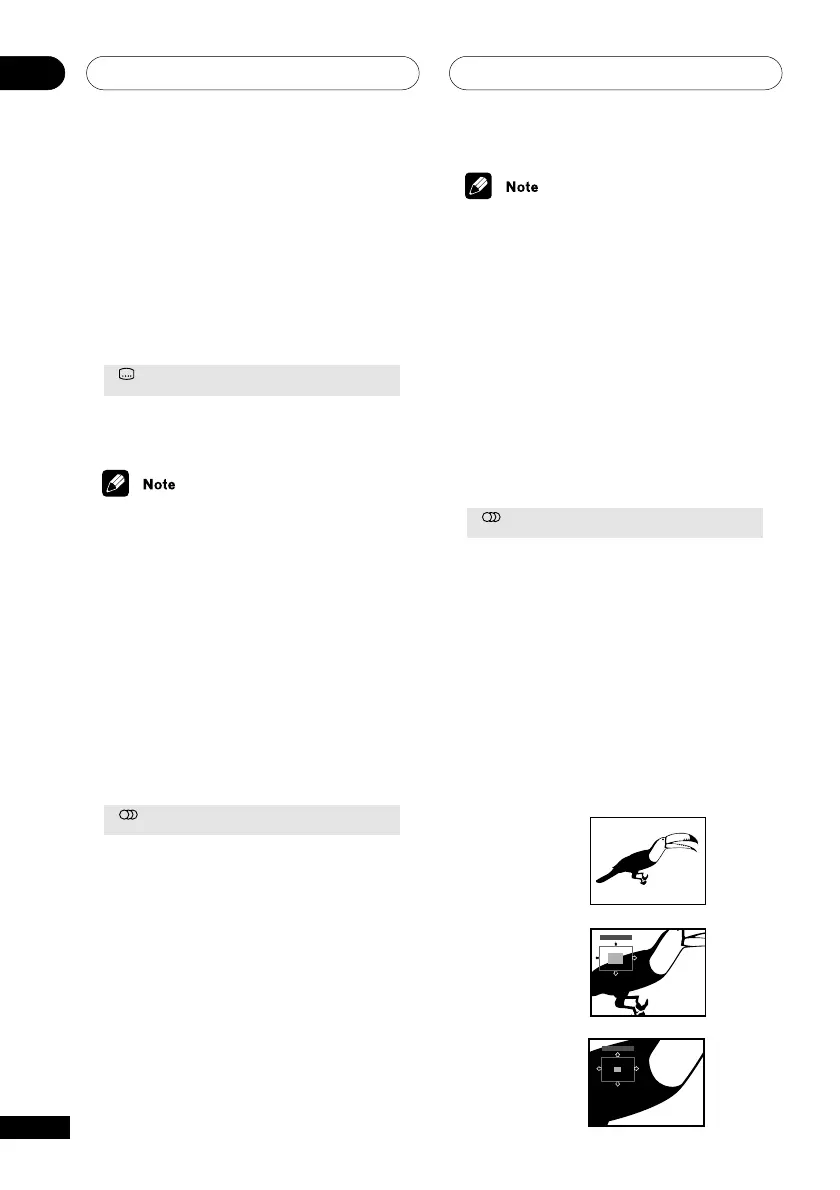
Zooming the screen
Using the zoom feature you can magnify a
part of the screen by a factor of 2 or 4, while
watching a DVD or Video CD.
1 During playback, use the ZOOM
button to select the zoom factor.
• Normal
• 2x
• 4x
Zoom 2x
Zoom 4x
Normal
Zoom 2x
Zoom 4x



 To Next Page