Controls and displays03
18
En
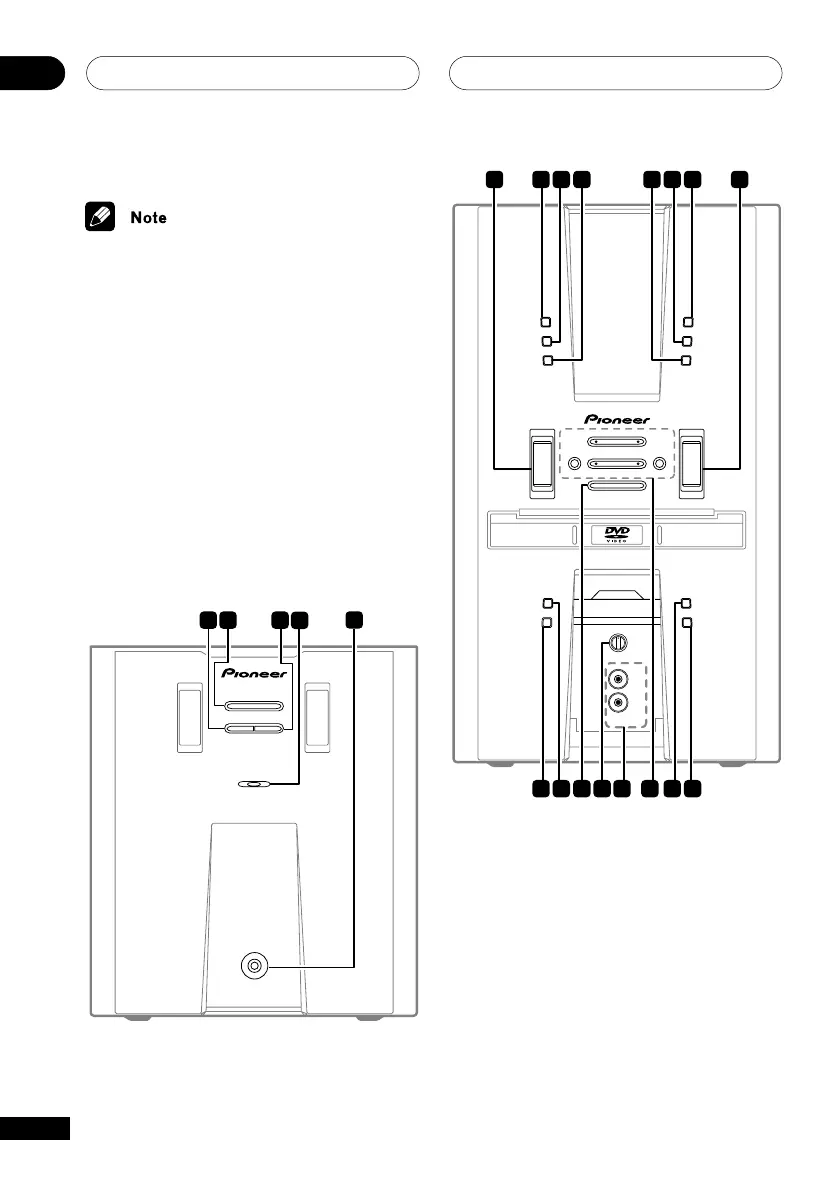
Front panel
The front panel controls for the EV51DVD model
are shown in the illustrations below.
1 SURROUND (EV51DVD model)
Selects a surround listening mode (page
63)
SFC (EV21DVD model)
Selects sound modes or custom settings
from the Sound Field Control (page 66)
2 STANDBY/ON
Switches the player on or into standby
3 ADVANCED SURROUND (EV51DVD model)
Selects an advanced listening mode (page
64)
CENTER SP (ON/OFF) (EV21DVD model)
Switches the center speaker on or off
(page 66)
STANDBY/ON
STANDBY
PHONES
SURROUND
POWER AMPLIFIER EV51DVD
ADVANCED
SURROUND
1
2
3
5
4
SOUND MODE
KARAOKE
VOLUME
ST. MEMORY
TIMER/CLOCK ADJ
DISPLAY
STEREO DVD TUNER DECK
EV51DVD
ENTER
DVD/CD
TUNER
TAP E
LINE
OPEN/CLOSE
DOLBY NR(DEMO)
ASES
MIC VOL
MAX
MIN
MIC
(MAIN)
MIC
(SUB)
REVERSE MODE
REC/STOP
PLAY/PAUSE STOPTUNING – TUNING +
4/1
¡/¢
– +
6 7 8 9 1310 11 12
14 15 16 17 18 19 20 21



 To Next Page