Singing karaoke09
60
En
Singing karaoke
Using the karaoke features you can plug in a
microphone and mix the sound of your own
voice with a backing track. The backing track
can be anything you like, from a song on the
radio, to a dedicated DVD karaoke disc.
Adjust the microphone level relative to the
backing track.
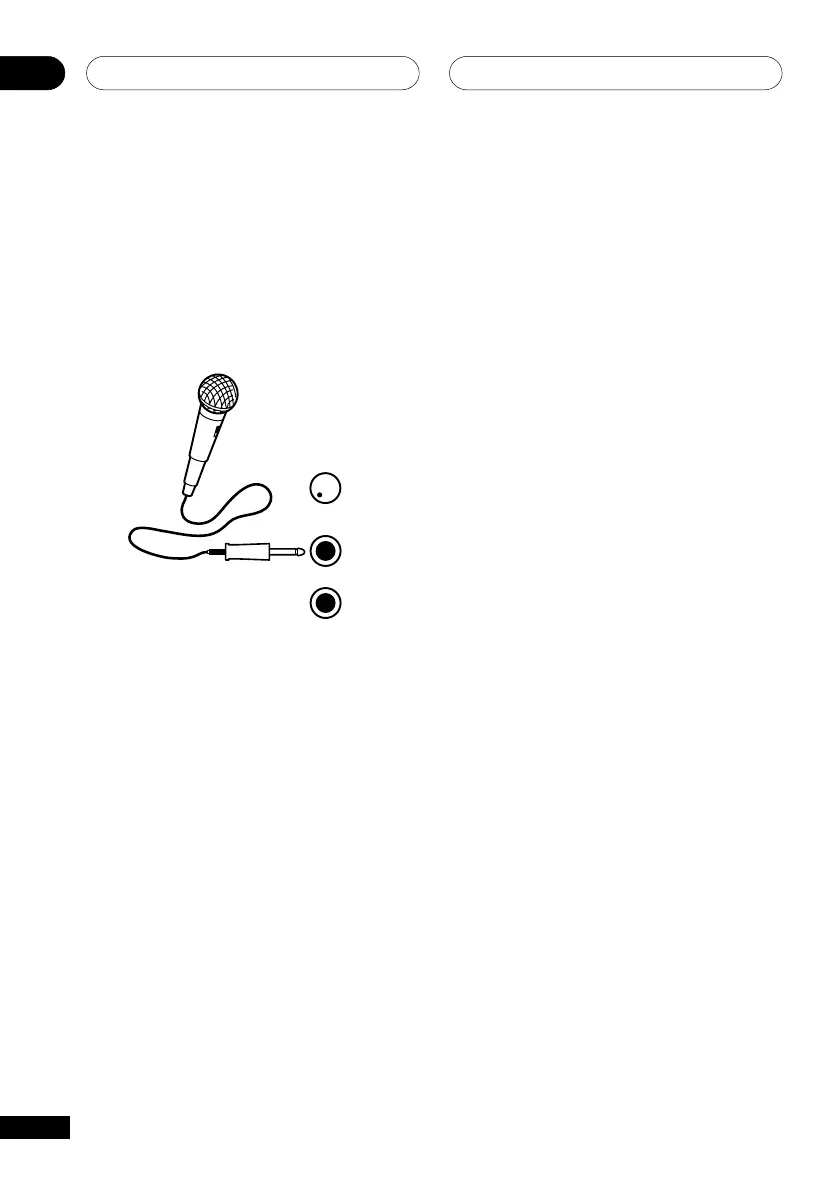
MIC VO
MIN MAX
MIC
(MAIN)
MIC
(SUB)
1 Set the MIC VOL knob (front panel) to
minimum.
You’ll have to open the lower door on the
front panel to access it.
2 Plug in the microphone(s).
The mic jacks are located below the MIC
VOL knob.
• If the microphone has an on/off switch,
make sure it’s on.
• If you’re only using one mic, plug it into
the MIC (MAIN) jack. The MIC (SUB)
jack can be used only if MIC (MAIN) is
also connected.
3 Load a karaoke backing disc or tape.
You can also use the radio or a component
connected to the auxiliary inputs as source
material for a backing track.
• If you want to play from a track other
than the first, select the track now.
4 To change the mix (CD or VCD only),
press KARAOKE.
Pressing repeatedly switches between these
options:
• KARAOKE (Vocal cancel) – Vocals in the
backing track are partially eliminated
using EQ.
• L CH – Left channel only. Use for tracks
that have a vocal recorded in the right
channel.
• R CH – Right channel only. Use for
tracks that have a vocal recorded in the
left channel.
• L+R CH – Use to put a single-channel
vocal track into the center of the mix.
• STEREO (Off) – Switches the Karaoke
mode off.
For the EV51DVD model only
• During DVD playback, pressing
KARAOKE automatically switches to
STEREO playback and downmixes a
multi-channel source to two channels.
5 Play the backing track.
6 Adjust the MIC VOL knob to get the
sound you want.
To avoid unpleasant feedback, make sure you
don’t point the microphone(s) at the
speakers.
7 Sing!



 To Next Page