DA80F/DA95F AddressRight™ Printers Service Manual (SV61962 Rev. A)
5-61
Removal and Replacement • 5
DA95F (WF96) - Printer Parts Removal
5.36 Print
Head Cables
and Print
Head Boards
(continued)
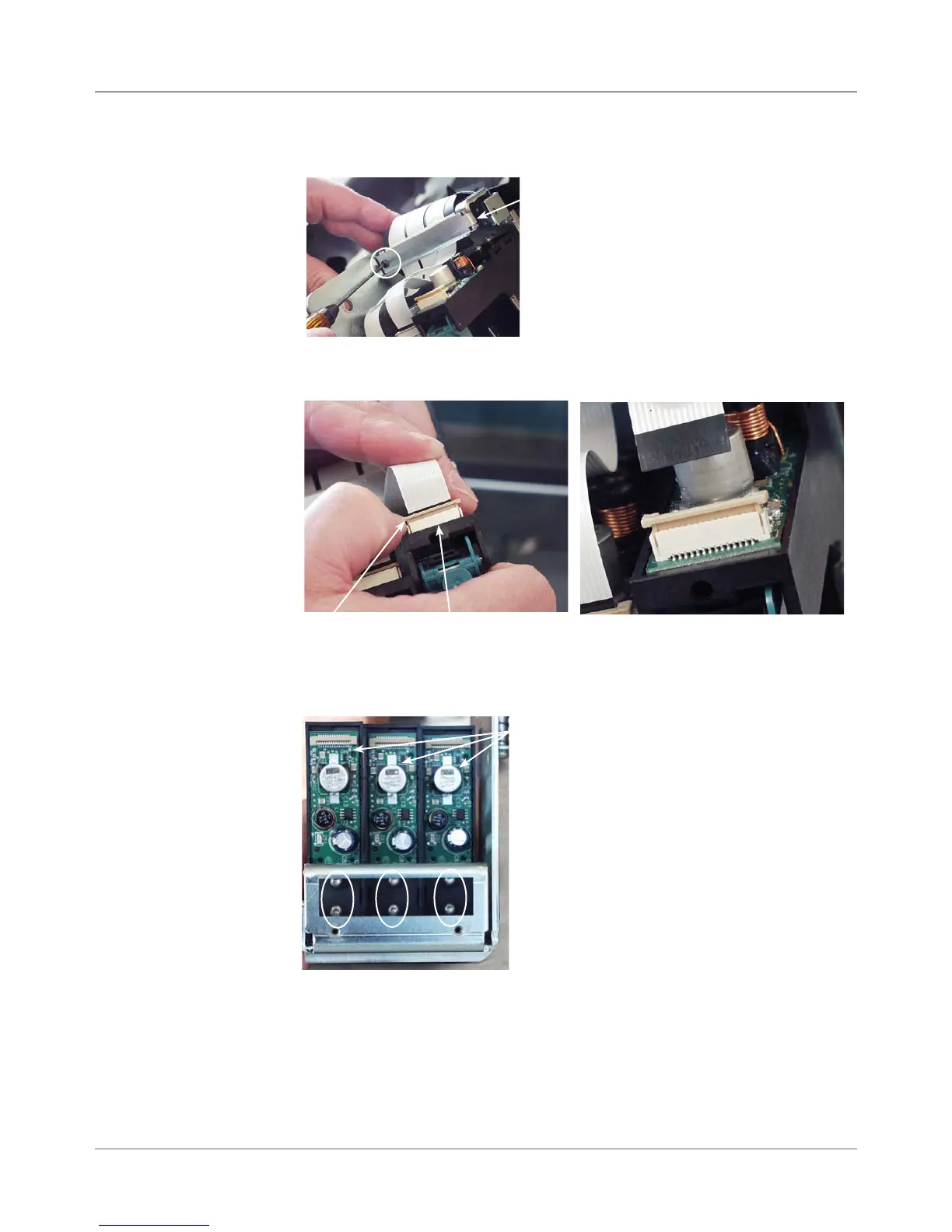
9. Remove metal clamp (one screw) holding all three print head cables.
Metal Clip for
Print Head
Cables
Screw for Clamp
(Circled)
10. Pull out slightly the tan locking piece on the edge of the connector with
your fingernail and simply remove cable (uses zero insertion force).
Tan Locking
Piece
Edge of
Connector
Removing Cable from Print
Head Board
11. Loosen the two star screws on the print head board about four turns (but
do not remove).
Print Head Boards
(aka “Newport boards”)
Star Screws
(Circled)



 To Next Page