• 3D Endodontic Imaging Mode (Endodontic image resolution for small
3D image volumes)
• Braces Protocol (3D Braces program, for Planmeca ProMax 3D
Classic only)
• 3D Classic Extended Volume (Extended 3D image volume for 3D
Teeth program, for Planmeca ProMax 3D Classic only)
• ProTouch Desktop (Virtual control panel that allows you to take
exposures)
• CALM (Patient movement correction for 3D programs)
• ULD (Ultra Low Dose for 3D programs, licence available for
Planmeca ProMax 3D Classic only)
• Autofocus (Autofocus for 2D panoramic programs, licence available
for Planmeca ProMax 3D Classic only)
• 3D Advanced FOVs (Additional 3D programs and volume heights,
licence available for Planmeca ProMax 3D Classic only)
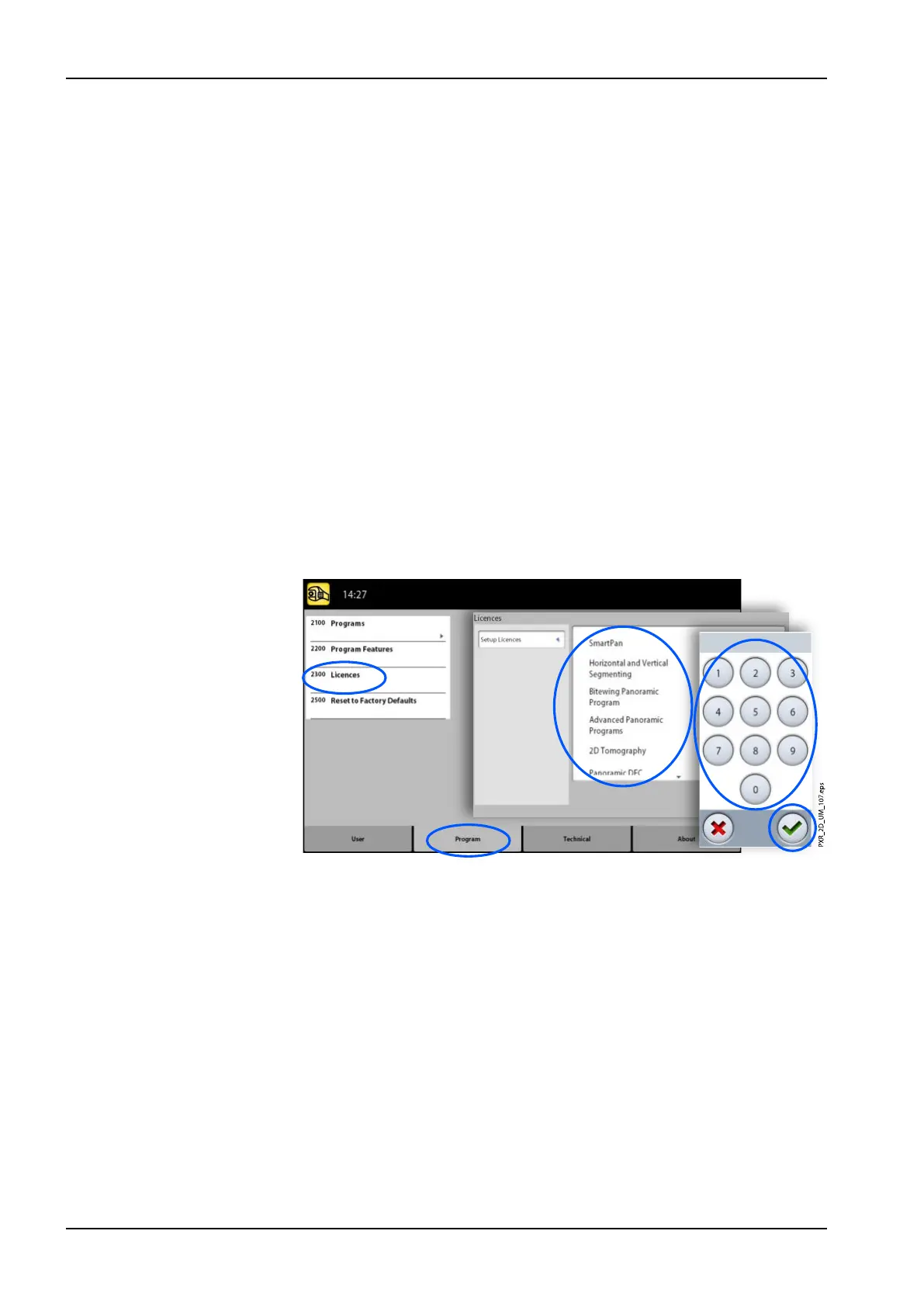
3. Enter the licence code that you have received for this licence on this X-
ray unit.
4. Select the green check mark button.
5. Repeat for another program licence if needed.
6. Select the green check mark button.
9 Settings
96 Planmeca ProMax User's manual














 To Next Page