NOTE
DEC and horizontal segmenting cannot be used simultaneously.
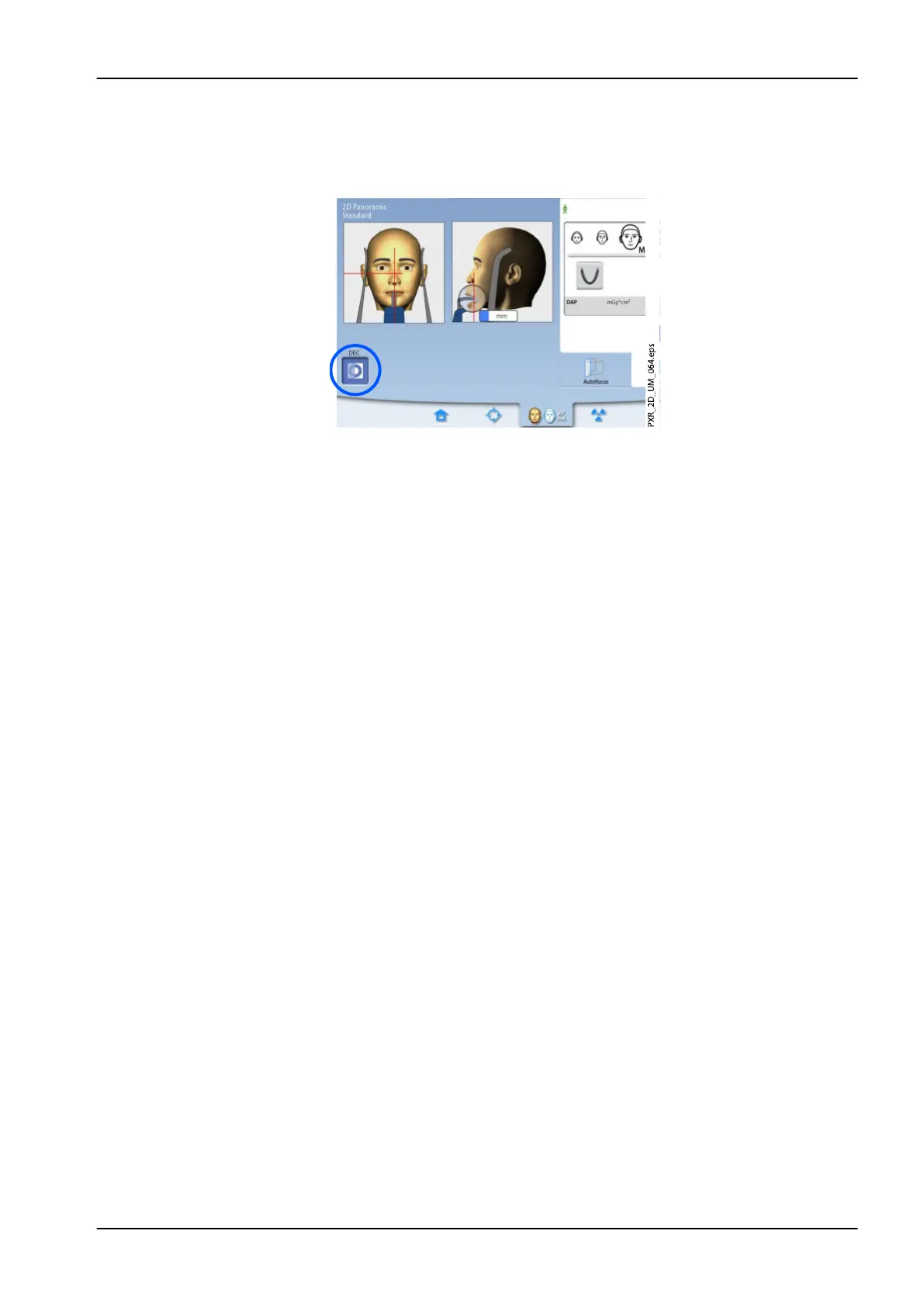
Select the DEC button.
Dynamic Exposure Control (DEC) automatically provides optimal exposure
values for each patient during exposure. The function adjusts the exposure
values individually for each patient based on their anatomic structure and
bone density. Switching DEC on improves the image quality as the function
produces images of more consistent brightness and contrast.
When DEC is switched on the exposure values are automatically adjusted
during exposure. The kV value is adjusted by max ±4 kV and the mA value
is adjusted by max +4 / -3 mA within the available scale.
6.8.1 Adjusting DEC density
If the images appear to be too bright or too dark, DEC density can be
adjusted. Select Settings > Program > 2200 Program Features > 2210 2D
Panoramic > Pan DEC Density and use the minus or plus sign to adjust the
setting.
The setting can be adjusted between 20% (lower exposure values ->
brighter image) and 200% (higher exposure values -> darker image). The
recommended setting is 100% (default setting).
6.9 Taking an exposure
NOTE
Make sure that you have selected the correct patient and exposure mode in
the Planmeca Romexis program.
1. Make sure that the Exposure tab is selected.
6 Panoramic exposure
User's manual Planmeca ProMax 53














 To Next Page