6.3.3 Selecting segmentation
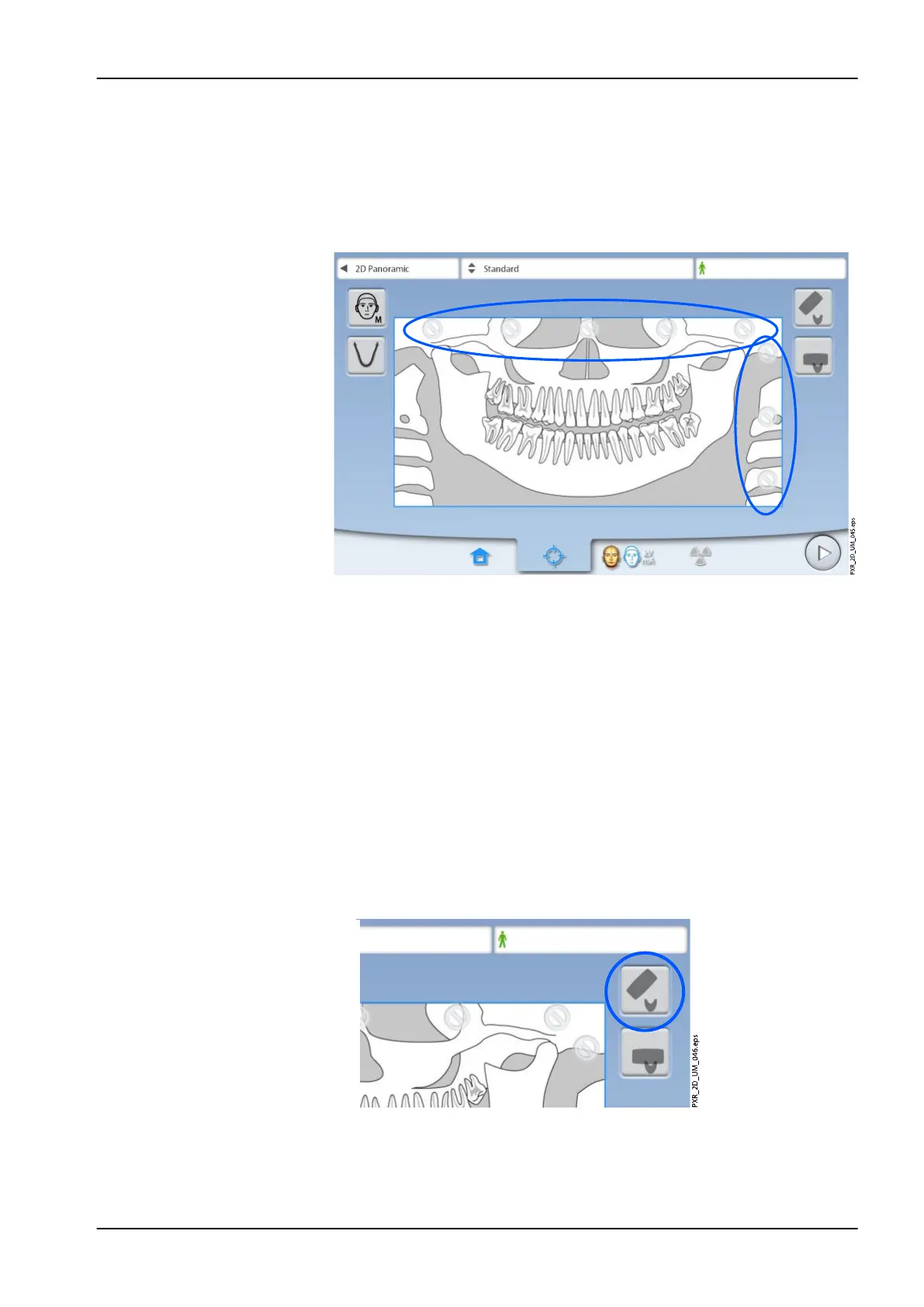
The function allows you to take exposures of different jaw segments. This
will reduce the radiation dose of the patient.
The illustration on the screen is divided into three horizontal segments and
five vertical segments. Select the segments that should NOT be exposed.
The prohibition signs of these segments turn red.
NOTE
It is not possible to expose two separate horizontal segments.
NOTE
The illustration on the screen is only an example. The actual size of the
exposed area depends on the patient’s individual anatomy.
6.4 Patient positioning
6.4.1 Selecting patient entry position
Use the buttons on the right of the screen to select the patient entry position.
• Select this button to move the C-arm to the back, away from the patient
positioning area. This full view position allows you to monitor and adjust
the patient’s position freely from all directions.
6 Panoramic exposure
User's manual Planmeca ProMax 41














 To Next Page