EasyManua.ls Logo

Plustek SmartOffice PS286 Plus - Chapter 3: Care and Maintenance; Cleaning the Scanner; Cleaning Materials

Plustek SmartOffice PS286 Plus
220 pages
Print Icon
To Next Page IconTo Next Page
To Previous Page IconTo Previous Page
Loading...
27
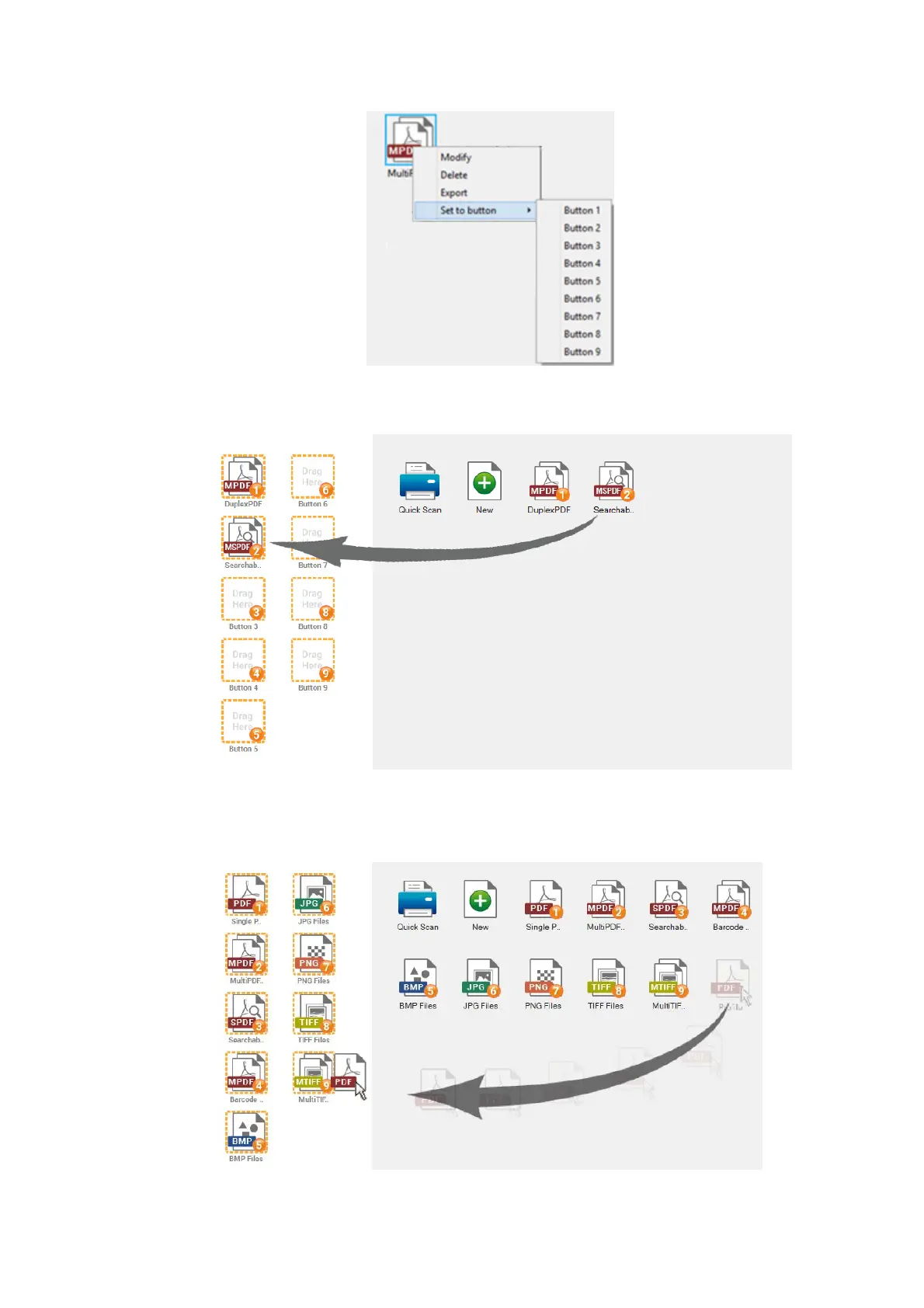
Drag and drop the scan profile button to the left side of the window to assign
the scan profile to be the button displayed in the left side of the window.
For example, drag and drop the new PDF profile button to replace the
original Multi-TIFF Button 9. After replacing the button, the Button 9 is
assigned to be the PDF button.


Table of Contents

Other manuals for Plustek SmartOffice PS286 Plus

Related product manuals